EXCELL PRECISION CO., LTD
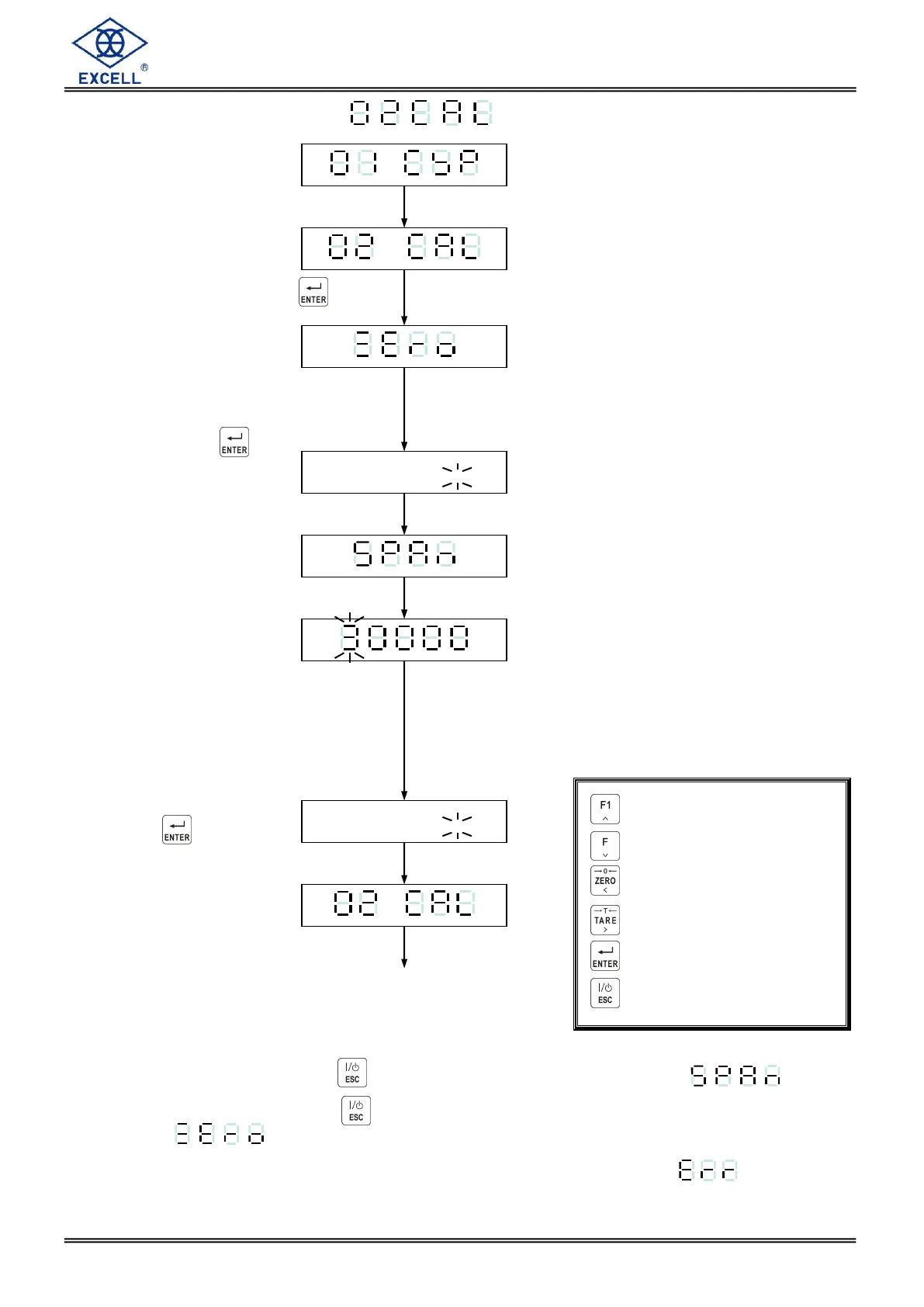
3-5 General Calibration
Set CAL switch to ON
Select General Calibration
Press Key
Zero Calibration
No weight on the platform
or in the hopper
Press the key
Five sec. later
Two sec. later
Weight Calibration
Use the front panel to key in the
weight value
Place the weight on the platform or
inside the hopper
After the weight is stable
Press the key
Five sec. later
Calibration complete set
calibration switch to the OFF
position
Zero calibration only, press key to escape after the display shows
.
Span calibration only, press key entering directly to span calibration after the display
shows .
Please refer to error message during calibration of the display show . X .
Increment flashing digit
Decrement flashing digit
Move flashing point left
Move flashing point right
Store data in memory
Exit / Escape



 To Next Page