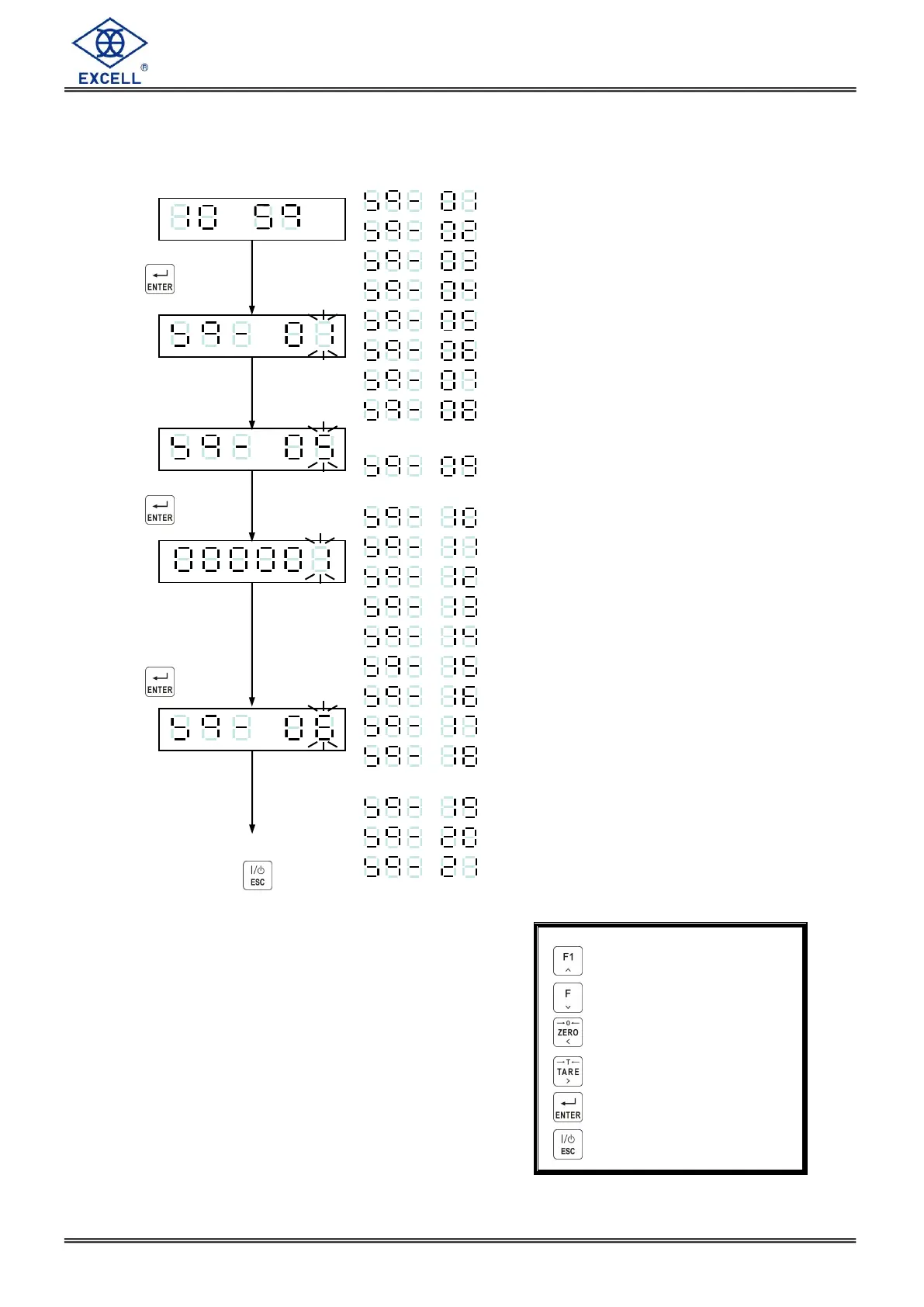
Batching mode
Batching start delay time
Compare SP1 & SP” waiting time
Batch finishes output signal delay time
Batch finish condition
Batch finish output signal duration
Supplementary load times
Supplementary loading gate open
time
Supplementary loading gate closed
time
Discharge start delay time
Discharge stop delay time
Discharge time
Restart delay time
Batching times
Weight completed value in Zero band
Hi, OK, Lo action mode
Auto totalise weight / counts
The parameter source for weight
comparison
Weight comparison delay time
Tare auto
Discharge auto
Increment flashing digit
Decrement flashing digit
Move flashing point left
Move flashing point right
Store data in memory
Exit / Escape



 To Next Page