EXCELL PRECISION CO., LTD
Chapter 1 Front and Rear Panel Specifications
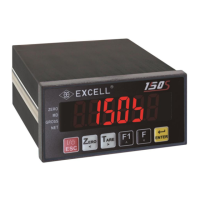
1-1 Front panel
Display
6 digits, bright red, 7 segment LED display, character height 16mm (0.63”).
Display can be switched between Gross Weight / Net Weight / Totalised Weight /
Number of transactions in the total.
Indication icons “◄”
Unstable weight Indication
The indicator is supplied with suitable labels to customise the icon displays.
Refer to FNC-06 ~ FNC-09 for the various options available.
Weighing Units
Weighing Units kg / g / t / lb.
1-2 Rear panel
Calibration Switch set to the left is “OFF” and to the right is “ON”



 To Next Page