EXCELL PRECISION CO., LTD
4-2 Check Weighing Configuration
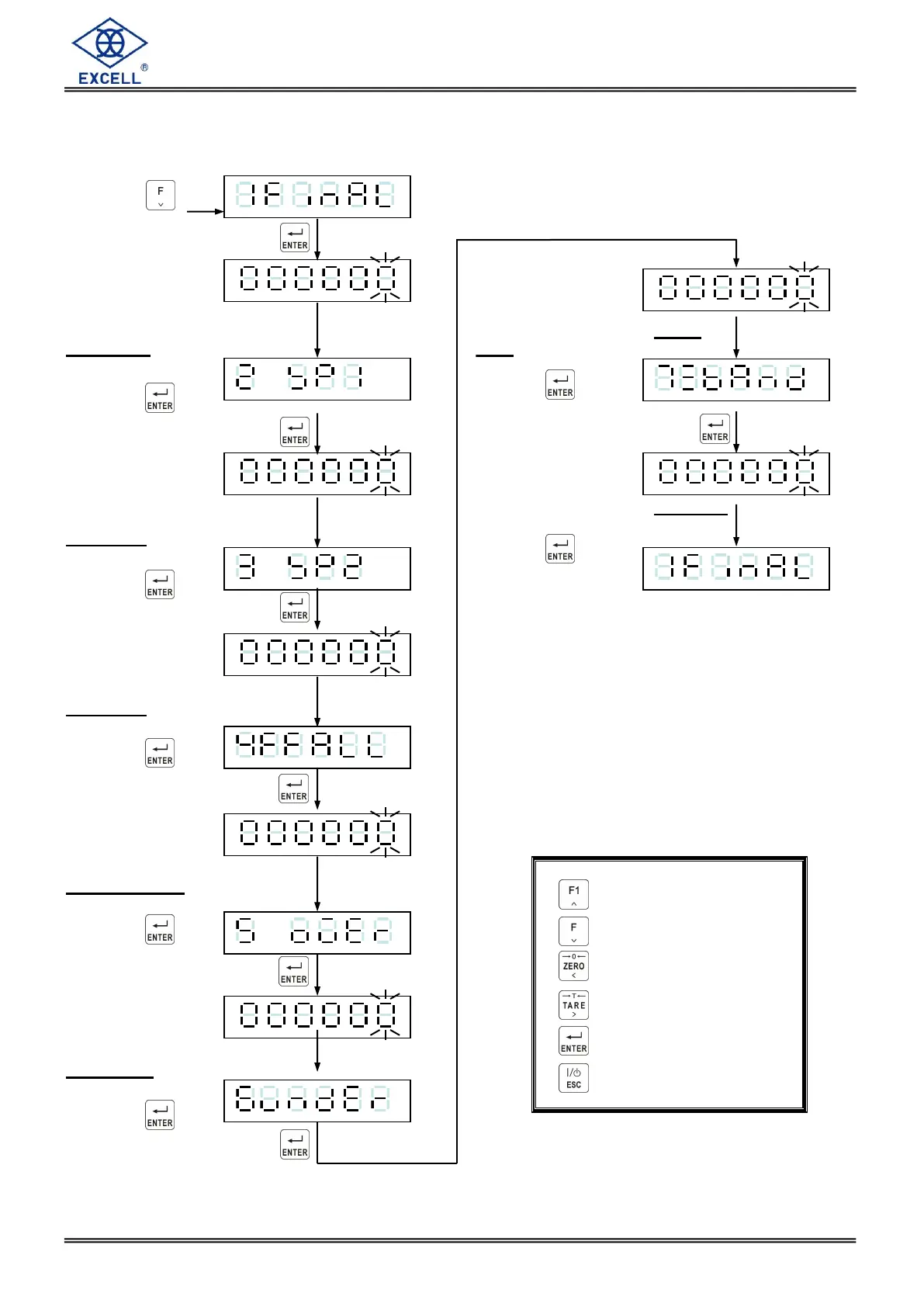
1. FNC-04 = 1, SQ-01 = 1, 2, 4 or 5
Press the key
Display shows the existing
Final value setting, Input new
value as required.
Press the key
Display shows the existing
SP1 value setting, Input new
value as required.
Press the key
Display shows the existing
SP2 value setting, Input new
value as required.
Press the key
Display shows the existing
Free Fall value setting, Input
new value as required.
Press the key
Display shows the existing
Over value setting, Input new
value as required.
Press the key
Increment flashing digit
Decrement flashing digit
Move flashing point left
Move flashing point right
Store data in memory
Exit / Escape
Display shows the existing Under
value setting. Input new value as
required.
Press the key
Display shows the existing Zero Band.
setting. Input new value as required.
Press the key



 To Next Page