EasyManua.ls Logo

Excell 120S - Page 55

Default Icon
76 pages
Print Icon
To Next Page IconTo Next Page
To Previous Page IconTo Previous Page
Loading...
040112XX
EXCELL PRECISION CO., LTD
ZSME400000004
54
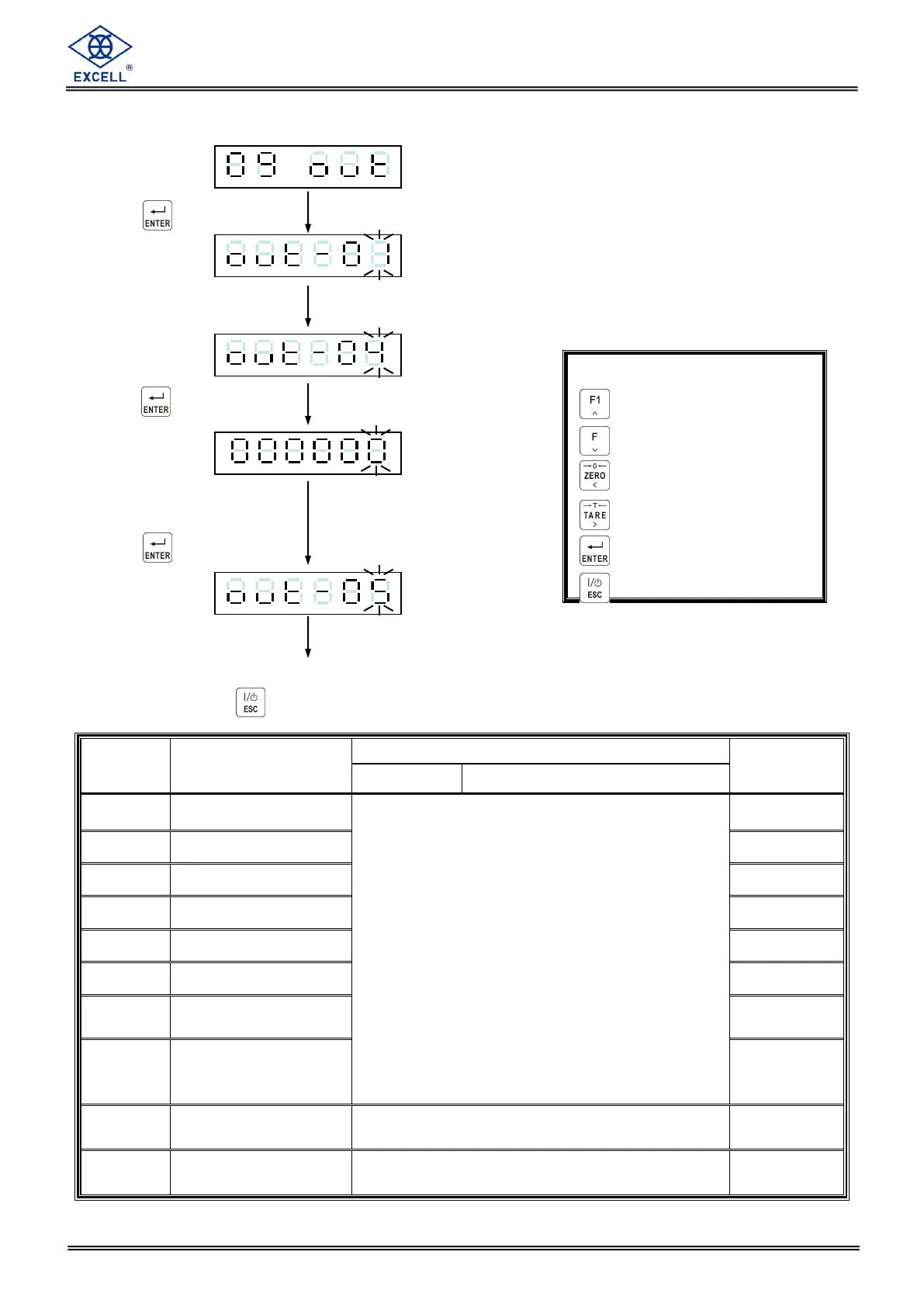
Output signal setting
Press the key
Input desired
Parameter code
Press the key
Display shows the existing
parameter code. Input
new code as required.
Press the key
To continue another function setting
or press key to escape
Item
Function
Setting value
Default
Parameter
Description
OUT- 01
Output 1
0 None
1 Zero band
2 SP1
3 SP2
4 SP3
5 Batching completed
6 Discharge
7 Peak ready
8 Stable
9 Internal batching process running
10 Under
11 Over
12 Hi
13 OK
14 Lo
1
OUT- 02
Output 2
2
OUT- 03
Output 3
3
OUT- 04
Output 4
4
OUT- 05
Output 5
5
OUT- 06
Output 6
6
OUT- 07
Output 7
7
OUT- 08
Output 8
8
OUT-09
The output logic of
OUT-04~OUT-01
0000 positive logic
1111 negative logic
0000
OUT-10
The output logic of
OUT-08~OUT-05
0000 positive logic
1111 negative logic
0000
Increment flashing digit
Decrement flashing digit
Move flashing point left
Move flashing point right
Store data in memory
Exit / Escape

Table of Contents

Related product manuals