Chapter 4 Wireless Connection Instruction
Baud rate must be set as 9600 (bits/sec) and Communication protocol must be set as n81.
Step 1: Connect to your device
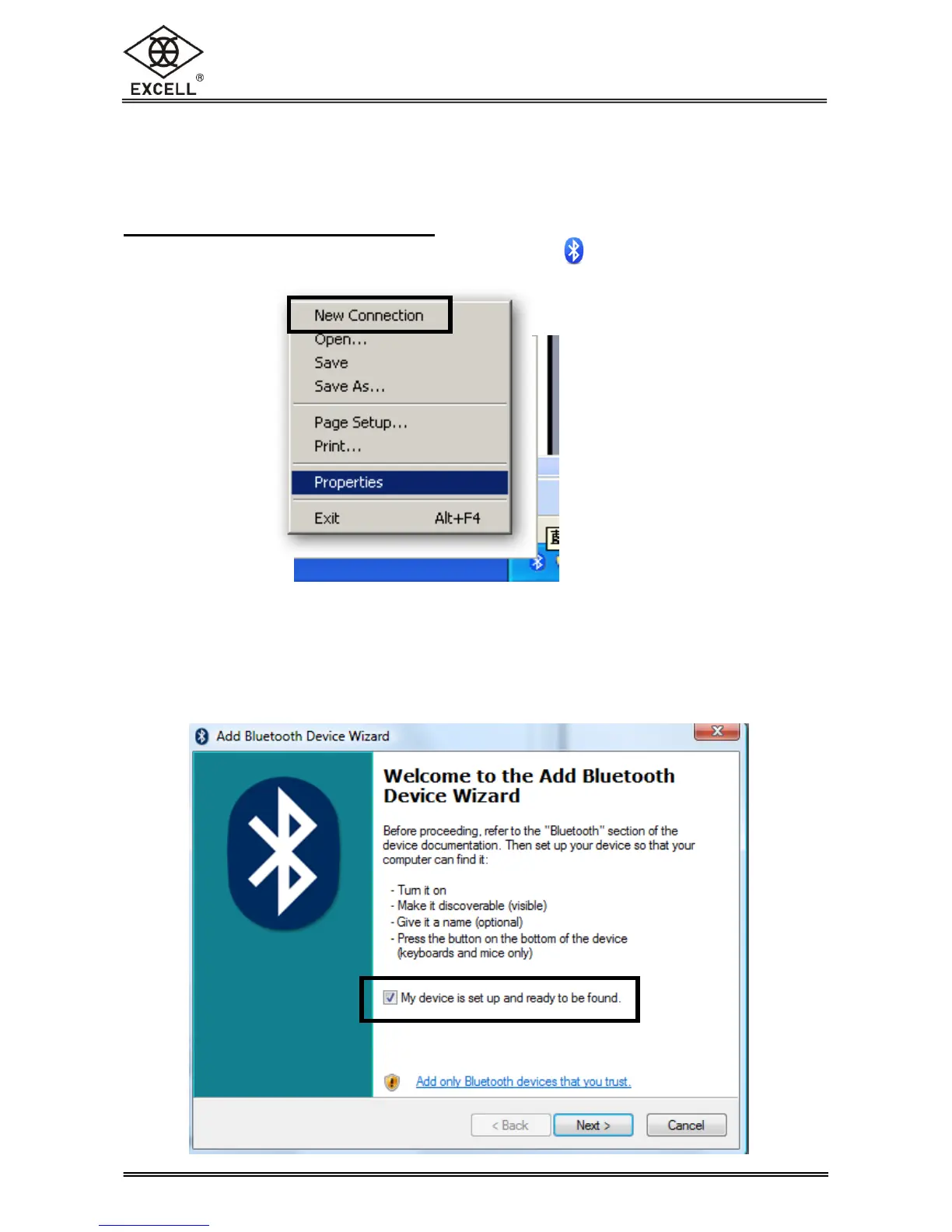
1. Enable Wireless on your computer. Right-click on the icon of the bottom-right corner
on taskbar, highlight “New Connection” and left click.
Due to the different bluetooth supplier software could be installed, the setting dialogs
shown below are just for reference.
2. Check “My device is set up and ready to be found” in the dialogue box.



 To Next Page