12
1. If the caller doesn’t know the extension number, he can inquiry the
operator by dialing “0”.
2. Outgoing Message must be record when setting this mode.
3.6.6 Setting Auto-attendant Mode
Format: 0 4 4 0 # Enable auto-attendant (OGM) in day and night
0 4 4 1 # Enable auto-attendant in day (means in night
is operator mode)
0 4 4 2 # Enable auto-attendant in night (means in day
is operator mode)
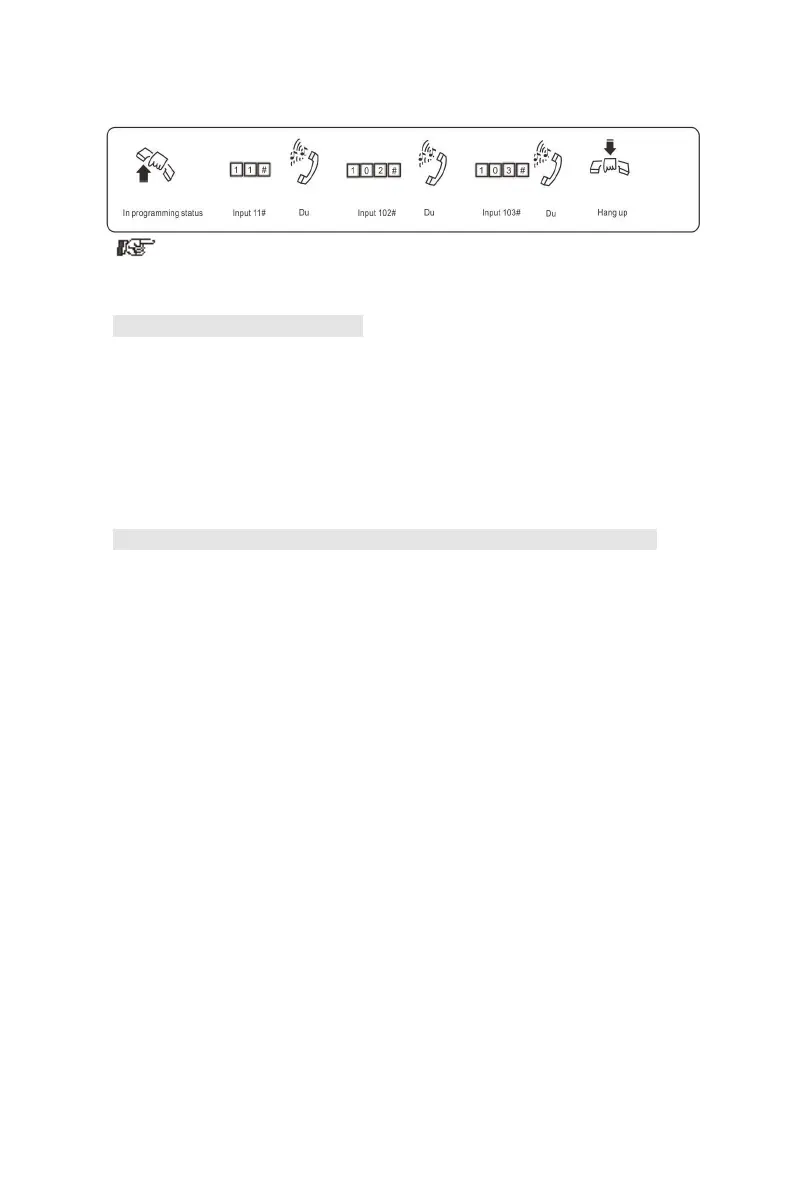
Example: Set CO line 1 and 2 is operator mode in day, and is
auto-attendant mode in night; CO line 3 is operator mode in day and night.
then you should input 10#, 113#, 0442#。
3.6.7 CRBT (Directly ringing while play OGM Process in Auto-attendant Mode)
NOTE: I、This is a new mode; allow the caller form outside can hear OGM
while the system directly ring the assigned extensions without dialing any
extension numbers.
II、You should set the C.O. line in Auto-attendant mode first.
III、In this mode we suggest you record the OGM in one paragraph.
Format: 1 67 # this is default setting
Description: disable directly ringing extensions while playing OGM in
auto-attendant mode.
Format: 1 6 7 0 #
Description: enable directly ringing extensions while playing OGM in
auto-attendant mode,and the ringing extensions is the first& the second
operators
Format: 1 671# to ring the first Exts.Group
Format: 1 672# to ring the second Exts.Group
Description: Enable directly ringing extensions while playing OGM in
auto-attendant mode, and the ringing extensions is the setting Exts.
Groups.
Format: 1 6 7 6 #
Description: enable directly ringing extensions while playing OGM in
auto-attendant mode, the system will call the operator mode Ringing
Extensions.
NOTE:Exts.Group setting refer3.10.1&3.10.2



 To Next Page