19
3.11.4 Set Direct-Dialing-Out Mode for Certain Ext.
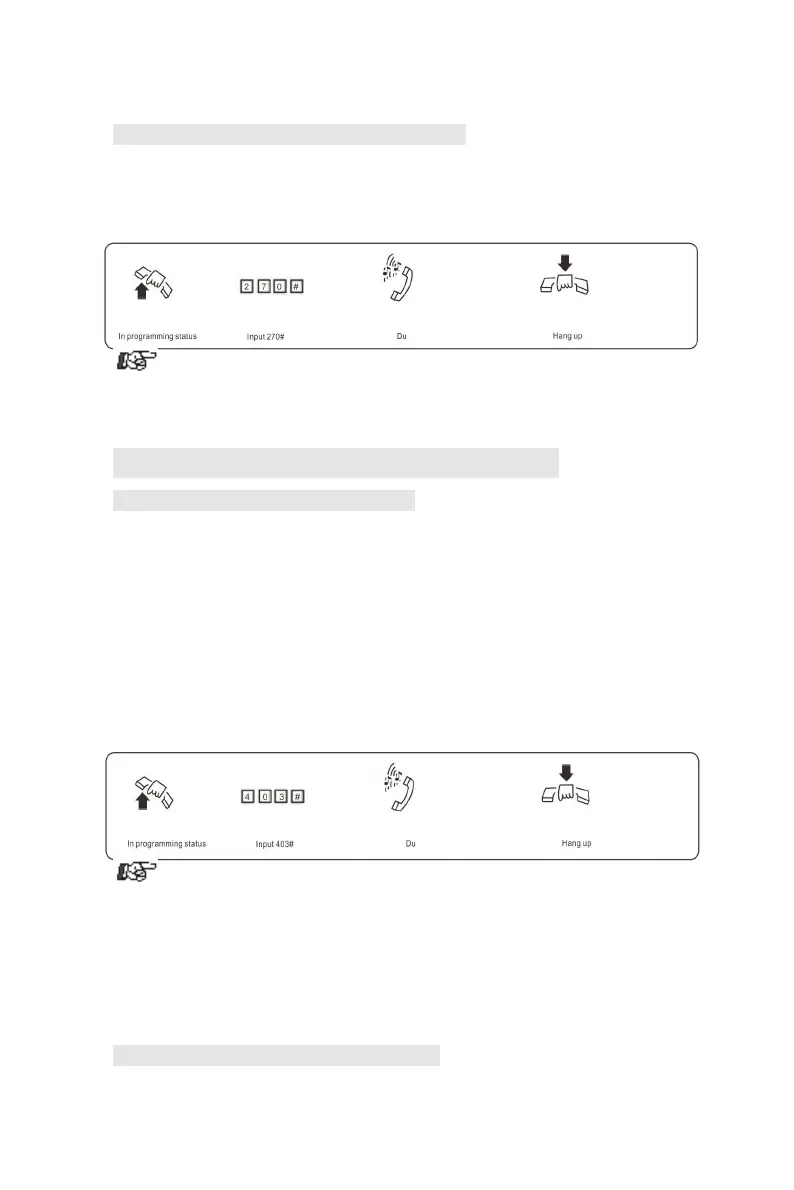
Format: 2N0#
Explanation: N: the Ext. line No., N = 1 - 8
Description: set Direct-Dialing-Out mode for Ext.N.
Example: Set Direct-Dialing-Out mode for Ext.607
1. In Direct-Dialing-Out mode, extension make intercom call should
dial *first, then dial the extension number.
2. No need dial 9 before outgoing call.
3.12 Call Restriction-Class Assignment
3.12.1 Class Assignment for All Extensions
Format: 40 L#
Explanation: L: class number, L= 0 - 6
Description: Assign dialing-out class L for all Exts.
L=1: no any restriction
L=2: call out with restriction of International long-distance dialing
L=3: call out with restriction of domestic long-distance dialing
L=4: call out with restriction initial of item A.
L=5: call out with restriction initial of item B.
L=6: only for intercom call
L=0: only for some special calling number
Example: Assign the calling class to be 3 for all extensions.
1. In default setting, the class for all extensions is 4
2.This command enables a user to set class restriction on extensions in
a fast and convenient way, especially when most extensions have the
same class.
For example, if you want set extension 603 to class 3 and extension 608 to class
4,and the rest extensions to class 5, then you can set the restriction rank to be 5
for all extensions and change the restriction class to 3 for extension 603 and 4
for 608
3.12.2 Class Assignment for Certain Extension
Format: 40 N L#



 To Next Page