SAIC Exploranium – GR-135 System Manual page: 13
5.0 DETAILED OPERATION GUIDE
This section offers a detailed guide to system operation. The “AUTOMATIC” (= simplified) mode of
operation is described in Appendix A, note there is a special Users manual for “AUTOMATIC” only
operations.
The manual assumes that unit is being operated with the supplied DOCKING-STATION (DS) – non
DS users please refer to Appendix C for differences
5.1 JOYSTICK
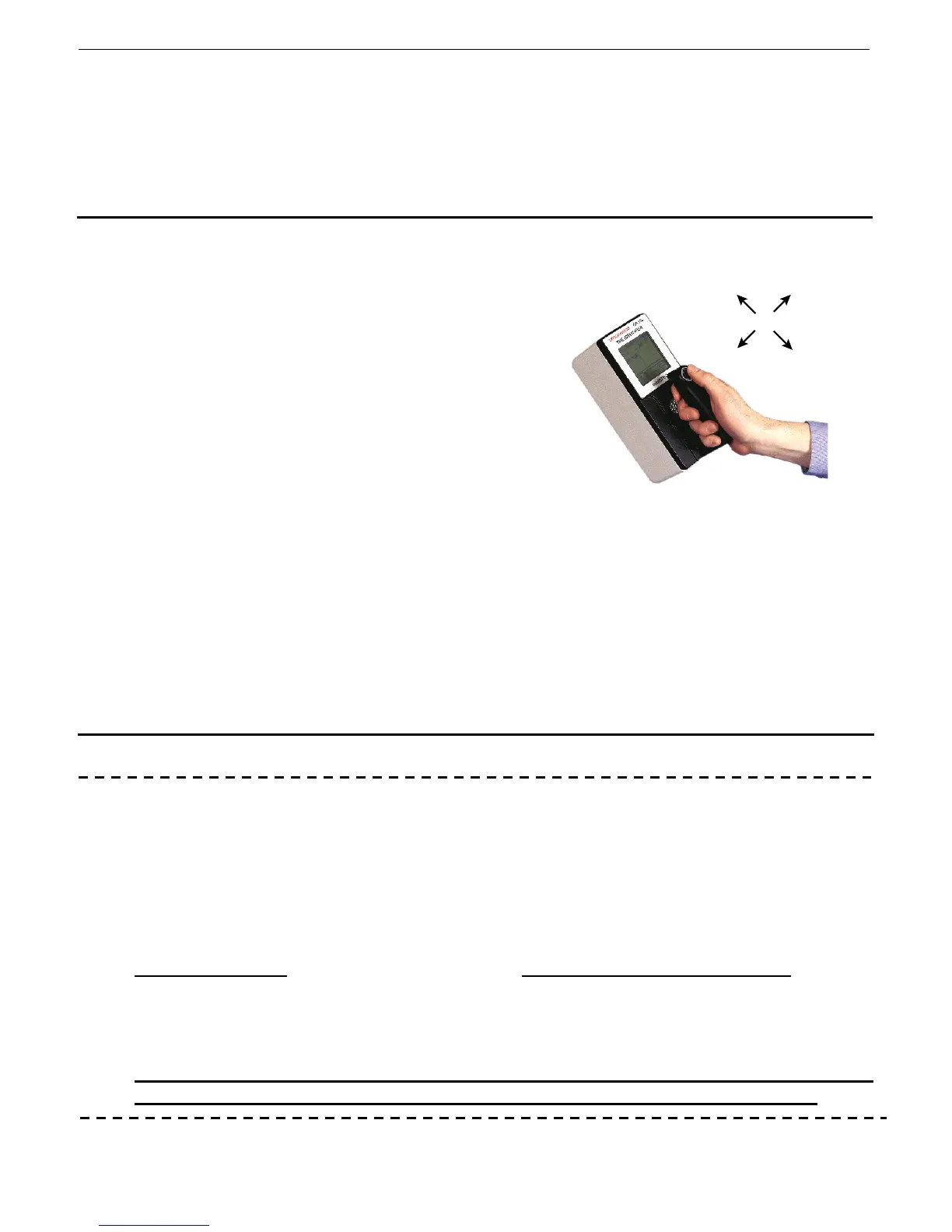
The GR-135 is equipped with a rubber-covered
JOYSTICK on the instrument handle, referred to in
this manual as the JOYSTICK and this is the ONLY
control on the instrument. The great advantage of
this single button control is that besides being very
easy to use it also permits full operation EVEN
WHEN WEARING GLOVES – a definite advantage in
many applications where protective clothing is
required. Various Joystick actions are permitted
depending on the application:
CLICK UP/DOWN - a SHORT (up to 0.5 sec)
push (CLICK) of the JOYSTICK UP (away
from the user) or DOWN (towards the
user) is used to scroll through the system
menus
ENTER - holding the JOYSTICK DOWN (toward the ON position on the joystick label) for about
ONE SECOND (in the manual referred to as ENTER) is used to activate the selection
highlighted on the display
CLICK LEFT/RIGHT – SHORT click used in some menus to change parameters and in the Main
Menu to adjust display contrast.
5.2 POWER
a) BATTERIES
The GR-135 has an integrated Battery-Charging capability and operates with the supplied two D-cell
rechargeable NiCd batteries for Docking-Station usage. The internal battery charger permits the
battery charging system to be fully under software control. With the increased availability of
specialty batteries, this feature means that a wide variety of battery types can be used in the
instrument – the user simply selects battery type and the charger automatically selects the correct
charging parameters for this battery type. Consult Exploranium if special battery usage is required.
Alkaline batteries
can be used but in this case DS operation is NOT permitted or system
damage and battery leakage may occur. An internal temperature sensor in the unit will shut power
down if an increased temperature is detected, to provide a high level of system protection but
system damage from battery leakage could still occur. See Appendix C for NON-DS operation.
When not in use for an extended period of time (1 month or more) – either leave
the unit charging in the DS – or remove the batteries to prevent leakage.
UP
(away
from you)
LEFT
RIGHT
JOYSTICK ACTIONS
DOWN
(towards you)



 To Next Page