SAIC Exploranium – GR-135 System Manual page: 18
6.0 SEARCH+DOSE
6.1 SEARCH MODE
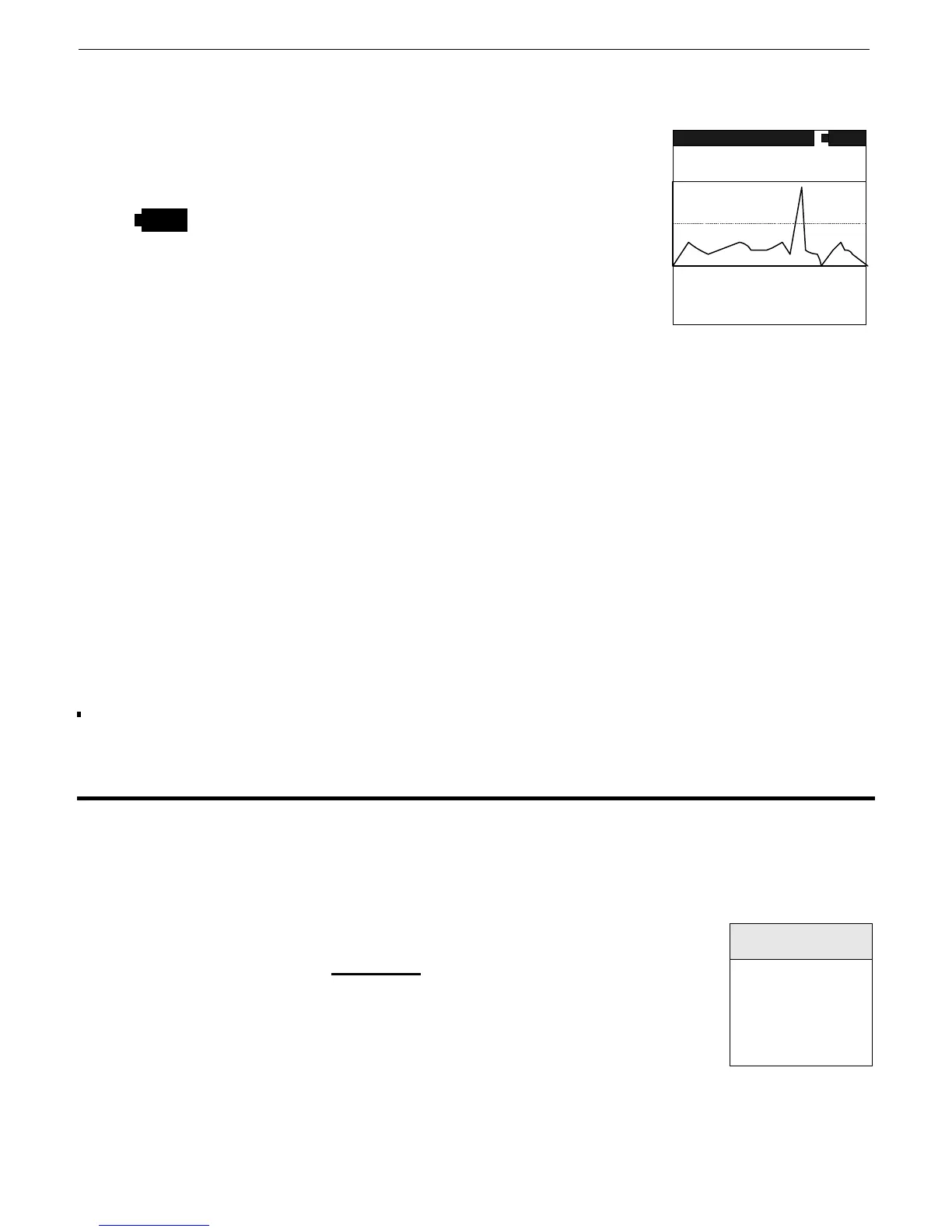
Select this menu item then ENTER to activate – fig. 6 is seen
SEARCH - Shows that the system is in the SEARCH mode.
- The Battery Icon shows battery status.
TOTAL - Shows that the SEARCH mode is using the full Total
Count data. See Section 9.1 for use with special ROI
data.
1234 - Is the current count rate in counts per second (cps)
updated every sample period. Fig. 6
MEAS - means unit is measuring (STOP means it is not measuring)
VS 2K - This is the vertical scale of the “chart-recorder” (in this case 2000cps). Most users let
the unit auto-scale but the user can manually set a fixed scale in SETUP – section 9.1
CHART RECORDER - The data in the data box shows the last 126 samples of data in a “chart-
recorder” format (left to right with the most current data on the LEFT). Therefore, at
a one second data rate, 126 seconds of data are displayed OR at a five second data
rate, 630 seconds of data are displayed etc. The Chart Recorder display is updated at
the end of every sample period.
D.RATE - is the current DOSE RATE in selected units – see Section 9.4 for more details
DOSE - is the TOTAL DOSE accumulated from the point in time SEARCH+DOSE mode was
activated – see Section 9.4 for more details
STOP – to stop this function press ENTER and the display will go back to the Main Menu. If the
user presses AND HOLDS the joystick in the ENTER position, the display will stop updating
and permit the user to inspect the data. Releasing the joystick goes back to the menu.
6.2 HIGH DOSE
The system has a preset maximum Dose Rate level – normally set at 2000uR/h. Below this level
Dose Rates are considered acceptable for system operation. However above this level it is
recommended that users move away from the source of radiation to reduce this Dose Rate level
to an acceptable level. To make things simple, the GR-135 advises the users automatically if the
Dose Rate level goes above the preset limit.
If this level is exceeded a distinctive
audio warning tone occurs and the
display changes (fig 7) :
As noted, the user should back away until the Dose Rate level falls below
this limit and the display warning goes away.
Users should be reminded that short-term operation close to the limit has Fig. 7
a negligible hazard level but prolonged operation significantly above this level is not
recommended
HI RADIATION
DOSE RATE
MOVE AWAY!!
WARNING!!
MEAS
VS 2K
TOTAL
1234
RATE
1.3mR/h
DOSE
125uR/h
SEARCH
NAI



 To Next Page