CHAPTER 27
PAGE 26
MAINTENANCE MANUAL EXTRA 300/SC
PAGE DATE: 1. August 2014
5 Disconnect the elevator actuator arm from the push-pull rod.
6 Loosen the hinge bolts and the ground bonding leads and
remove the bolts.
7 Install in reverse sequence of removal. Observe the second
Note of Chapter 27-00-00 and Figure 4.
Rigging
1 Remove the respective access panels.
I M P O R T A N T Before beginning any adjustments, inspect control rods,
levers and hinges for signs of wear or damage and check
if control rod lengths correspond with the measure-
ments given in Chapter 27-00-01. Replace parts and cor-
rect lengths if necessary per Chapter 27-00-01.
2 Remove the control stick leather protection cuff.
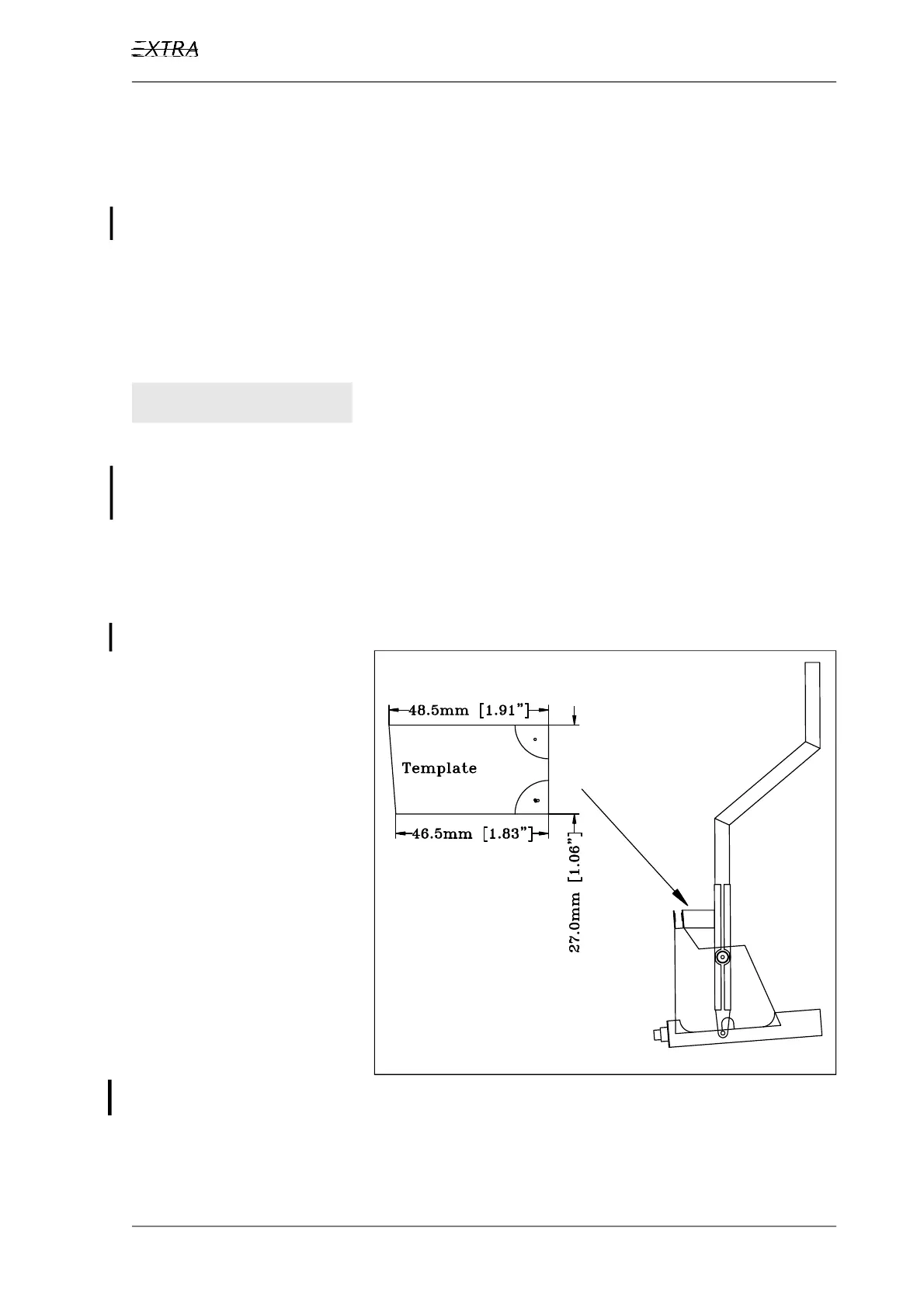
3 Secure the control stick in the neutral position. (Control
strick perpendicular to the upper longerons. Use a template
like shown in Figure 19).
Figure 19 Neutral Position of the Control Stick
4 Check if the elevator is in 0°-position. (Align elevator horn
to horizonatal stabilizer and fasten with adhesive tape.)



 To Next Page