Colon Insufflator User Manual
If an emergency should arise whereby there is a need to terminate
insufflation, the operator should stop the CO
the Administration Set at the
L™ Colon Insufflator Output port.
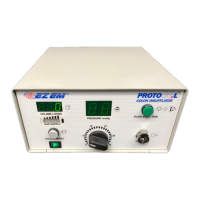
The Digital Volume Display reads the total volume of CO
L™ Colon Insufflator to the patient. The digital display i
delivered in Liters and tenths of Liters and has a range of 0 to 99.9
While in the RUN mode, the unit will maintain the set pressure in the colon
even if there is no apparent flow. The unit must be left on until th
TERMINATING GAS FLOW & SHUT
Upon completion of the diagnostic procedure, disconnect PROTOCO
Administration Set from the unit at the Output port and press the FLOW
STOP/RUN button if in RUN mode. Allow colon to deflate through the
Deflate retention cuff, clamp administration set to prevent spillage of colonic
ids and remove tip. Discard the entire PROTOCO
accordance with all Federal, State and Local regulations.
use only. Reuse of the administration set carries an
Turn power off and disconnect the power cord from power outlet.
It is recommended that the CO
supply tank valve be fully closed when not in


 To Next Page