9.2. Stopwatch
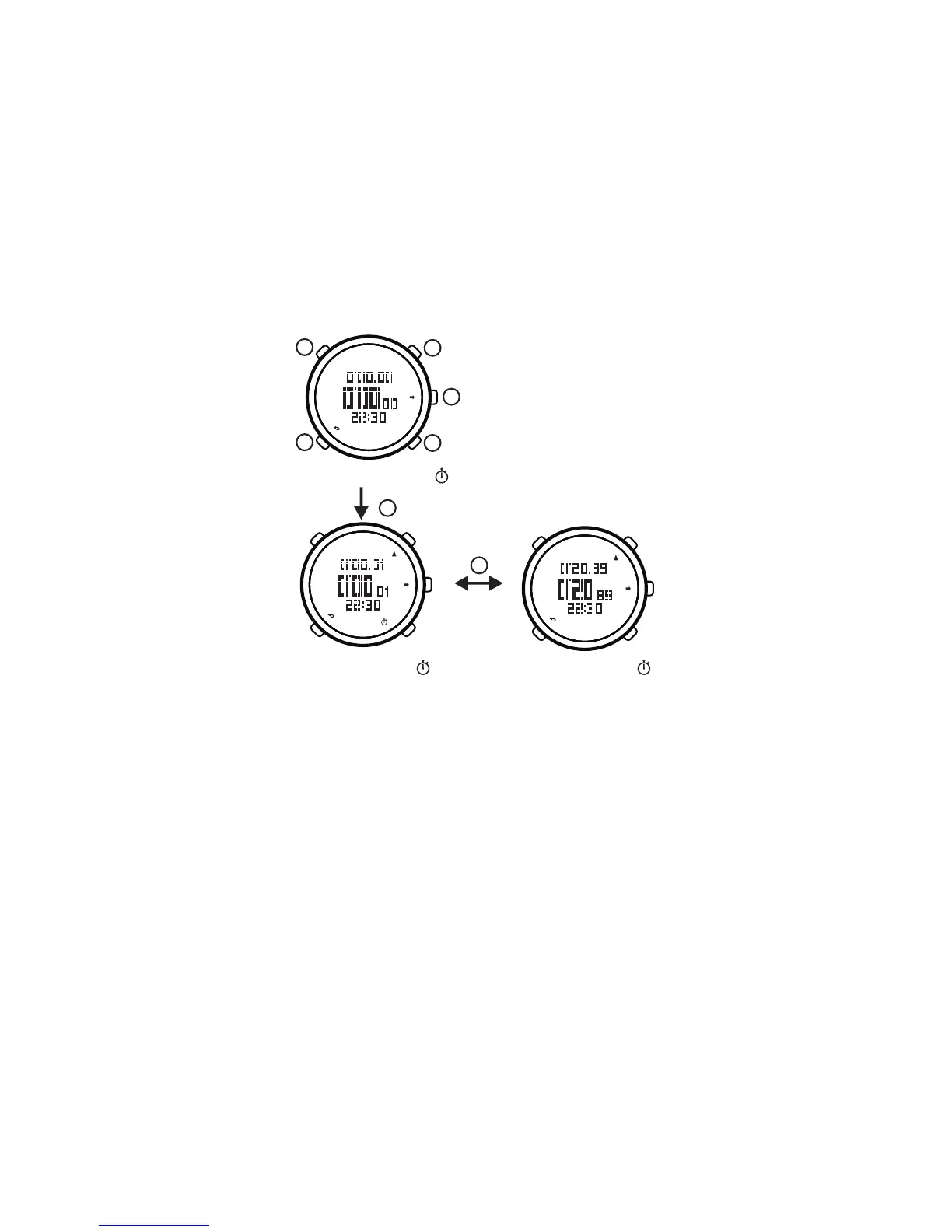
Stopwatch is available to measure the running
time of one athlete and just operating it as the following:
In the stopwatch mode, press button to run
stopwatch, and press button again to stop stopwatch,
and press button one more again to continue to
run stopwatch.
[E]
[E]
[E]
PM
PM
PM
PM
PM
PM
E
E
Stopwatch Cleared (not display )
E
B
C
D
A
9.3. Lap time
When running or racing on the track, you can use
lap time to measure the time of each lap and total time.
Our watch can record up to 30 laps time.
Enter into stopwatch mode, press button to begin
to run stopwatch.At the end of the first lap, press button
, display the first lap time (lap time and total time),
and to begin the time of the second lap. After about
2 seconds, the watch will continue to run the stopwatch;
at the end of the second lap, press button again,
display the second lap time. Just as the above mention,
press button at the end of the last lap, press button to
stop stopwatch.
[E]
[D]
[D]
[D] [E]
Stopwatch Running (display )
Stopwatch Stop (not display )
22


 To Next Page