11. Sleeping mode
If you do not wear our watch for a long time, in any
modes, press button[A][B][C][D]together to make the
watch enter into the sleeping mode. In the sleeping mode,
our watch save the function of time without displaying.
In the sleeping mode, press button[A][B][C][D]
together to back to the time mode and display current time.
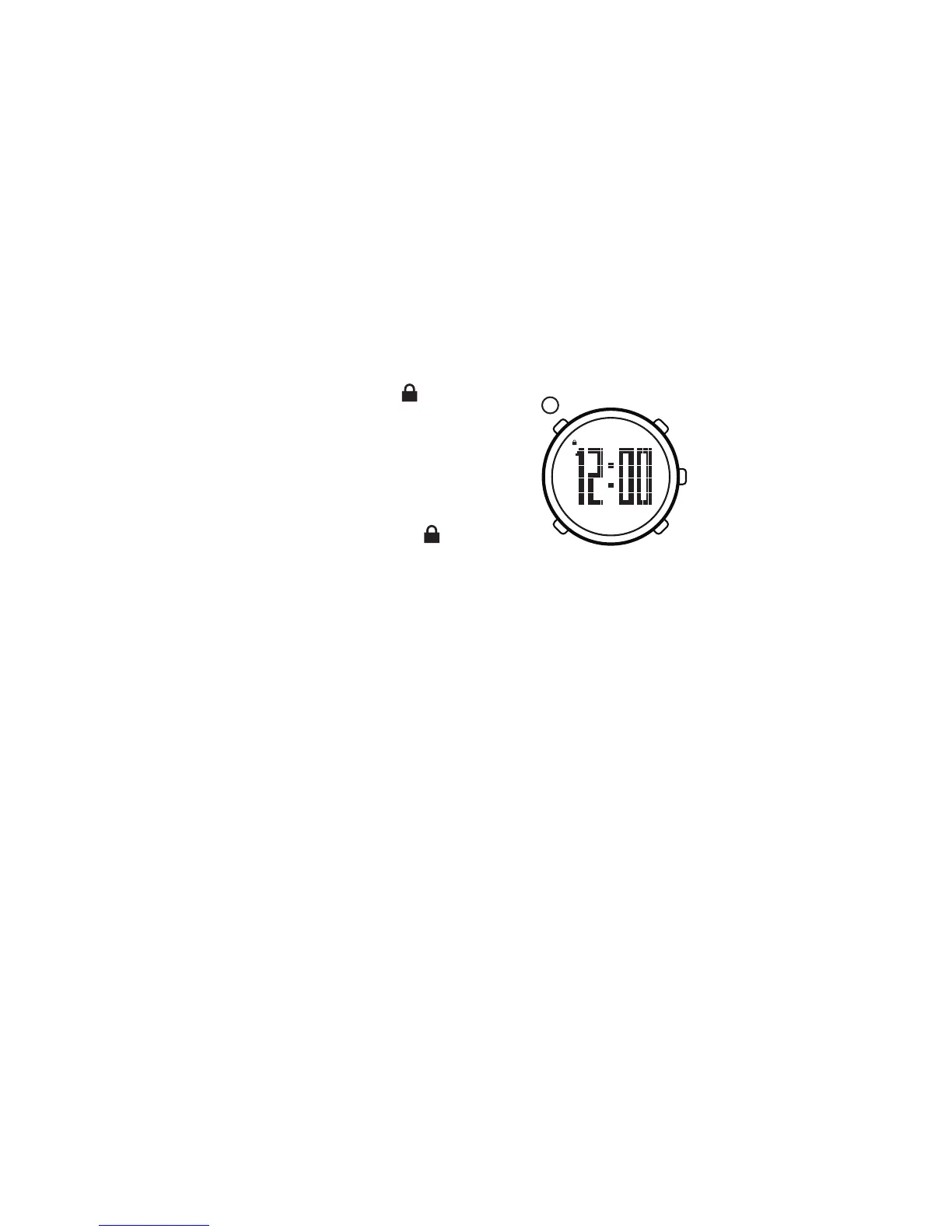
Button Locked
14. Water resistance
Our watch can waterproof for 50 meters. It is no
problems to wearing our watch while washing hands,
having shower with cold water, swimming, but not
diving or sauna, and so on.
The heart-rate belt can waterproof for 30 meters.
It is no problems to wearing it while daily grooming or in
raining, but not swimming, diving or sauna, and so on.
Pedometer can waterproof in shallow-water.
In order to maintain the waterproof function:
1)Replacing the water resistant regularly (generally
1-2 years). If not, the watch may be damp due to the
aging of water resistant.
2)Do not press any button of the watch under the water.
In the time mode, hold on button
[A]till displaying , it means that
the button locked.In the status of
button locked, there's no use to
operate any button.
In the status of button lock, hold
on b utton[A] ill not displaying,
it means that the button unlocked.
t
A
12. Button locked/unlocked
13. Turn on EL backlight
Apart from the sleeping mode and the button
locked, press button[A]can turn on EL backlight for
about 3 seconds.
28


 To Next Page