7.2. Exercise warning
After setup exercise plan and target, our watch will
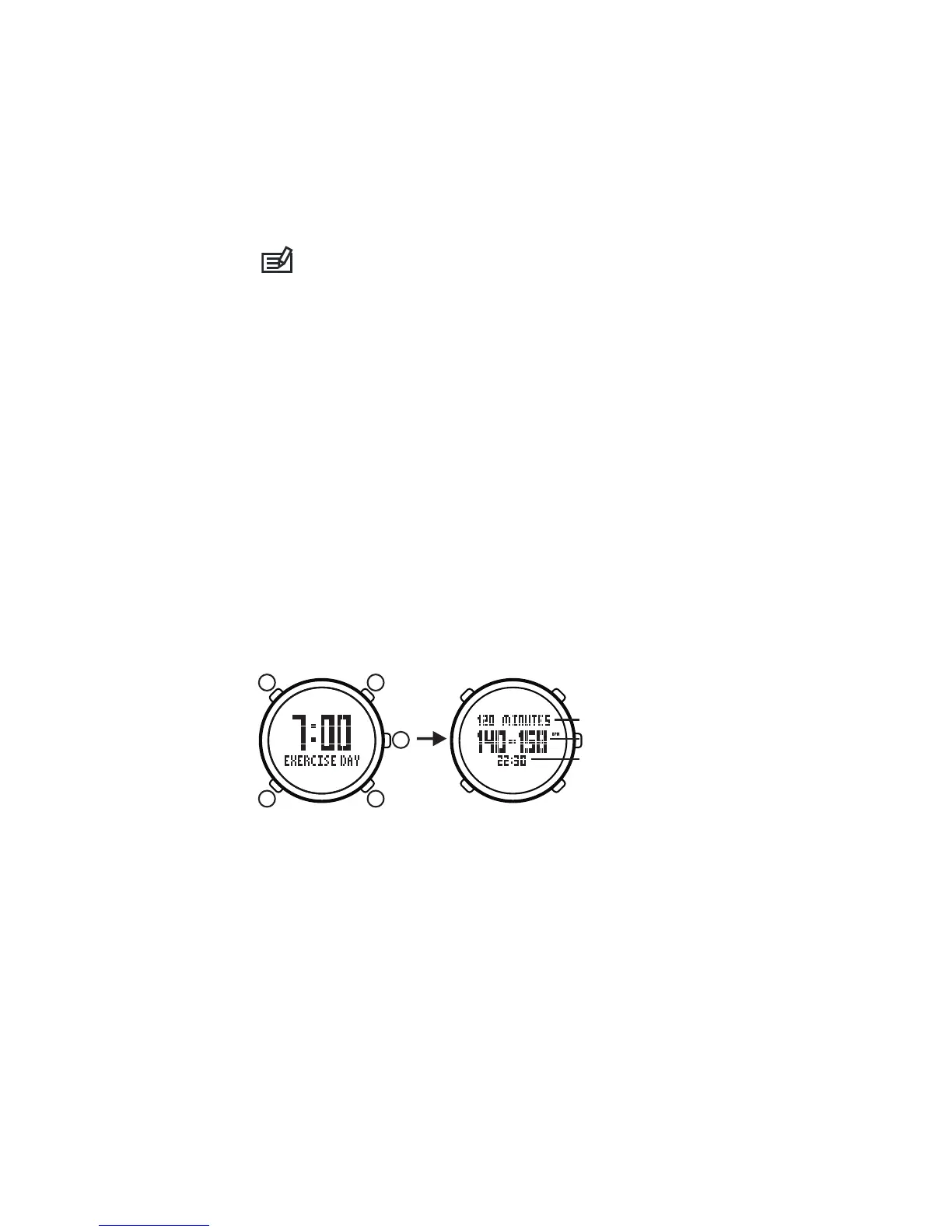
display “EXERCISE DAY” for warning in the exercise plan
day, and also will be a chime for warning at exercise beginning
time.
When our watch display “EXERCISE DAY”, press any
buttons can review the exercise plan, exercise beginning
time, heart-rate interval and exercise time period. And
it will back to the time mode automatically after 1 minute.
Exercise Warning
Exercise Target
Exercise Time Period
Hear-rate Interval
Exercise Beginning Time
E
B C
D
A
8.1. Setting User Information
You must input personal information (such as age,
sex) in our watch before using heart-rate monitor and
pedometer.
1) In the time mode, hold on button[B]to enter into mode
menu.
2) Press button[C]/[D]to select “Setting” (setting mode),
press button[E]to confirm.
3) Press button[ C ] / [ D ] to select “User” (setting user
information), press button E to enter into setting status.
8.Using heart rate monitor and pedometer
6) Press button[E]to confirm setting and enter into
the next setting item, press button[B]to confirm setting
and back to the former setting item.
7) Press button[B]to exit setting menu and back to
the mode menu.
8) Press button[B]to back to the time mode.
The exercise level from low to high is divided 5
levels: level 1 is the smallest level suit for the people
who lack of exercise; level 2/3 is middle level suit for
the people who exercise frequently; level 4/5 is biggest
level suit for the professional people.
9


 To Next Page