20
Chapter 9 View Your Camera
Videos recorded by your camera are stored in a library. You can view your recordings and
snapshots, and share them with anyone you want.
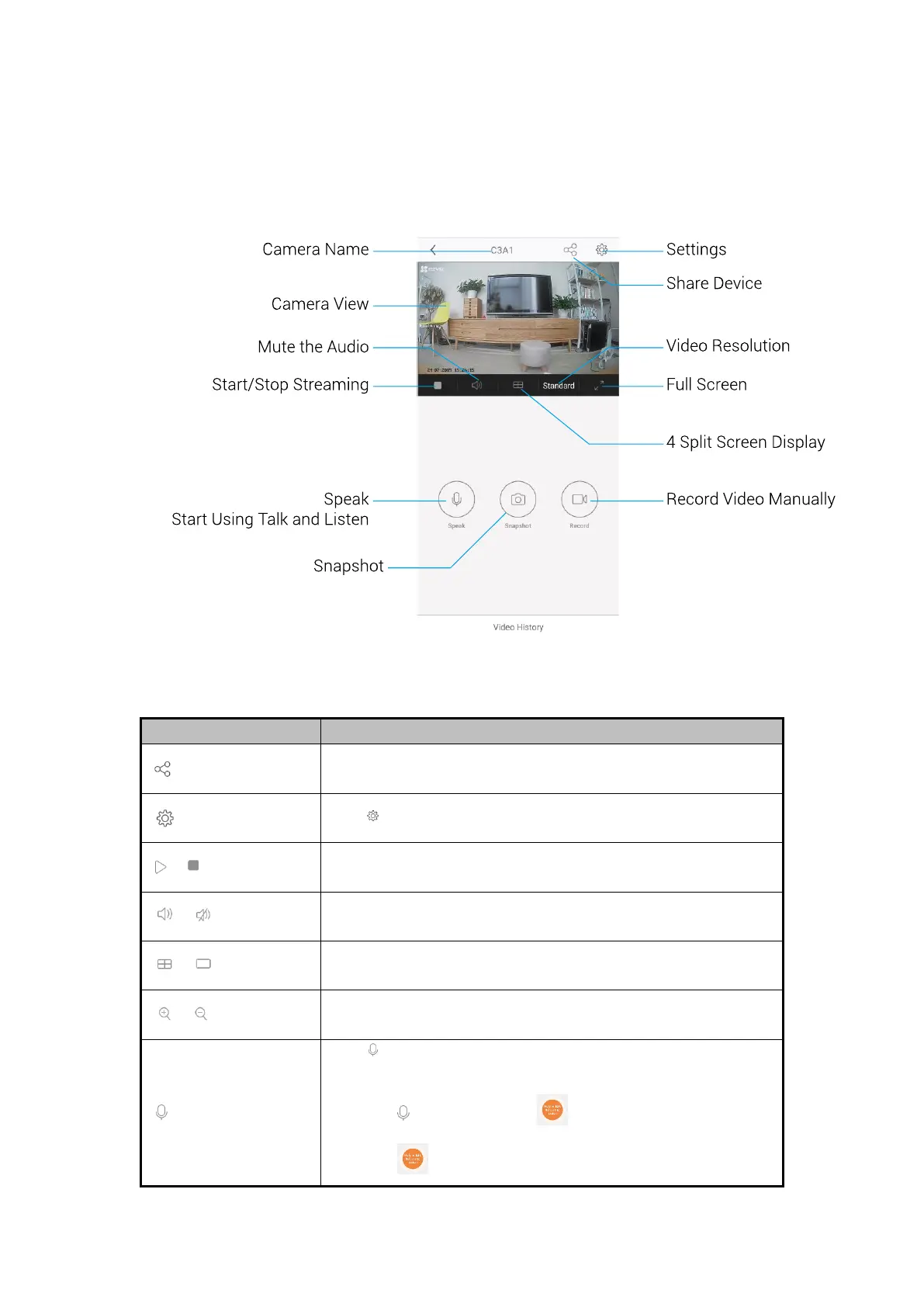
Figure 9-1 Device information
Table 9-1 Descriptions of the Toolbar and Live View Parameters
Share device.
Tap the button to share your device with anyone you want.
Tap to view or change the camera settings.
4 split screen display/Single-screen display.
Tap to start using talk and listen.
Steps:
1. Tap , and it appears .
2. Hold button to talk, release it to listen.


 To Next Page