UK/IRL
> > > > 45
10. Controlling the appliance
10.1 General
If the main burner or pilot light is extinguished for any reason, don’t try to relight the pilot
within 5 minutes. Contact a qualified installer when the appliance goes off regularly.
Depending on the model, the gas control block is positioned:
• BF110V /Straight Frameless: behind a stainless steel door at the underside of the
appliance, mounted in the middle of the floorplate of the appliance;
• BF110V / Straight with frame: Within the false chimney breast or surround at either
the left or right side of the appliance, mounted on the floor plate of the appliance. An
optional hatch can be purchased with this model for easy access to the gas block.
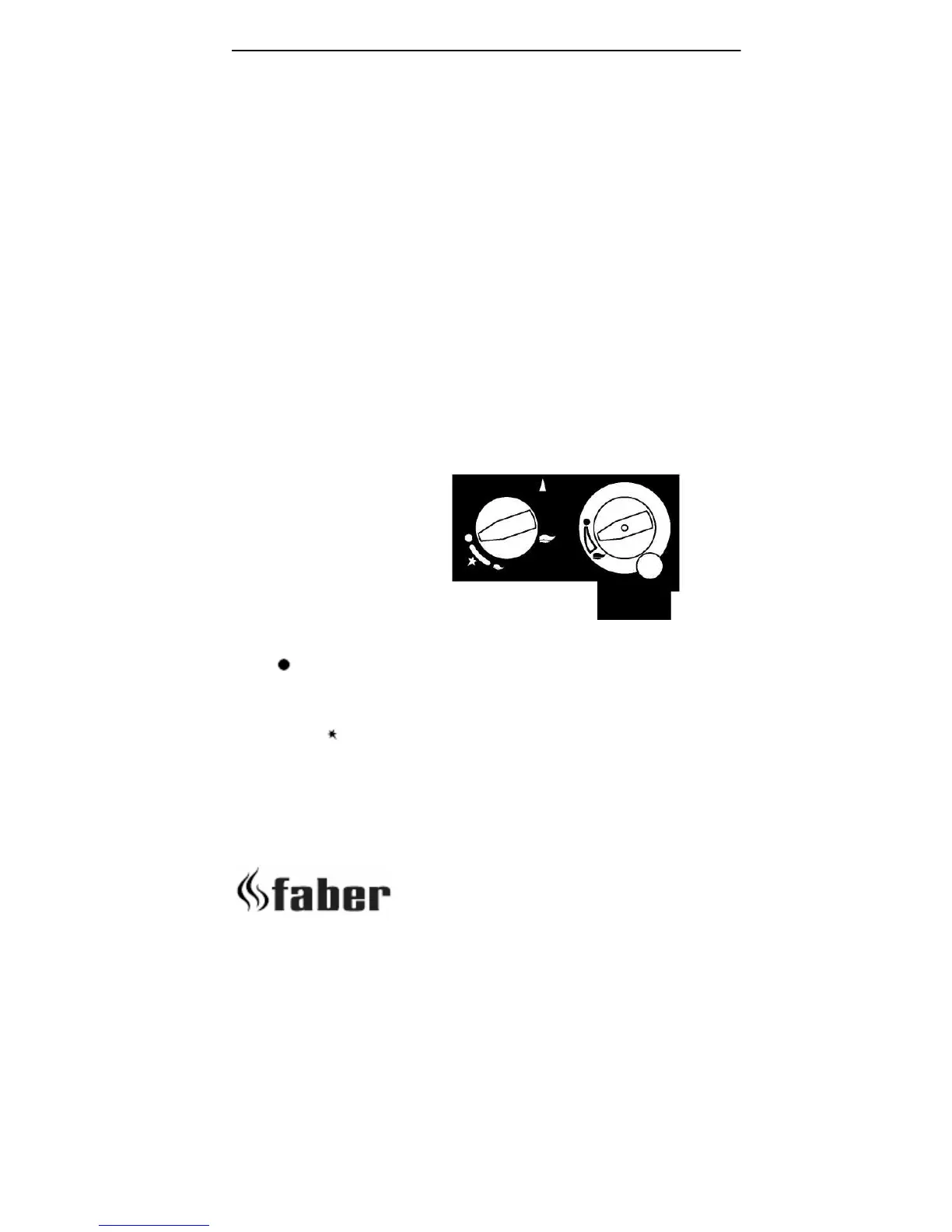
With control button A you can light the pilot. With the control button B you can adjust the
height of the flames (see figure). All Natural Fire models feature a remote control which
controls the height of the flames.
Knob A
The
is the OFF position preventing any gas from passing through the control valve to
either the pilot burner or to the main burner. By pressing the knob in it is possible to turn it
anticlockwise. The first function is to turn on the gas to the pilot- this occurs just before
reaching the
position (if the fire has not been lit for some time it may be necessary to
hold the knob in this position for some seconds to clear the air from the pipe and allow gas
to reach the pilot burner). Once gas is available at the pilot, continued rotation anti-
clockwise will cause the piezo igniter to spark. This is accompanied by a click at the valve
and should result in the pilot burner igniting. Once the pilot is lit, the control knob should
be held pressed in for 10 seconds. In this time the pilot flame will have heated the flame
fig. 25 Gas control box
A



 To Next Page