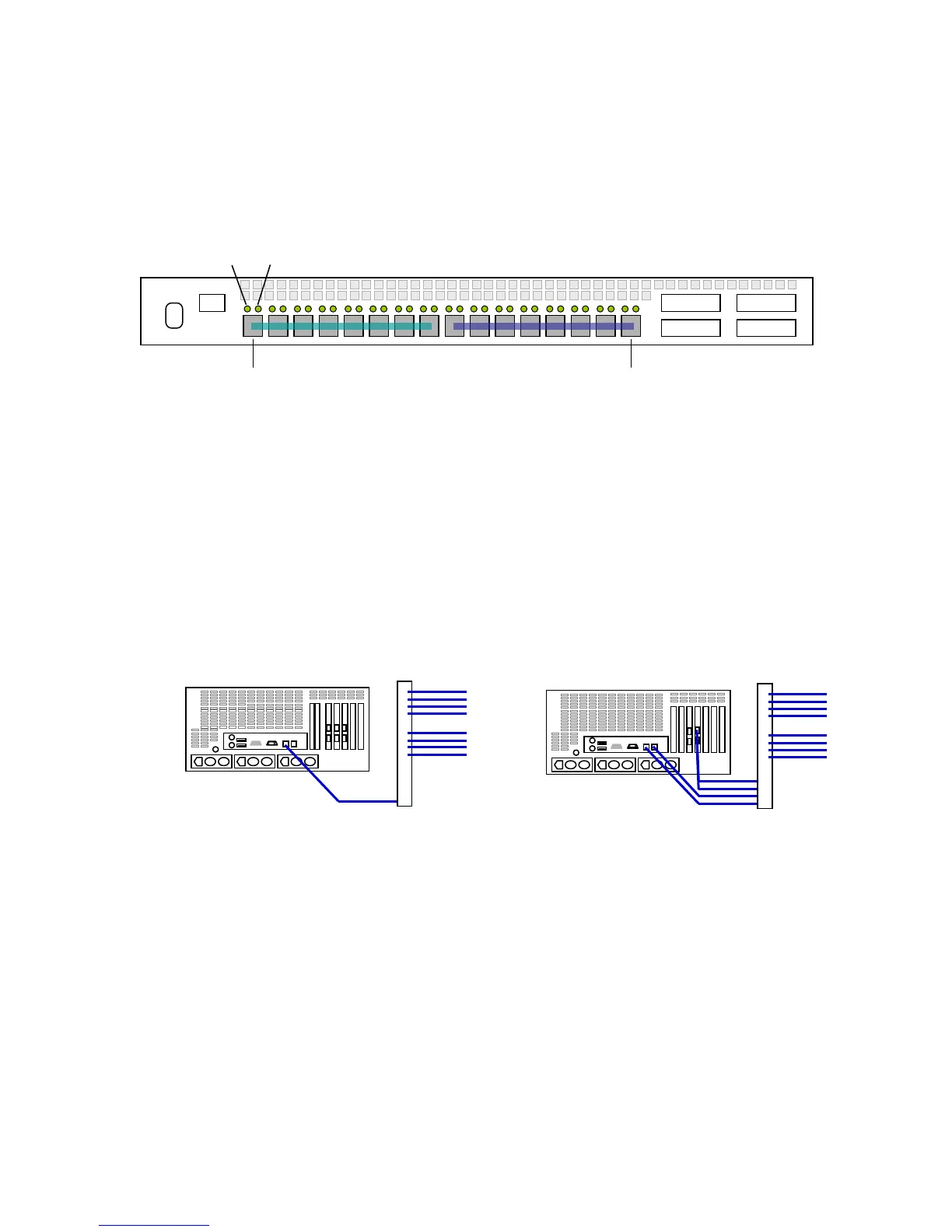
below shows a standard single-server, dual-zone (0-7; 8-15) configuration, with two
channels from the server fibre channel card connecting to the first (0) and last (15)
switch ports. The clients should be balanced across the remainder of the ports. The
lights above the switch ports show activity and link, regardless of the connection
speed (4Gbit or 8Gbit).
Single Server with dual connection (switch must be zoned)
In a multi-server workgroup, there will be additional ports dedicated to server
connectivity. A configuration sheet ships with each switch from Facilis Technology
which describes the recommended zoning in detail.
Ethernet Cabling
There are two methods of connecting the TerraBlock Server to an Ethernet switch via
1Gbit Ethernet diagrammed below. Alternatively, you can install a 10Gbit Ethernet
card to connect either directly to a client with the model card or to connect to the
Ethernet switch with the 10Gbit uplink option (servers shipped after 8/1/2010).
Cabling the Ethernet Switch
There are multiple switch options that are supported for the Facilis Shared File
System (SFS) over Ethernet configurations (Facilis Shared File system is required for
all Ethernet connections). In addition to 1Gbit connectivity, some switch models
support connecting via the 10Gbit uplink option (10Gbit/1Gbit), all 10Gbit Optical,
and all 10Gbit RJ45 (copper).
There are no specific cabling locations for the switch itself. The Facilis Shared File
System cabling will consist of either one or four cables (teaming option) from the
TerraBlock Server to the switch. Cabling may be connected to any port on the
Ethernet switch.



 To Next Page