time of volume mount. Otherwise it will mount without prompt based on the setting.
Mount Point (Windows Only) – This column displays the setting as chosen in the
Mount properties under “Use Drive Letter”. There are three possible displays:
C:/Volumes – If no mount point is chosen, the volume will only appear in a
directory on the C: drive (usually the system drive) called “Volumes”.
<drive letter> - If a specific drive letter is chosen, that drive letter is
displayed. The mounted volume will then have this letter in Windows
Explorer.
Z to A – If “Highest Available Letter” is chosen, the display will show that the
volume will be mounted with a letter starting at Z and descending until an
available letter is found.
Volumes Tab - Button Functions
Mount
When the Mount button is clicked, the TerraBlock Manager will attempt to mount any
volume highlighted according to that volume’s settings in the Mount Properties and
according to the Mount Type; Multi-user or Single-user Write (see Change Volume
for more information on changing Mount Type).
If mounting a Single-user Write volume, TerraBlock Manager will initiate a rescan
cycle that may last for up to 40 seconds. A progress dialog will appear while the
rescan is occurring. Please allow extra time for volumes to appear if performing
multiple operations during the same rescan cycle. The mount process for Multi-user
Write volumes should only take a few seconds.
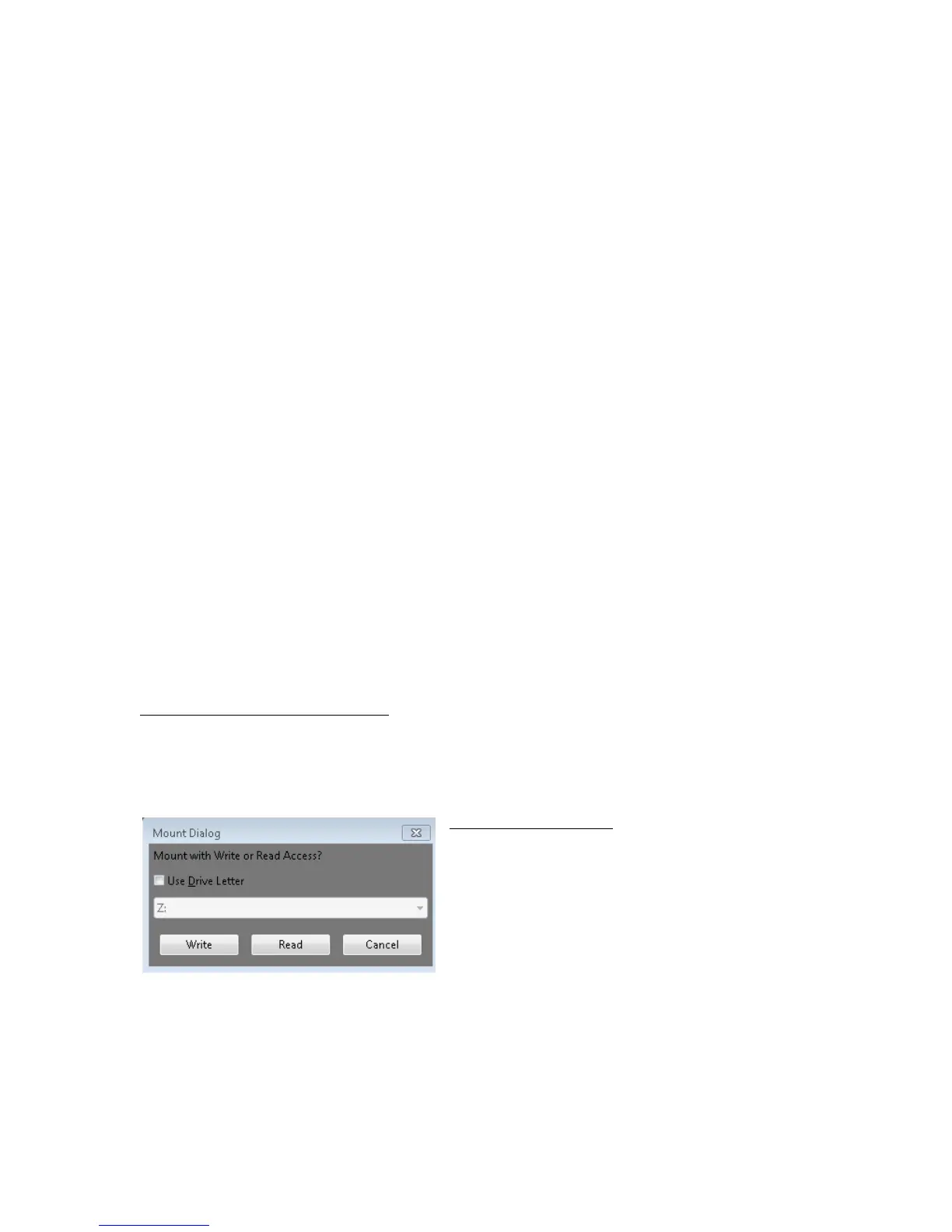
Mount Dialog
Mac, Windows and Linux clients – After selecting the mount button for a volume with
Write Access permissions, a Mount Dialog box will appear. This will give the user the
option to mount the volume with Write or Read Only Access. Volumes with Read
Only permissions will not present a dialog. Volumes with the Persistent Mount
setting enable also will not present a dialog to the user. The volume will mount
based on the setting previously specified.
Windows clients only – After selecting the
mount button for a volume with Write Access
permissions, an expanded dialog may appear.
This will appear if “Use Drive Letter” has been
deselected under “Mount Properties” (for
additional details, see Mount Properties later
is this guide). A Drive letter can be chosen
for a specific volume at this time.
Un-mount
The Un-mount button will remove the volume selected in the Manager from the
user’s client workstation.
Mac OS X: The formatted volume label in the client OS must be
exactly the same as the volume name in TerraBlock Manager.



 To Next Page