Normal – A new user is defaulted to Normal. A Normal user will see only the
volumes included in the Everyone group or to which they were given read or
write permissions. Normal users will have the option to mount, un-mount, or
Update Read-Only.
User Tab - Button Functions
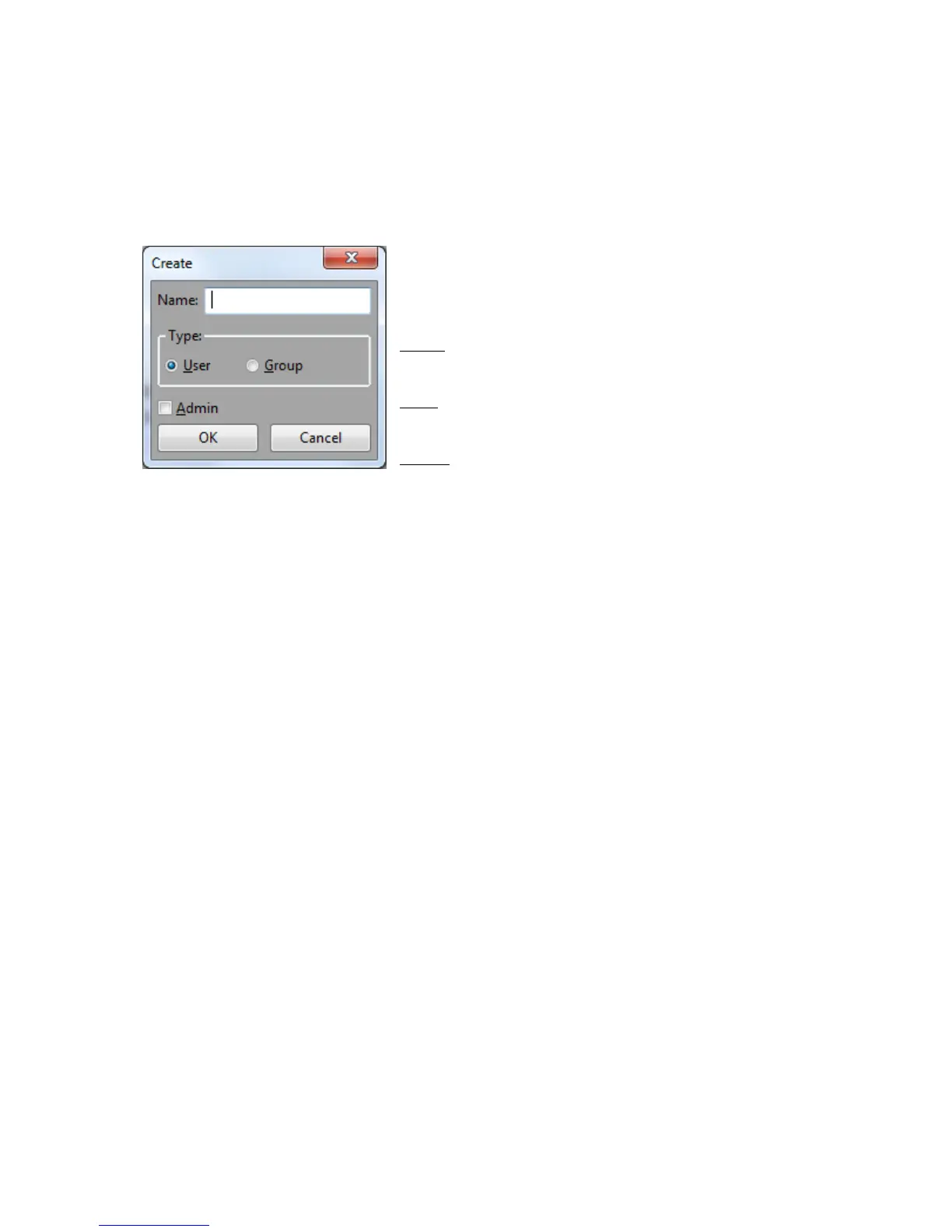
Create… - This function is used to create a user
or group to assign permissions to. The window
appears as seen here:
Name – The name you want to assign to your new
user or group.
Type – Select whether you want to create a new
user or a new group.
Admin – The Administrator check box automatically
assigns a new user to the default Administrators
group. The Administrators group allows any user assigned to it the ability to create
delete, and change volumes as well as assign and remove permissions. The option
will disable if selecting to create a group.
To quickly add the correct user name of a client system without
using the “Create User” button and dialog, simply launch the
TerraBlock Manager on the client. If communication is successful,
the user will be automatically created based on the name of the OS
local user account. See “User and Password” feature later in this
guide for additional user login information.
Delete – Deletes the selected users an groups. All volumes should be un-mounted
from a user account prior to deleting it.
It is not necessary to delete users to gain permissions to a
volume, change access of a volume, or delete a volume.
Properties
The properties dialogue allows you to assign users to a selected group or allows you
to assign a selsected user to groups.
After a user is created, an Administrator can add the user to the
Administrators group at any time.
Add Volumes
Volumes can be added to users or groups, just as users or groups can be added to
volumes in the Volumes Tab. The window appears as seen here:



 To Next Page