Auto Format Volume NTFS (Windows) or HFS+ (Mac OSX) – When creating
Single-user Write volumes on Mac or Windows, the client requires a fibre channel
connection. When ‘Auto Format’ is chosen, the volume will be created and mounted
with Single-user Write access. After a drive rescan the TerraBlock Manager will
initiate formatting the volume as NTFS or HFS+ using the same name given in the
TerraBlock Manager ‘Create Volume’ dialog. See “Create Volume” (above) for more
information.
Add Cascade Volume. . .
This button allows you to expand the selected volume by appending another
volume. The original volume can be single group or internal Tandem, and the
cascade volume can be added on the same group(s), separate group(s) or separate
server.
In order to cascade across two or more servers, the servers must be
linked through fibre channel via switch zoning or direct connection
(direct connection recommended).
A volume must be formatted NTFS in order to cascade.
Delete Volumes
This button will delete a selected volume(s). The contents or data is permanently
deleted as well. The size of the volume is then reallocated to the server and
available for use to create new volumes immediately. Only Administrative users can
delete volumes and the user will be issued a warning before the delete is executed.
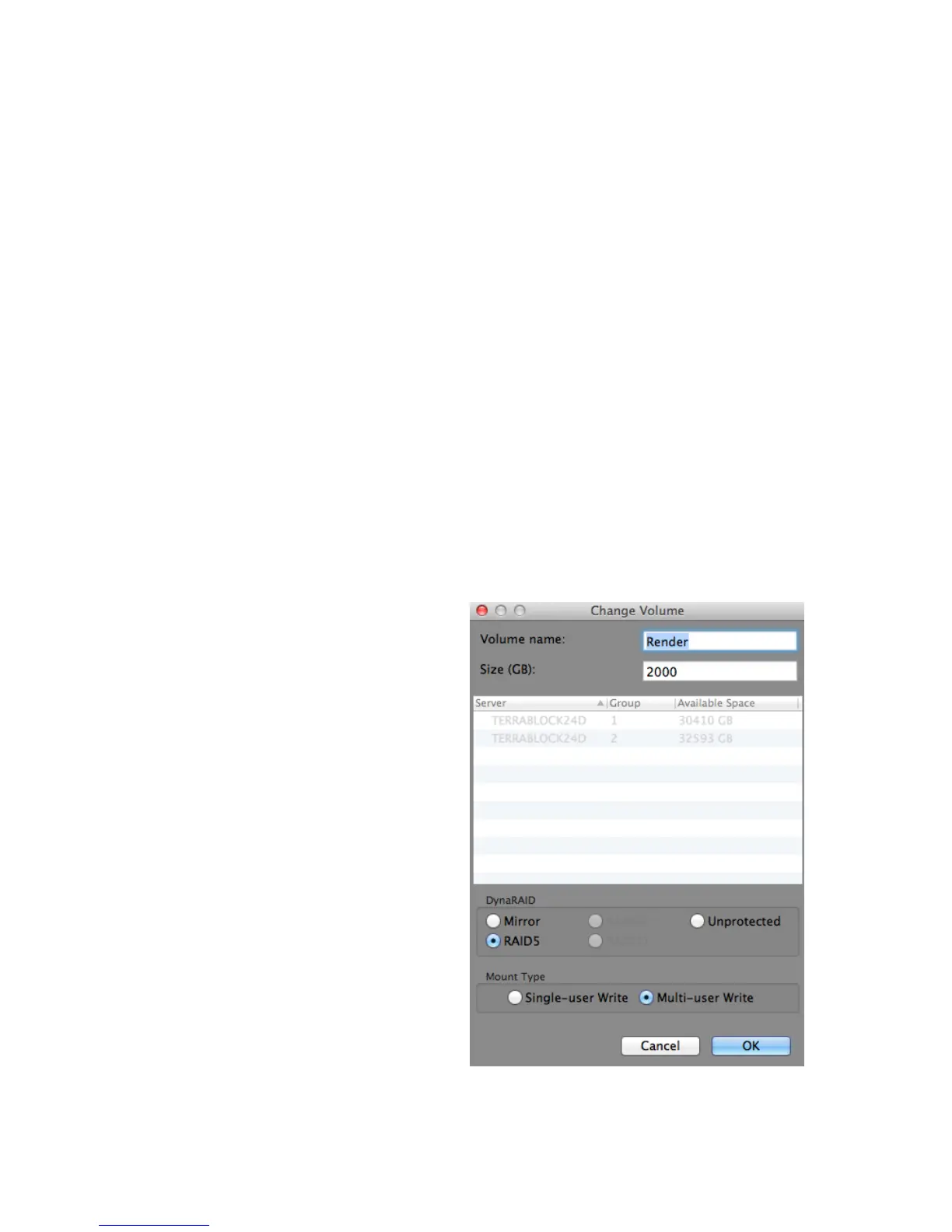
Change Volume
After the virtual volume is created,
protected and formatted, there is the
option to change the Name, Size (GB),
DynaRAID (non-Tandem), and Mount
Type of the volume. Selecting this
button will give the user access to
make changes.
Change Volume Window
Volume Name – An existing volume
name can be highlighted and changed
in the same fashion as when it was
created. After changing the name of a
Single-user Write (SUW) volume, the
TerraBlock Manager name will no
longer match the formatted volume
label or name in the OS. Because of
this, it is necessary to change the
volume label or name at the OS
level to match the name given in
TerraBlock Manager “Volume-
name”. The volume must be
mounted with Write Access in
order to change it. The TerraBlock
volume name and OS label must be exactly the same in order to prevent issues with



 To Next Page