4. Double click on the first Network Adapter listed (see above). You will be
presented with the Network Connection Properties Window. Click on the
Teaming tab in that window.
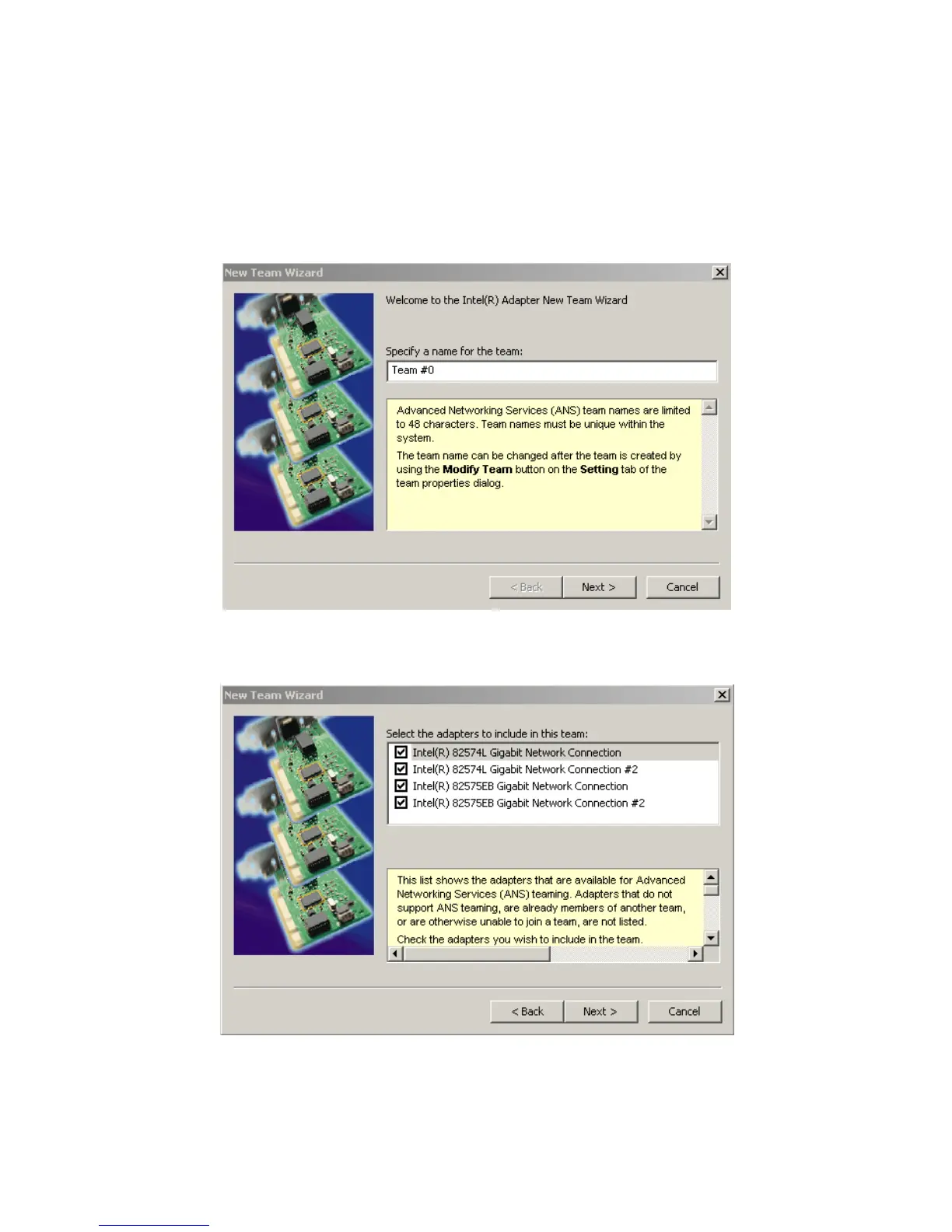
5. In the Teaming tab select the “Team this adapter with other adapters”
option and click the New Team button (see above). The New Team
Wizard will appear. Give the team a name and click the Next button.
6. In the next New Team Wizard window select all four Network adapters in
the list then click 'Next'.



 To Next Page