English
9EN
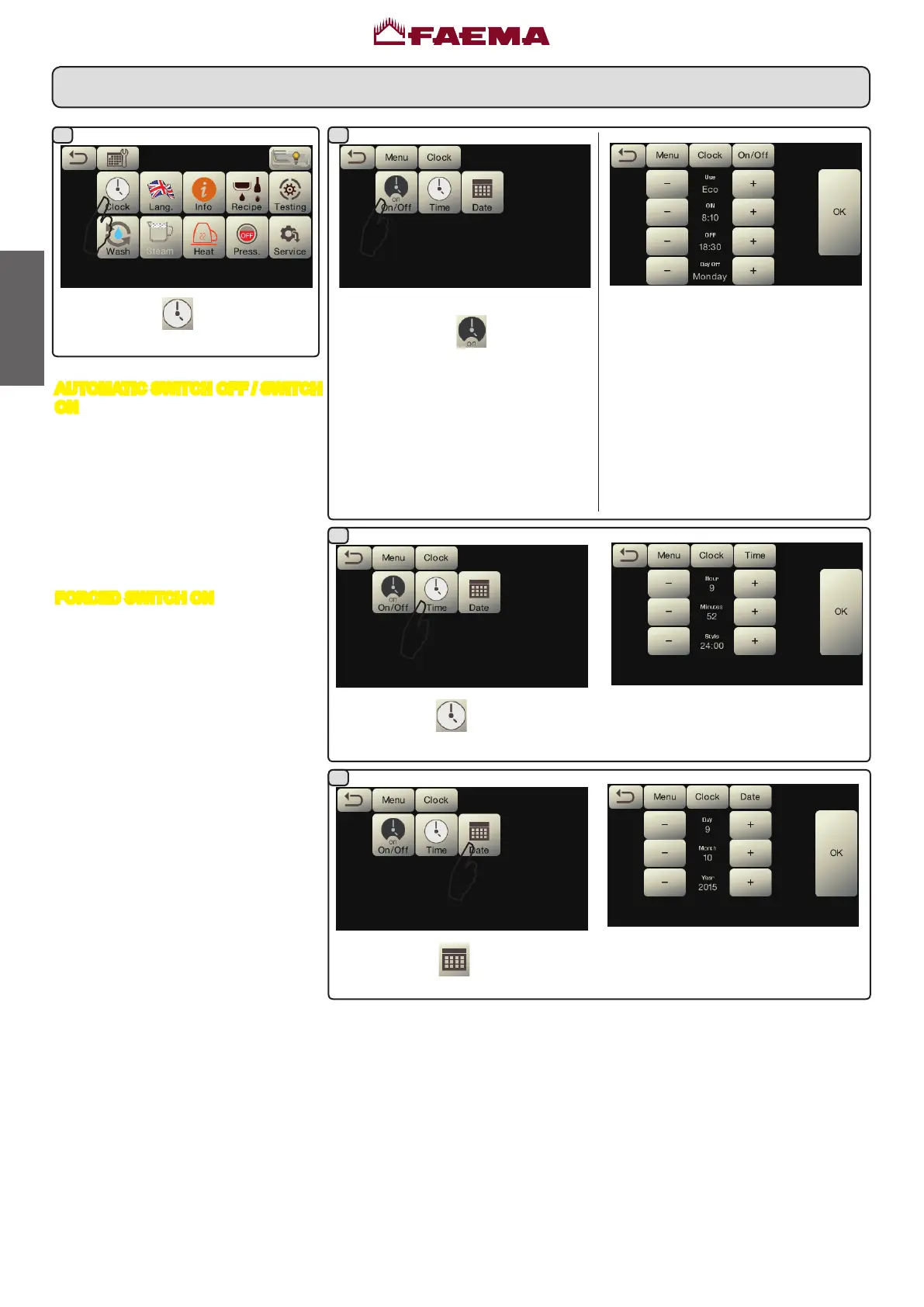
2. Service time menu
Access the service hours menu by
pressingtheicon
.
Theseparameterscanbecongured:
USE - timed switch-on/switch-off:
YES,NO, Eco(during theswitch-off
phase,themachineresistanceisnot
completely disabled and allows the
boilerpressuretoremainat0.2bar).
ON-(switch-ontime);
OFF-(switch-offtime);
CLOSED-(dayofclosure).
Presstheicon
tosetthetime.
Theseparameterscanbecongured:
HOUR, MINUTES, STYLE-(24:00or
AM/PM).
Presstheicon
tosetthedate.
Theseparameterscanbecongured:
DAY, MONTH, YEAR.
Presstheicon .
AUTOMATIC SWITCH OFF / SWITCH
ON
Themachinecanbesettoswitchoffand
switchonatprogrammedtimes.
Note. When the machine is working in
the automatic on/off function do not
use the general switch (1) to switch
off the machine. If this happens, the
machine will not be able to switch on
again automatically.
FORCED SWITCH ON
Pushanydispensingkeytoturnon.
Note. Forcing the machine on does
not change the programmed
on/off times.
Note. At this point the machine will
remain on until the next switch
off time is reached.
To immediately return the machine to
“off”asoriginallyprogrammed,switchit
offandonagainusingthegeneralon-off
switch(1).
1
2a
2c
2b



 To Next Page