English
2EN
Description display symbols
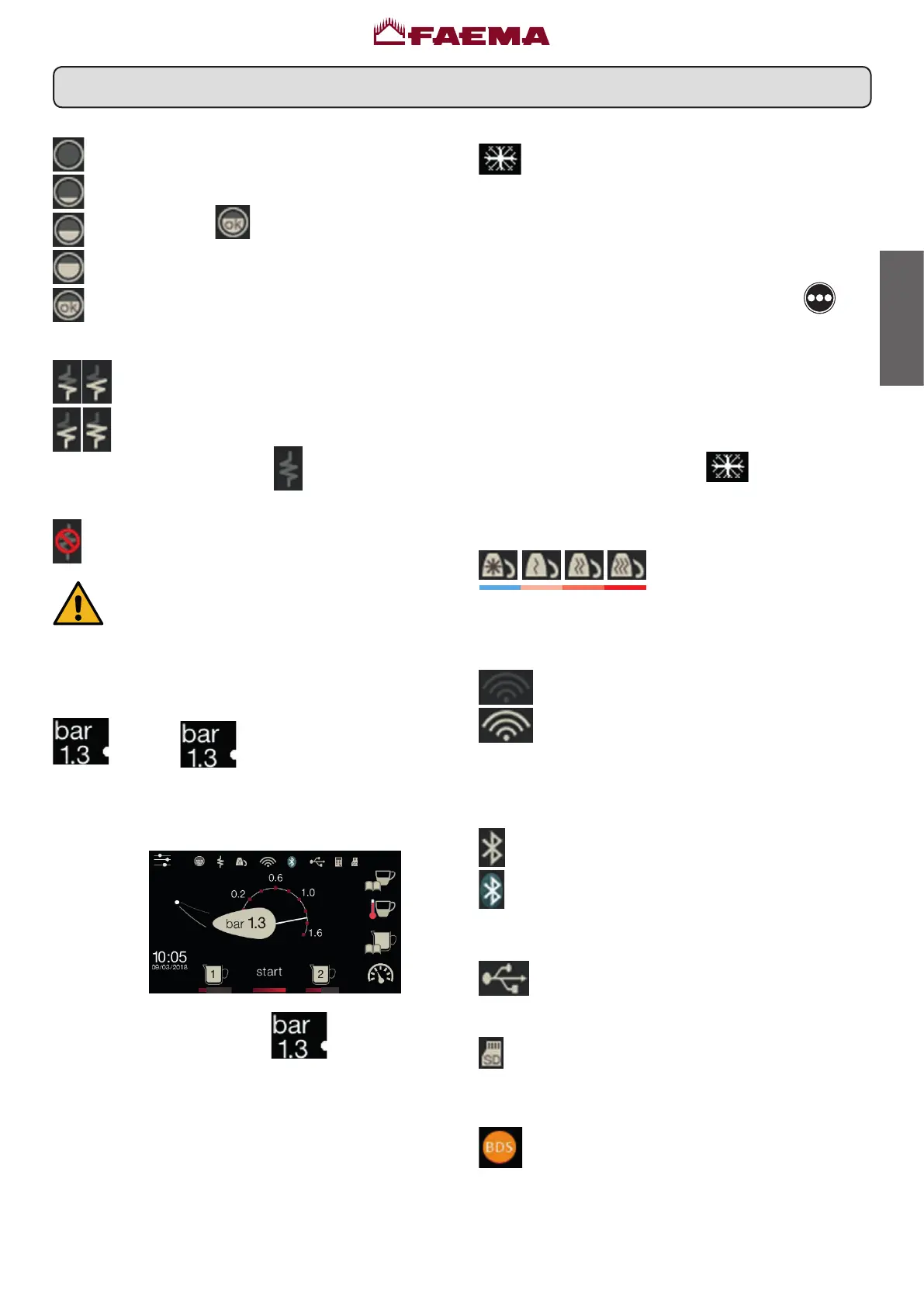
WATER LEVEL
Thissymbolindicatestheboilerwaterlevel.
Duringtheloadingphase,thebottompartofthe
iconblinks.
Whentheoptimumlevelisreached,thesymbol
lookslikethis:
.
RESISTANCE
This symbol indicates that the resistance is
activatedandfunctioning;athickerluminousow
passingthroughtheresistanceshowstheelectric
heatingison.
Whentheboilerpressurereachesthesetvalue,
theiconlookslikethis:
.
This indicates that the heating resistance has
beendisabled.
Note: the customer cannot switch on or switch
off the electric heating.
When the on/off function is programmed, the
electricheatingtakesplaceautomatically.
SEVICE BOILER PRESSURE
Thissymbolindicatestheboilerpressurevalue.
Iftheicon
ispressed,thepressuregauge
willbedisplayedanalogically.Thiswillbeshown
onthedisplay:
Press again the icon
to return to the
regulardisplaymode.
COLD MACHINE
Thissymbolindicatesthatthemachineisinitsin-
itialwarmingstageorthattheboilerpressurehas
decreasedtobelow0.5bar.
Itshowstheboiler’swarmingstatusandappearsif
oneormoreboilersarestillintheirinitialwarming
stage or if their temperature decreases to below
55°C.
Pressing the “START/continue coffee”
icon
willcausedispensingtooccuratthecurrenttem-
perature.
All the other icons are disabled until required
operatingpressureisreached.
Whilewaitingforthemachinetobereadyforuse,
attachthelterholderstothegroups.
Themachinehasreachedprogrammedoperating
temperaturewhentheicon
nolongerappears
onthedisplay.
CUP-WARMER
These symbols indicate the
power currently selected by
thecupwarmer.
WIFI
WIFIconnectionsymbols:
-WiFimodulepresent(optional).
- connectedtoserverfordatatransmission.
BLUETOOTH
ThesesymbolsrefertoBluetoothcommunication:
- the white icon indicates the presence of the
Bluetoothmoduleonthemachine;
- the blue icon indicates that the machine is
communicating with a Bluetooth grinder/
dispenser.
USB
ThissymbolappearsonthedisplaywhenaUSB
pendriveisconnected.
SD
ThisiconindicatesthepresenceofanSDmicro
chipintheCPUboardofthemachine.
BDS
BDSactivation (BaristaDrivingSystem).



 To Next Page