English
3EN
Description display symbols
PAYMENT SYSTEMS
This icon indicates that the machine is connected to a
paymentsystemsinterfaceandisconguredtoworkwithit.
Dispensingisthereforepossiblesubjecttoapprovalbythe
paymentsystem.
- therediconindicatesthatthecashsystemhas
deniedthetransaction;
- theblueiconindicatesthatthecashsystemhas
approvedthetransaction.
CONTROL OF THE FLOW (ONLY IF IN USE)
Theappearanceofthisanimatediconmeansthat
adjustmentsneedtobemadetothegrinder/dispenserto
tightenor
loosenthegrinding,toreturncoffeedispensingtothe
defaultparameters.
Theiconsthatareshownare:
meansthatthegrindingneedstobeloosened.
(owofcoffeeislowerthanthereference).
meansthatthegrindingneedstobetightened.
(owofcoffeeisgreaterthanthereference).
Note.Thenumbernexttotheicon(1or2)indicates
whichgrinder/dispenserneedsadjusting.
Theiconappearsonthedisplayinsteadofthelevelsymbol.
Description display symbols
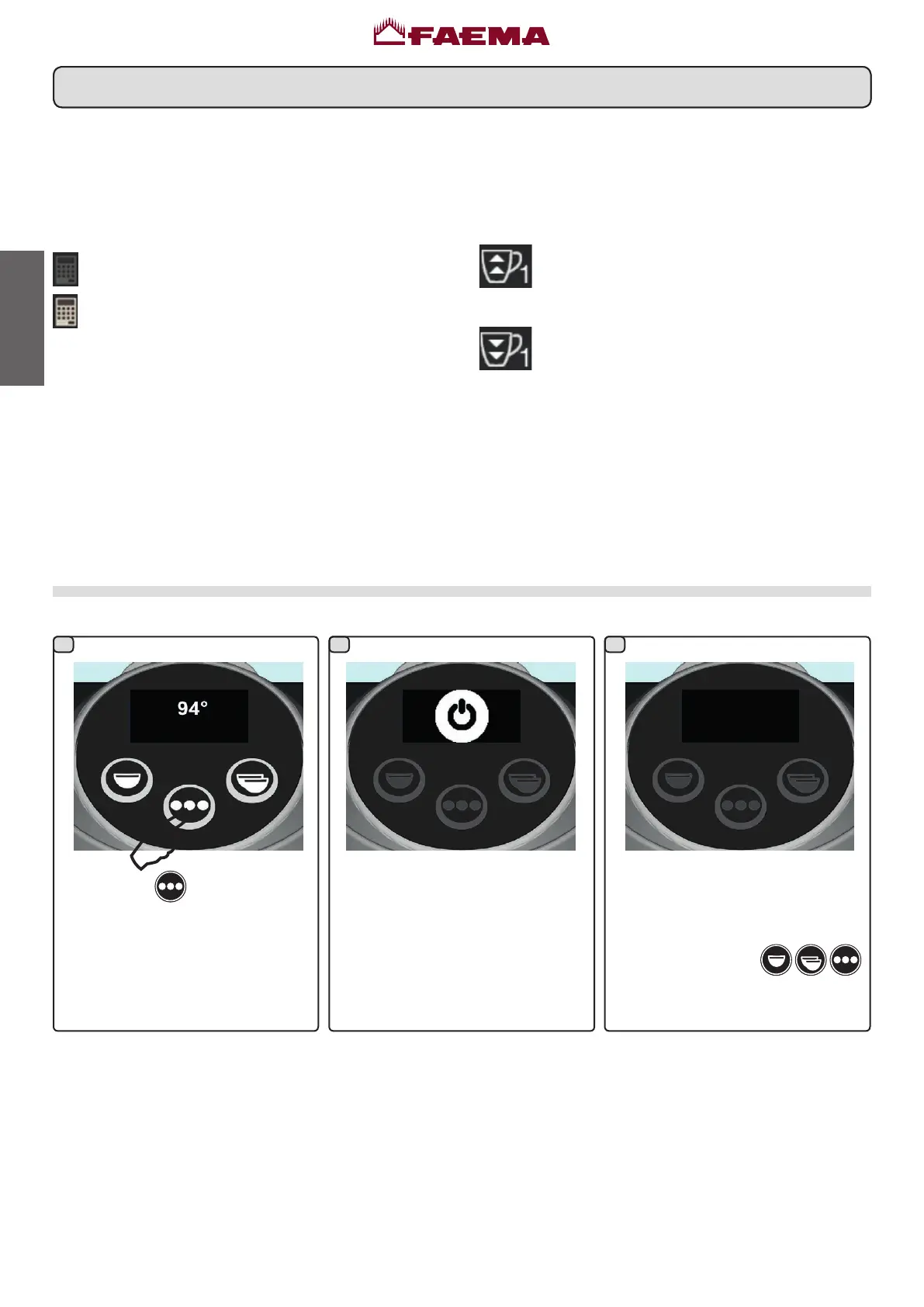
ThecoffeeunitwillgointoSTANDBY. Afterafurther60secondswithoutuse,
thecoffeeunitwillturnoffanddimthe
display.
Pressanyofthekeys(
)
twice in a row to return to normal
functioning.
Switching off the boiler
Hold the key
for approximately
8seconds.
1 32



 To Next Page