English
35EN
Logo
TheFaemastandardlogosareshownonallthemachinedisplays,afteraperiodofinactivityset
forthe"Screensaver"menubythetechnician.
Themachineissuppliedwiththelogoshownintheimage.
Theusercanreplaceitwithanotherofthesamesizethatwillwillappearonalldisplays(groupsand
services),creatingthelecustlogo.bmp(maximumsize260x110pixels).
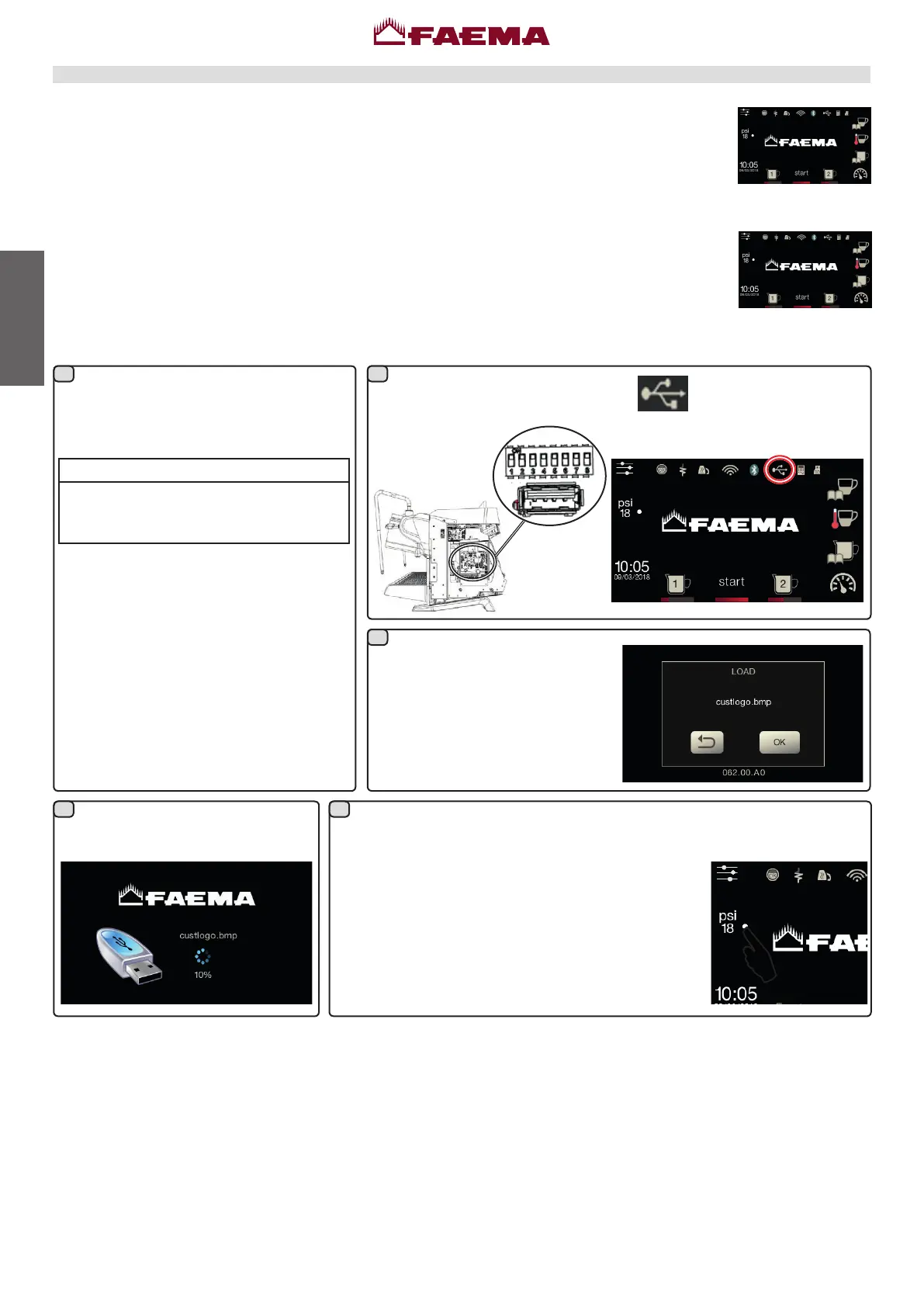
Tocreateacustomisedlogo,proceedasfollows:
Turnthemachineoffandbackon
again; when it comes back on the
following will appear on the services
display:
PressOKandwaitfortheletoload:
Usinganygraphicsprogram(e.g.Paint),
createalethatmeetscertaincharacteristics;
theprerequisitesforabitmapimagetobe
usedasacustomlogoare:
custlogo.bmp
• widthlessthanorequalto260 pixels;
• lengthlessthanorequalto110 pixels.
• 24-bit bmpcolour.
Copy into a USB pen drive the le
"custlogo.bmp"iftheuserwantstodisplay
theontheservicesdisplay.
InserttheUSBpendriveinthe
dedicatedslotonthemachine:
the
icon will appear on the
servicesdisplay:
Onceloadingiscomplete,removetheUSBpendrivefromthemachine.
At this point, the custom logowill be displayed
accordingtothesettingsprogrammedbythetechnical
staff.
Note: If the screensaver is active, it ispossible
immediatelyseethelogos,withoutwaitingforidletime,
everytimetheuserturnsofftheanalogicallygauge.
21
3
4 5



 To Next Page