English
37EN
PRELIMINARY OPERATIONS
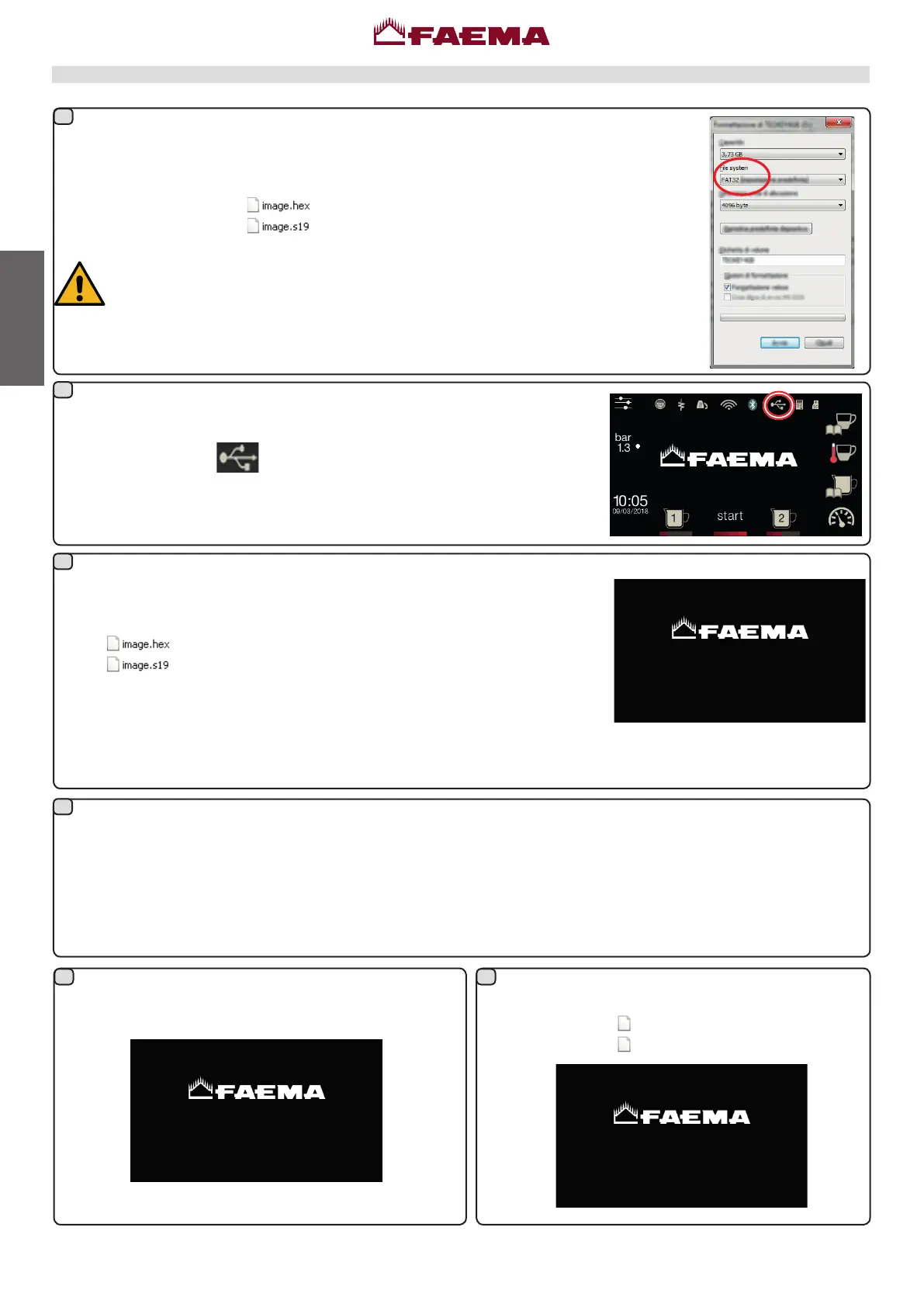
FormataUSBPenDriveusingtheFAT32format.IfusingWindows,usethepredenedformatting
settingsasshownintheimage.
Copytheupdateles(CPU
;only for E71: DISPLAY
E71.ppf
tft_fw.ppf
)tothemainlepathof
aUSBPenDrive.
NOTE:donotturnoffthemachineorremovetheUSBPenDriveuntiltheupdatehas
beencompleted.IfusingaUSBPenDriveoperatingLED,thisisshownbytheLED
ashing.
PRELIMINARY OPERATION: Recognizing of USB support
Withthemachinerunning,inserttheUSBPenDrivecontainingtheupdateles
intotheUSBport.The
iconwillappearonthedisplaytoindicatethatthe
storagedevicehasbeenrecognised.
STARTING THE SOFTWARE UPDATE
TurnthemachineoffleavingtheUSBPenDriveinserted.Withthesubsequent
restart,theupgradeofthetwomicroprocessors(masterandslave)beginswith
thele
.
The correct recognition of each le by the machine is signalled by a buzzer
(200msON).
Pen Drive operating LED status: ashing (running).
AttheendoftheslaveCPUupdate,programmingofthemasterCPUbegins.Fortheentiredurationofthisphase,
thebuzzersoundsintermittently(200msON).
Pen Drive operating LED status during the update: ashing (running).
TheupdateoftheCPUboardlastsfewminutesandendswhenthebuzzeremitsprolongedintermittentsignals(2sec
ON/10secOFF).
Pen Drive operating LED status when update is completed: on (not running).
InserttheUSBPenDrive;thecopyingofthe2DISPLAY
updatelesbegins
E71.ppf
tft_fw.ppf
INSERT USB TO
UPDATE DISPLAY
Update from USB pen drive
The 3.6 boot the key can be left inserted and it
continuestoautomaticallyupdatethedisplaysaswell.
1
2
3
4
5 6
BOOT 3.6
UPDATING 015%
UPDATE SOFTWARE
12C ADDRESS 6E
PLEASE WAIT



 To Next Page