56
DEUTSCHENGLISH
3. Use the []/[] button or turn the [DIAL] to
adjust the parameter value. Press the []/[]
buttons simulta neously to mute songs.
4. Press the [START/STOP] button to play/stop songs.
Muting the Drums in Songs
Press the [DRUM OFF] button to enable and disenable
the drum mute function. When DRUM OFF is enabled,
the LED will turn on.
Metronome
Practicing with the metronome is the best way to
follow the beats.
Choose a right tempo for your learning/ performance
require.
Starting/ Stopping the Metronome and Its Feature
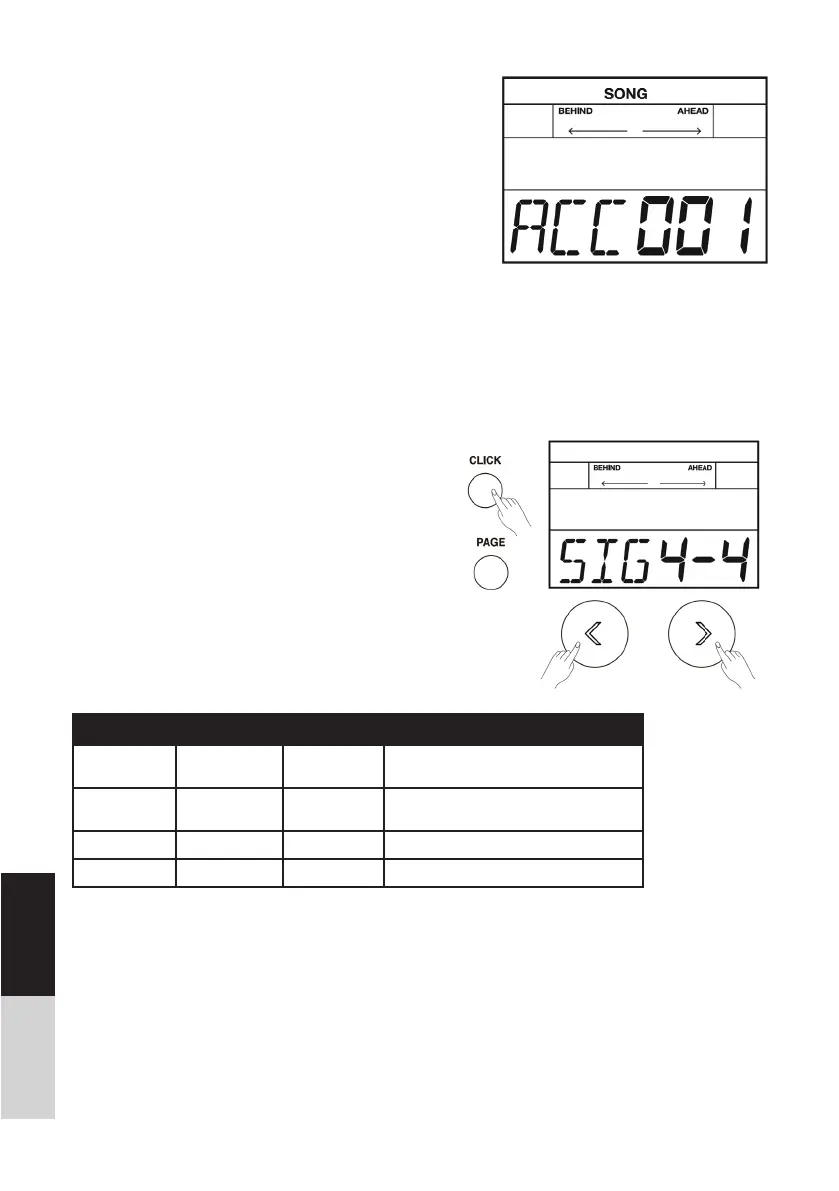
1. Press the [CLICK] button. The metronome will
start playing, and the light of the [CLICK] button
will blink with the tempo.
2. Repeatedly press the [PAGE] button to select the
parameter you want to edit. Adjustable parame-
ters are shown below:
3. Use the []/[] button or turn the [DIAL] to
change the parameter value.
4. Press the [CLICK] button again to stop the metro-
nome, the light will be off.
Parameter Value LCD Display Description
TIME
SIGNATURE
0-9/2, 0-9/4,
0-9/8, 0-9/16
SIG XXX Adjust the time signature.
INTERVAL 1/2,3/8,1/4,
1/8,1/12,1/16
SIG XXX Adjust the rhythm interval.
VOLUME 0~5 VOL XXX Adjust the volume of metronome.
NAME 1~6 NUM XXX Select the metronome voice.



 To Next Page