62
DEUTSCHENGLISH
Utility Mode (UTILITY)
This mode contains two parts: the drum pad trigger
settings and drum module settings.
The Drum Pad Trigger Settings
As a professional drummer, you may be very pleased to
set your drum triggers carefully corresponding to your
playing habits and feelings, making your performance
more interesting and professional. In the meantime,
your digital drum will be more operable.
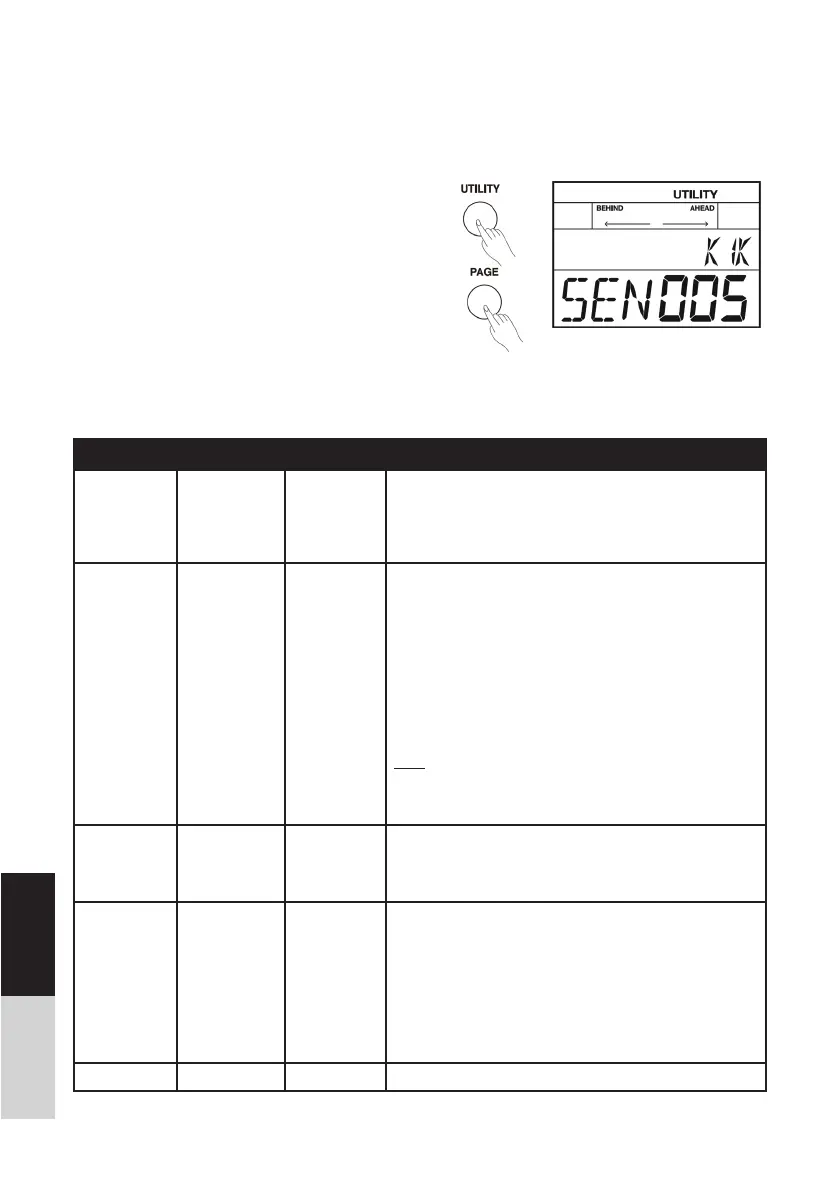
1. Press the [UTILITY] button, the LCD will display the
UTILITY menu.
2. Repeatedly press the [PAGE] button to select the
trigger parameters that you want to edit.
The drum pad trigger settings are shown below:
Parameter Value LCD Display Description
SENSITIVITY 1~16 SEN XXX You can adjust the sensitivity of the pads to accommodate
your personal playing habit. Higher sensitivity allows the pad
to produce a loud volume even when played softly. Lower
sensitivity will keep the pad to producing a low volume even
when played forcefully.
XTALK 1~8 XTK XXX
This setting avoids “crosstalk”, which means that when you
play one pad you can hear a sound coming from another
pad. This can happen when two pads are installed on the
same stand. In some cases you can prevent crosstalk by
increasing the distance between the two mounted pads.
For example: If you hit the snare pad and the tom 1 also
sounds. While striking the snare pad, gradually increase the
“XTALK” value for the tom 1 pad until the tom 1 pad no
longer sounds when you hit the snare pad. If you raise the
“XTALK” higher, the tom 1 pad will be less prone to receive
crosstalk from other pads.
Note: If the value is set too high, and two pads are played
simultaneously, the one that is struck less forcefully may not
sound. Be careful and set this parameter to the minimum
value required to prevent crosstalk
CURVE 1~6 CUR XXX This setting allows you to control the relation between play-
ing velocity (striking force) and changes in volume. Adjust
this curve until the response feels as natural as possible.
Refer to the CURVE description.
RETRIG
CANCEL
1~16 RTG XXX This setting avoids “re-triggering”, which means that when
you strike a pad once, maybe you can hear two hits coming
from one strike. This can happen as the pad oscillate. While
repeatedly striking the pad, raise the “Retrig Cancel” value
until re-triggering no longer occurs. Although setting this to
a high value prevents re-triggering, it then becomes easy for
sounds to be omitted when the drums played fast (roll etc.).
Set this to the lowest value possible while still ensuring that
there is no re-triggering.
MIDI NOTE 0~127 MID XXX MIDI output key mapping


 To Next Page