59
DEUTSCH ENGLISH
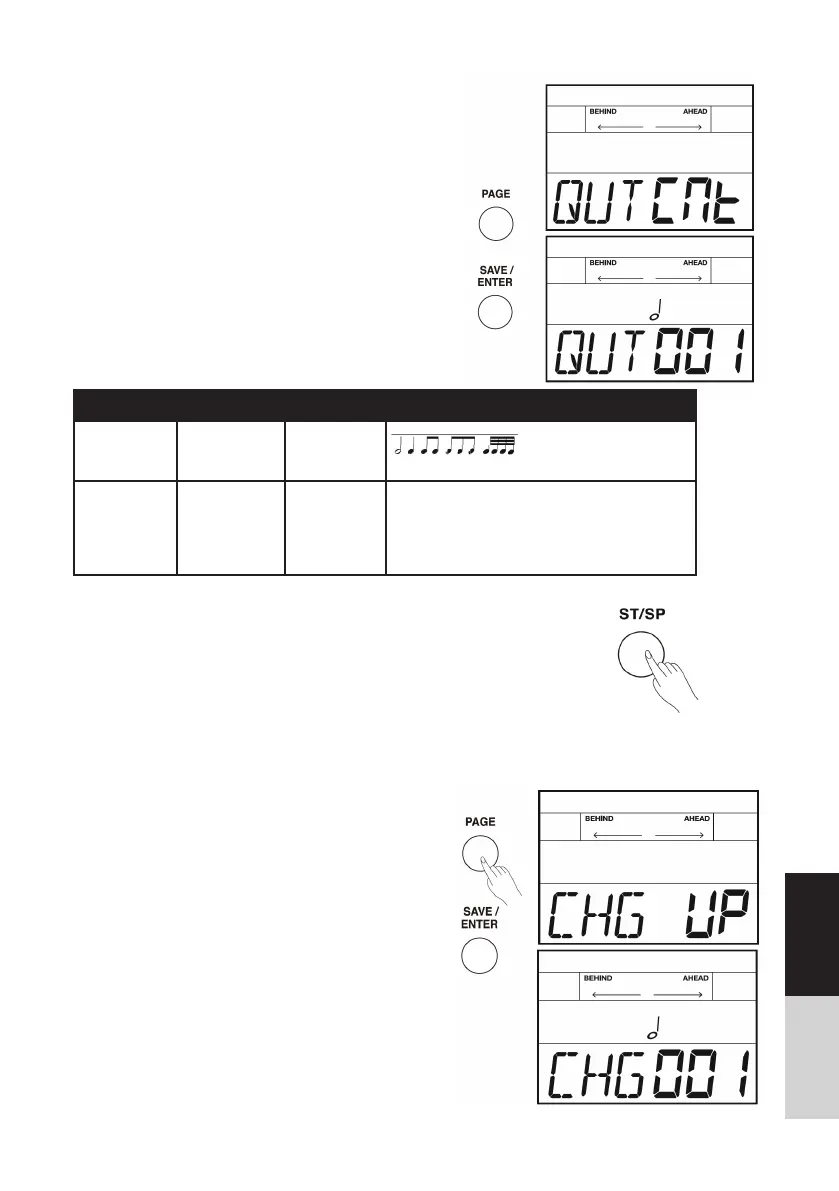
QUT CNT (QUIET COUNT)
Practice with auto metronome on/ off circularly with
several measures to help you develop a good sense of
time and tempo.
1. Repeatedly press the [PAGE] button to select quiet
count mode.
2. Press the [SAVE/ ENTER] button to enter quiet
count mode.
3. Use the [PAGE] button switch between QUT and
CNT parameters, press the []/[] button or turn
the [DIAL] to select a suitable quiet and count
type.Press the [TEMPO] button to adjust practice
speed at any time.
4. Press the [ST/SP] button to start practicing. There
is a count-in about 1 measure length before
starting. Metro nome sound automatically on/ off,
you have to catch up with every beat you ought
to play, come on!
5. If you want to change another QUT/CNT parame-
ter or just exit coach mode, Firstly, press the [ST/
SP] button again to stop practicing.
Parameter Range Display Description
QUT 1~5 QUT XXX
Use the []/[] button or turn the [DIAL] to
select a suitable quiet type.
CNT 1-1/2-2/1-3 CNT XXX
Use the []/[] button or turn the [DIAL]
to select a suitable count type.
1-1: 1 measure counts, 1 measure quiets.
2-2: 2 measure counts, 2 measure quiets.
1-3: 1 measure counts, 3 measure quiets.
] button or turn the [DIAL] to
Change Up
In change up mode, system will automatic change the
style every two measures. Starting from half notes, the
note values will gradually become shorter, and will then
return to half notes; this change in rhythms will be
repeated. The icon on the LCD will fl ash for times when
the rhythm type is ready to change.
1. Repeatedly press the [PAGE] button to select
change up mode.
2. Press the [SAVE/ ENTER] button to enter change
up mode.
3. Use the []/[] button or turn the [DIAL] to select
a suitable rhythm pattern.
4. Use the [PAGE] button to switch to score editing,
press the []/[] button or turn the [DIAL] to turn
score function on/ off. The default score setting is
“OFF”.



 To Next Page