61
DEUTSCH ENGLISH
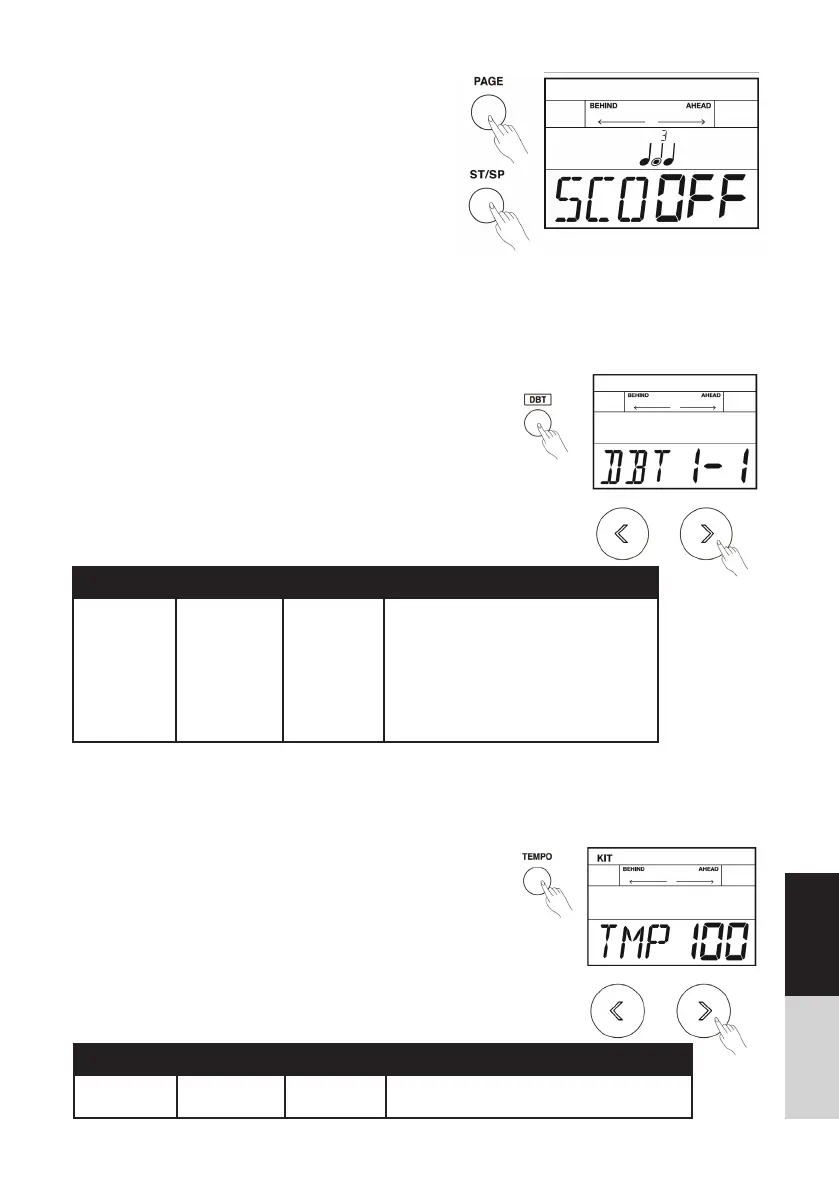
5. Press the [ST/SP] button to start practicing. There
will play a length of one measure count-in before
starting.
6. If the score setting is “ON”: Auto stops practicing
and displays your score after circularly playing
several times. Or, Press the [ST/SP] button to stop
practicing and back to the main page of beat check
without display your score. If the score setting is
“OFF”: Press the [ST/SP] button to stop the
practicing mode.
DBT (Double Bass Trigger)
Normally, it is too hard for beginners to play double bass, almost impossible, but we make it possible
now. Turn on DBT function on; it can generate two or three continuous kick sounds when you step on
the bass drum only once. Easy to achieve double bass pedal techniques.
Turn the DBT Function On
1. Press the [DBT] button to turn DBT function on.
The [DBT] button lights up. The screen will display
“DBT 1-x”.
2. Use []/[] or the [DIAL] to adjust the second
trigger time. This setting can be remained even
turn the module off.
3. As you play the bass drum, it can produce a dou-
ble bass technique.
4. Press the [DBT] button again, turn DBT function
off.
Parameter Range Display Description
BEA 1-1/1-2/
1-3/1-4
DBT XXX 1. Press the [<]/[>] button or turn the
[DIAL] to select a rhythm type.
2. 1=original beat, trigger once.
2=original beat/ 2, trigger once.
3=original beat/ 3, trigger twice.
4=original beat/ 4, trigger three times.
3. Power off protection. This setting can
be remained even turn the module off.
Tempo
Press the [TEMPO] button to adjust the tempo value of
metronome and song playback.
1. Press the [TEMPO] button.
2. Use the []/[] button or the [DIAL] to adjust
tempo value.
3. Without any operation within 3 seconds, the sys-
tem will be back to previous menu automatically.
Parameter Value Display Description
Tempo 30-280 TMP xxx Both metronome and song playback are based
on this tempo value.



 To Next Page