FANTEC TV-LHD
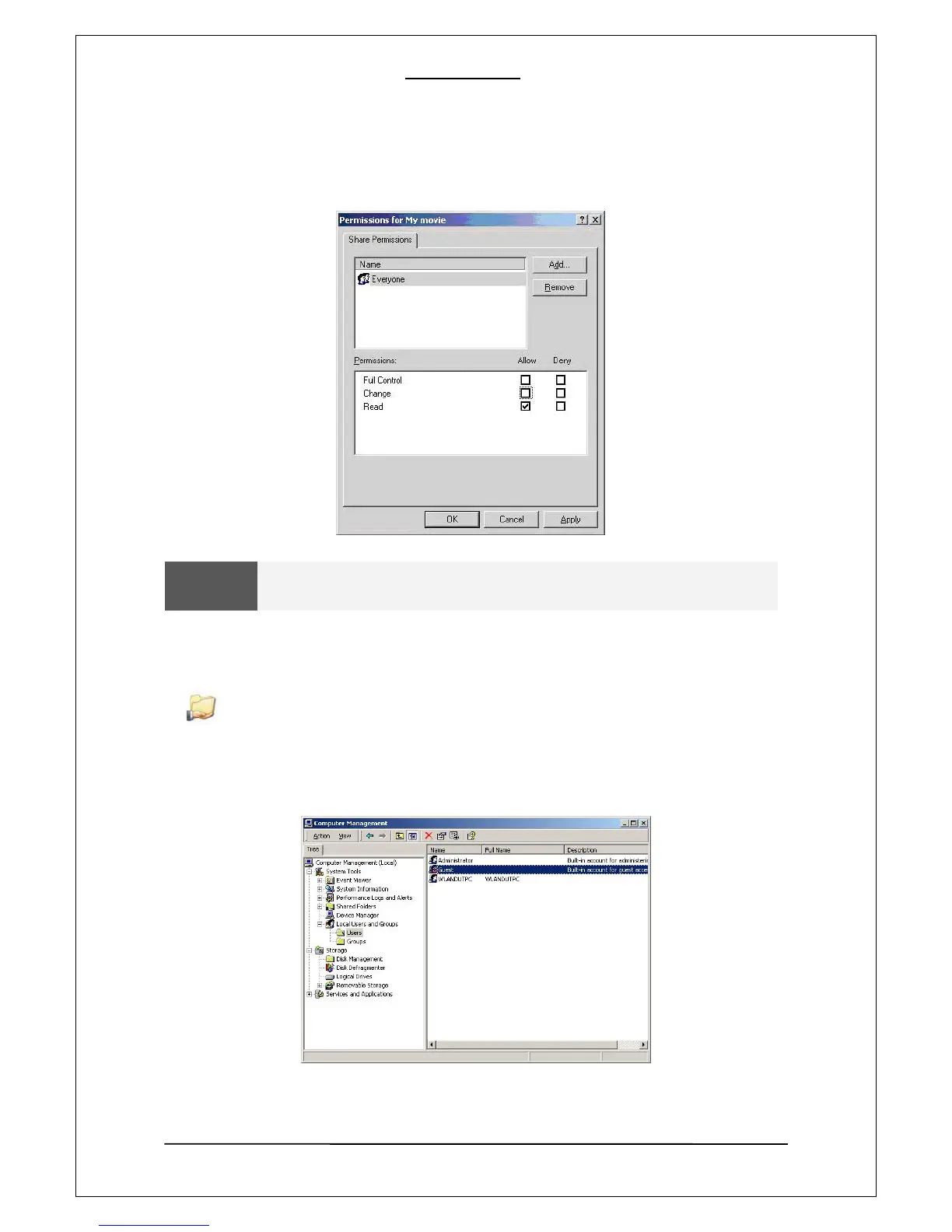
[3]. In the above screen, click on “Permissions” and check, if an everyone account exists. If not,
add one by clicking on “Add” button.
WARNING
Set permissions to Read- Allow.
[4]. If the folder is shared, you will see a hand mark on the folder icon.
MY Movie
[5]. Go to “Control Panel—Administrative Tools—Computer Management—Local
Users and Group” and, among the displayed items, double –click the Guest item.
13


 To Next Page
 Loading...











