MAIN PARTS
20
DASHBOARD
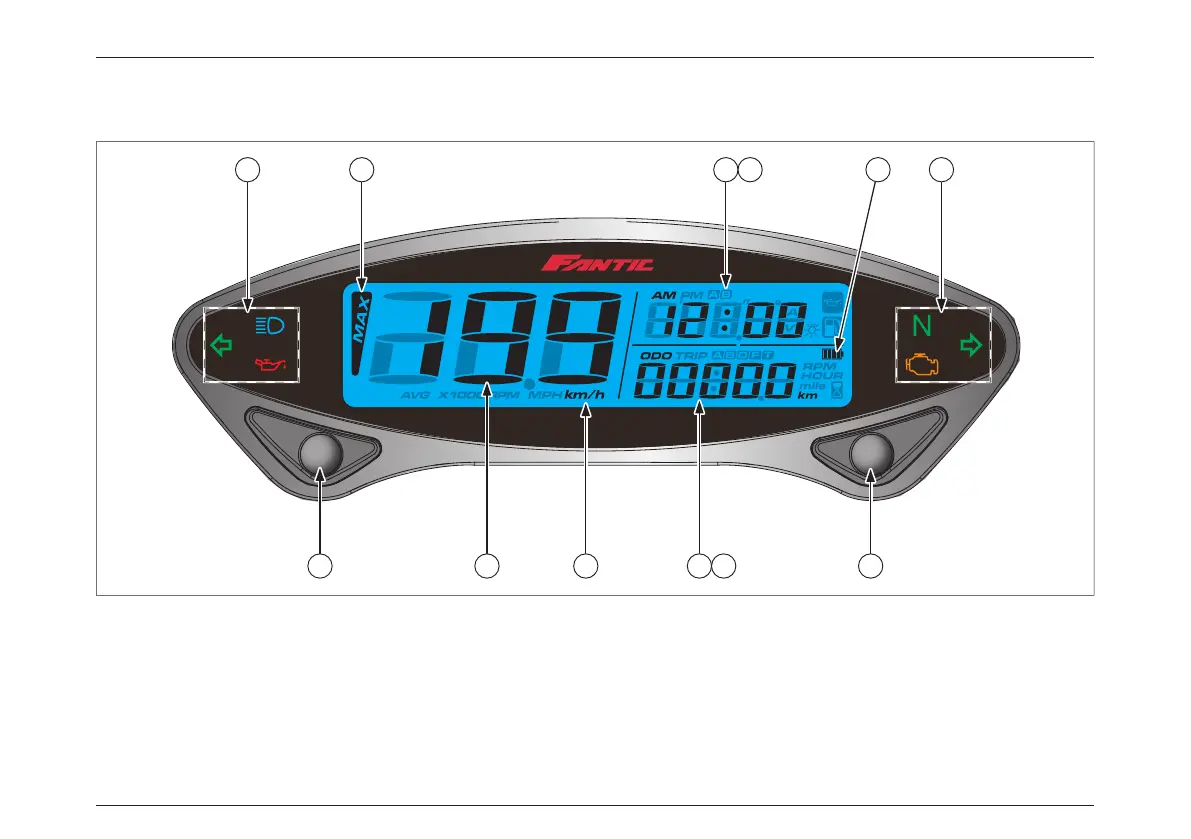
Instruction of function
1. Select button
• Press the Select button on the main screen to switch between 12–24 hour mode, speedometer record, stopwatch ,
and MAX record;
2. Adjust button
• Press the Adjust button on the main screen to switch between ODO, Trip A–B, Total Hour meter, Hour meter A–B;
3. Speedometer
• Display range : 0~360km/h (0~225 MPH);
11 9 7 8 10 11
1 3 4 5 6 2




 To Next Page