IT
EN
DE
FR
MAIN PARTS
27
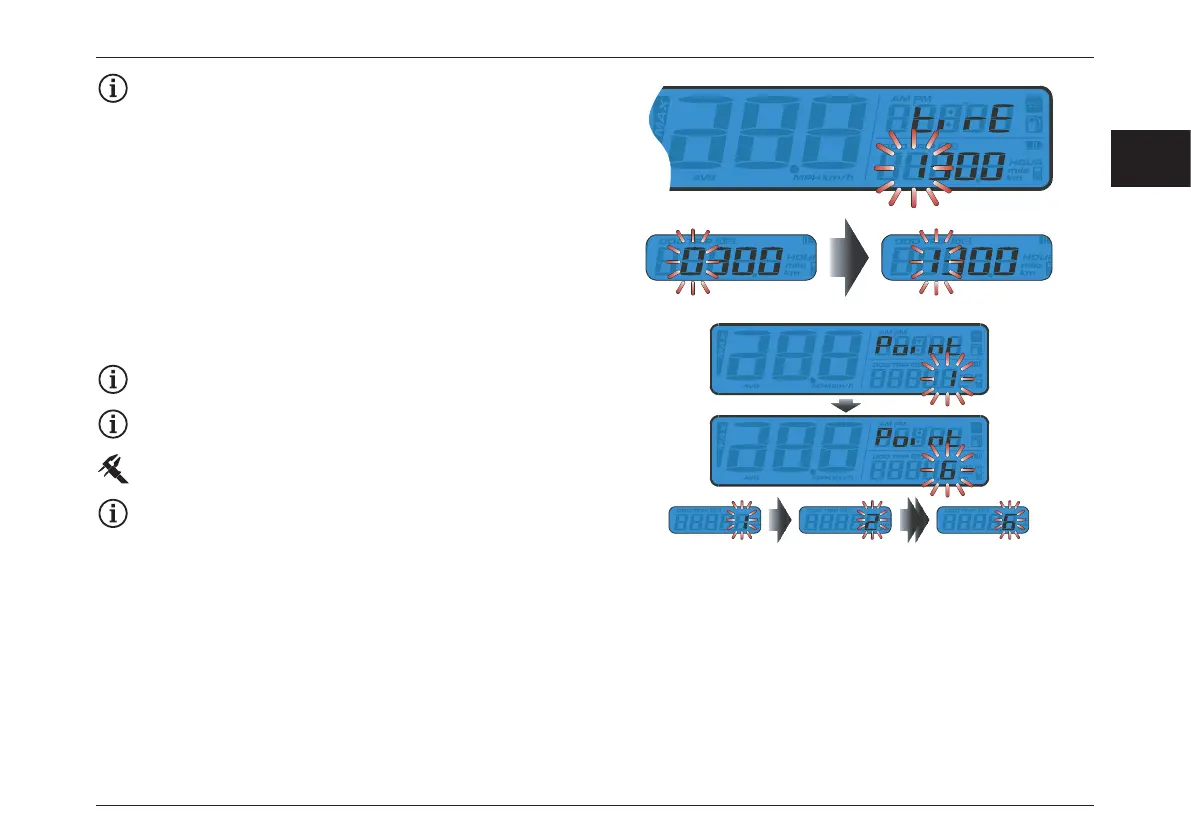
Sensing point setting
Example: to change the sensing point to 6.
The sensing point settings range from 1 to 6 points.
Default value: 1.
Example: the sensing point setting has been changed
from 1 to 6.
– Press the Select button to choose the hour you want to
set.
– Press Adjust button to go back to tire circumferences
value and sensing point setting screen.
Example: the tire circumference setting is changed
from 1000 mm to 1300 mm.
– Press the Select button to change the setting.
– Press the Adjust button three times to enter the sensing
point setting.





 To Next Page