Video
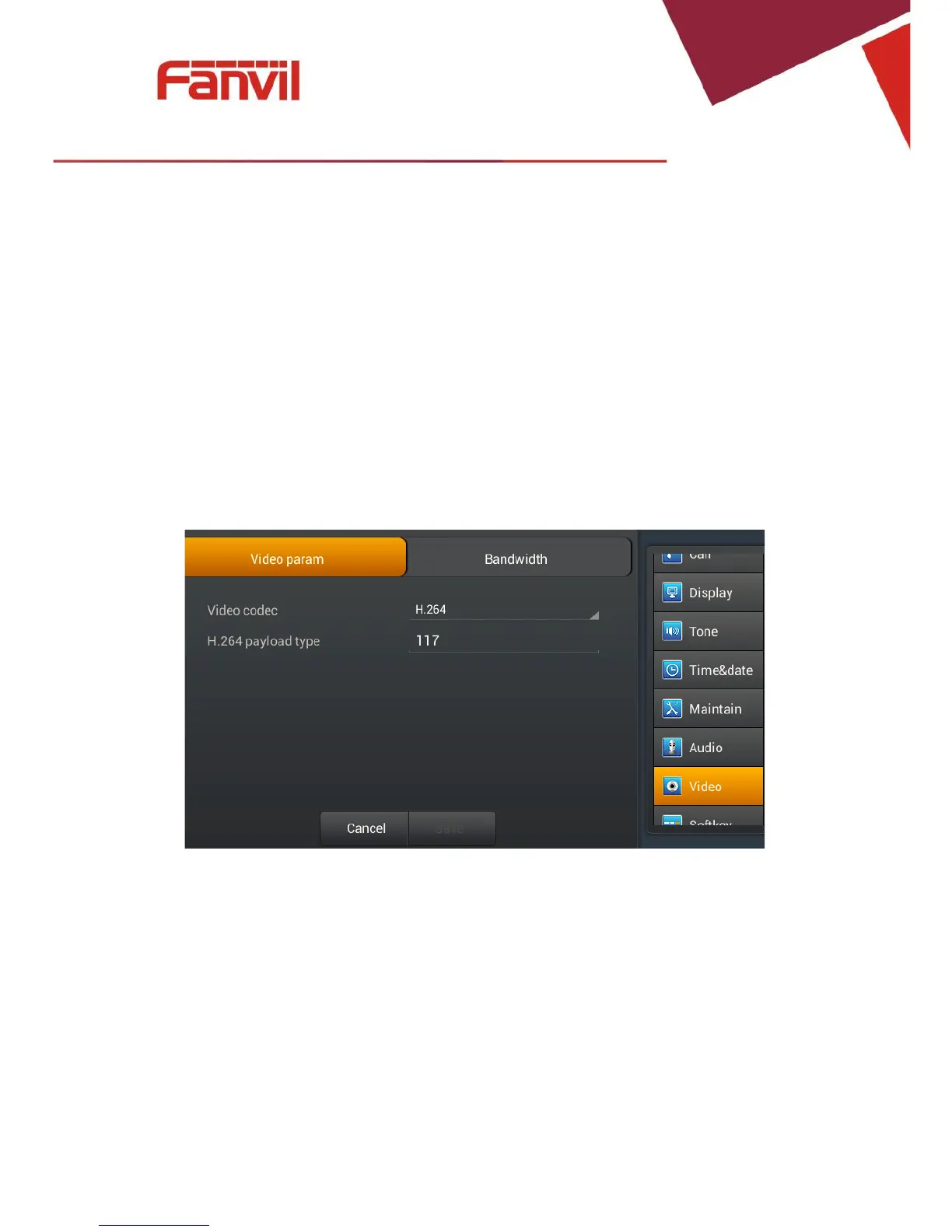
Touch"Settings">"Video"andenterthesettingsinterface.
Videoparam
Touch "Video"> "Video param" interface. After configuring the parameters, you can click
"Save"buttontosavesuccessfully.
Note:If you want More clear and smooth video screen, please select H.264 within 2M
bandwidth.
FanvilTechnologyCo.,Ltd
HQAdd:Level3,BlockA,GaoxinqiBuilding,AnhuaIndustrialPark,Qianjin1Road,35thDistrict,Bao'An,Shenzhen,518101P.R.
China
Tel:+8675526402199Fax:+8675526402618Email:fanvil@fanvil.comwww.fanvil.comBeijingTel:+861057536809
SuzhouTel:+8651265920605SEATel:+60320350737



 To Next Page