10
D a n c e M 1 d
S t G r d P n o
Playing the Demos
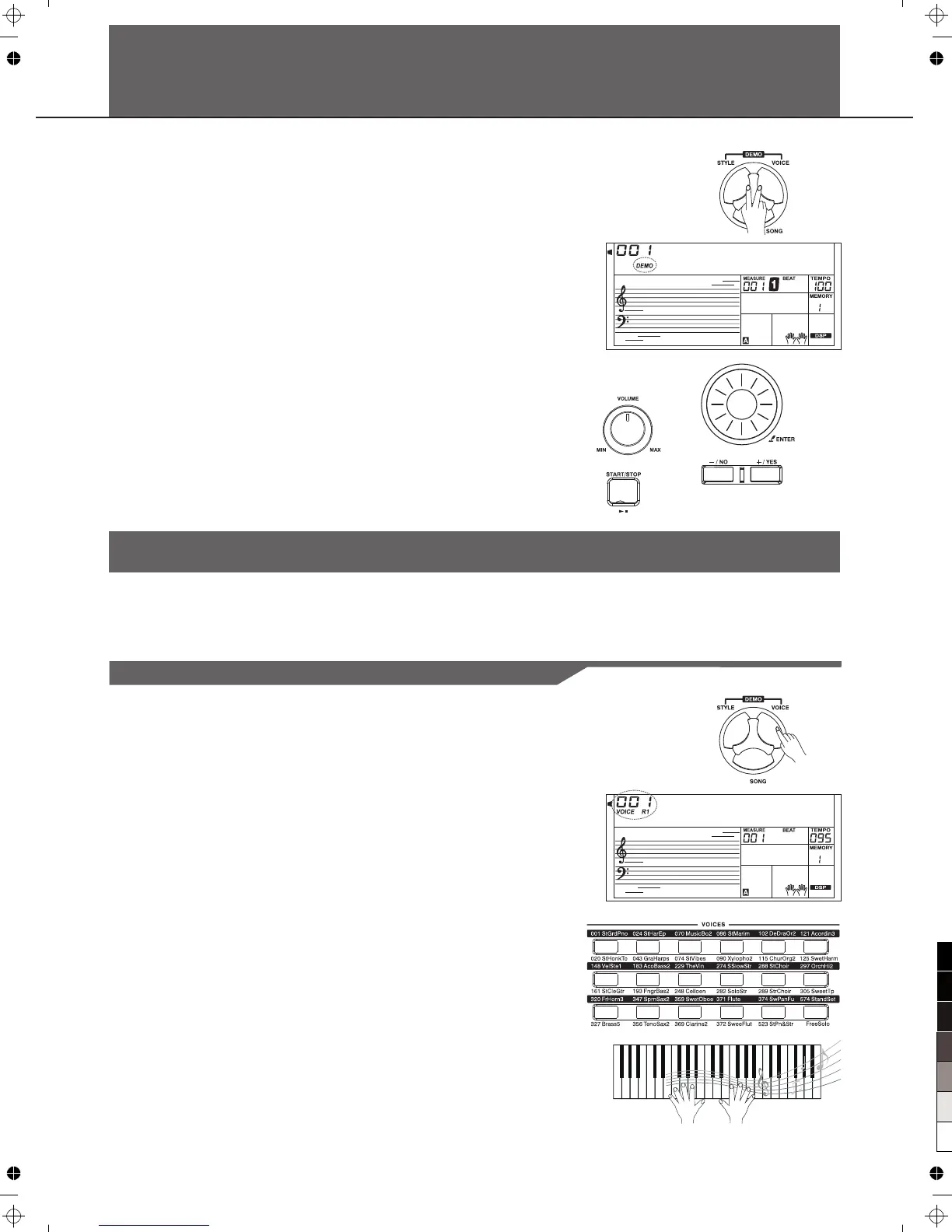
The instrument features 5 wonderful demos. Please refer to DEMO
LIST.
1.Press the [STYLE] and [VOICE] buttons simultaneously to start
Playing the demo.
2.Select a demo song.
Use the data dial, the [+/YES] button or the [-/NO] button to select a
demo song.
3.Set a volume level with the [MASTER VOLUME] knob.
4.Press the [STYLE] and [VOICE] buttons simultaneously again or
press the [START/STOP] button to stop playing and exit the demo
Mode.
Note:
In the DEMO mode, all buttons except START/STOP, TEMPO+,
TEMPO-, +/YES, -/NO, VOLUME, POWER ON/OFF will be not
available.
The instrument features 583 exceptionally realistic voices, including piano, guitar, strings, brass and
more. Please refer to Voice List
Playing Voices
Playing Voices
1.Press the [VOICE] button
Enter the VOICE mode. LCD shows VOICE R1 and the voice
number.
2.Select a voice.
Use the data dial, the [+/YES] button, the [-/NO] button to select the
voice you want to play. You can also use the Voice Direct Button to
a voice. 2 direct voices for each button (upper & lower key).
3.Play the voice.
Note:
While changing a voice, pay attention to the rules. If you press the
same button, the voice will be changed between the upper and lower
key. When the upper/lower voice is on, and then you press another
direct button, the corresponding upper/lower voice will be selected.
“ ”
select
You can play the keyboard and listen to the wonderful voice.



 To Next Page