8 B t P i a n o
18
Tempo
Auto Accompaniment
8 B t P i a n o
One Touch Setting
One Touch Setting is a powerful and convenient function that lets you
instantly recognize virtually all Auto-accompaniment-related panel
settings with the touch of a single button.
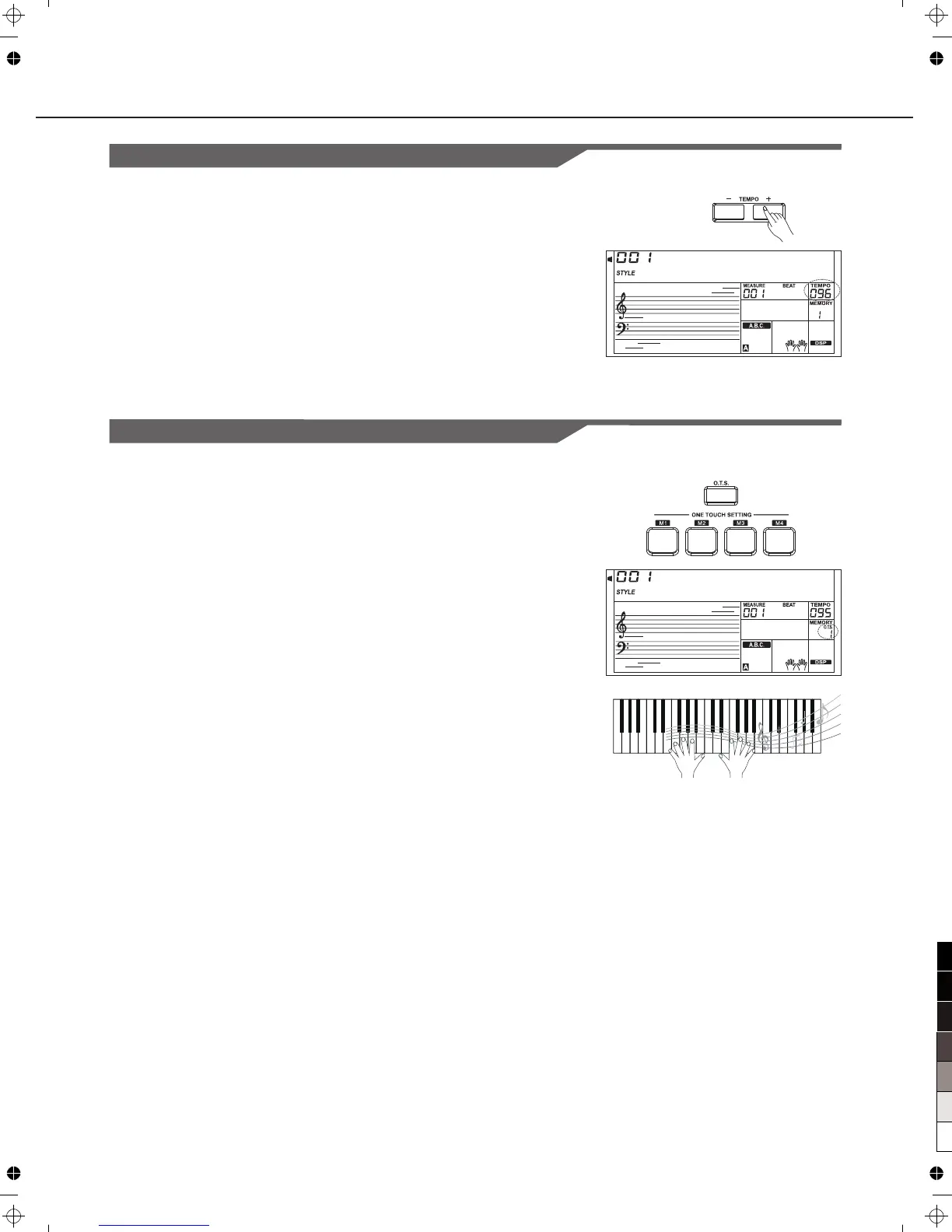
1.Press the [O.T.S.] button to turns on the One Touch Setting for
current style.
2.Press one of the [ONE TOUCH SETTING] buttons [M1]-[M4].
Various panel settings (such as voice, effect, etc.) that match the
selected style can be instantly recalled with just a single button
Press. Auto accompaniment is automatically turned on during mode.
3.Play the keyboard.
Each style of the instrument has been with a default or
standard tempo; however, this can be changed by using the
[TEMPO+]/[TEMPO-]buttons.
set
2.
Change the tempo
Use the [TEMPO+] or [TEMPO-] button to change the tempo.
While the tempo data is flashing, use the Data Dial can also
change the tempo.
To restore the default tempo setting, press the
[TEMPO+]/[TEMPO-] buttons simultaneously.
1.
One Touch Setting parameter list:
Part ON/OFF (VOICER1,R2,L)
Voice Change(VOICER1,R2,L)
Voice Volume(VOICER1,R2,L)
Voice Reverb Level(VOICER1,R2,L)
Voice Chorus Level(VOICER1,R2,L)



 To Next Page