DSP Effect
Option
LCD Display
Range
XXX Rhythm_s
XXX Rhythm_m
XXX Bass
XXX Chord1
XXX Chord2
XXX Chord3
XXX Phrase1
XXX Phrase2
XXX Upper1
XXX Upper2
XXX Lower
XXX U_Disk
S t G r d P n o
R h y t h m _ s
25
With the built in digital effects, you can add ambiance and depth to
your music in a variety of ways such as adding reverb that makes
you sound like you are playing in a concert hall or adding harmony
notes for a full, rich sound.
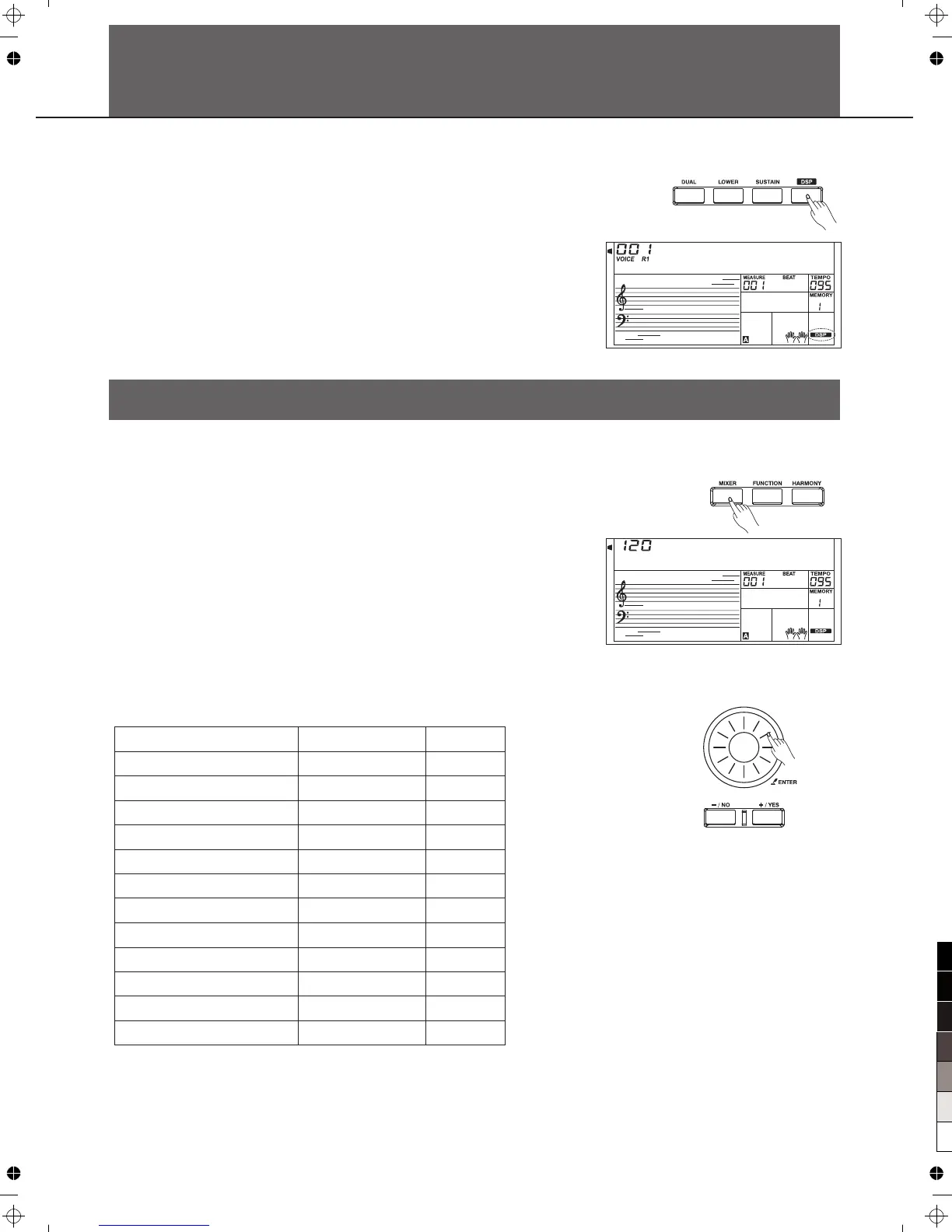
1.The DSP effect is set to ON when keyboard is power on.
2.Press [DSP] button to switch DSP effect on or off.
Mixer
Rhythm s VOLUME
Rhythm m VOLUME
BASS VOLUME
Chord 1 VOLUME
Chord 2 VOLUME
Chord 3 VOLUME
Phrase 1 VOLUME
Phrase 2 VOLUME
VOICE R1 VOLUME
VOICE R2 VOLUME
VOICE L VOLUME
USB Device Midi Play Volume
1.Press the [MIXER] button.
Now you have entered the menu of MIXER. Use the [MIXER]
button to select a part to change its volume.
Adjust the volume of a musical part.To adjust the selected
volume setting, please use the Data Dial or the[+/YES]/[-/NO]
button.
Press and button simultaneously to turn
off part volume.
Press[+/YES]and[-/NO]button simultaneously again to
turn on part volume.
[+/YES] [-/NO]
Any time press [EXIT] to quit this menu.
The option and parameters are as the follows:
2.
3.
0
0
0
0
0
0
0
0
0
0
0
0
-
-
-
-
-
-
-
-
-
-
-
-
127
127
127
127
127
127
127
127
127
127
127
127



 To Next Page