Transpose
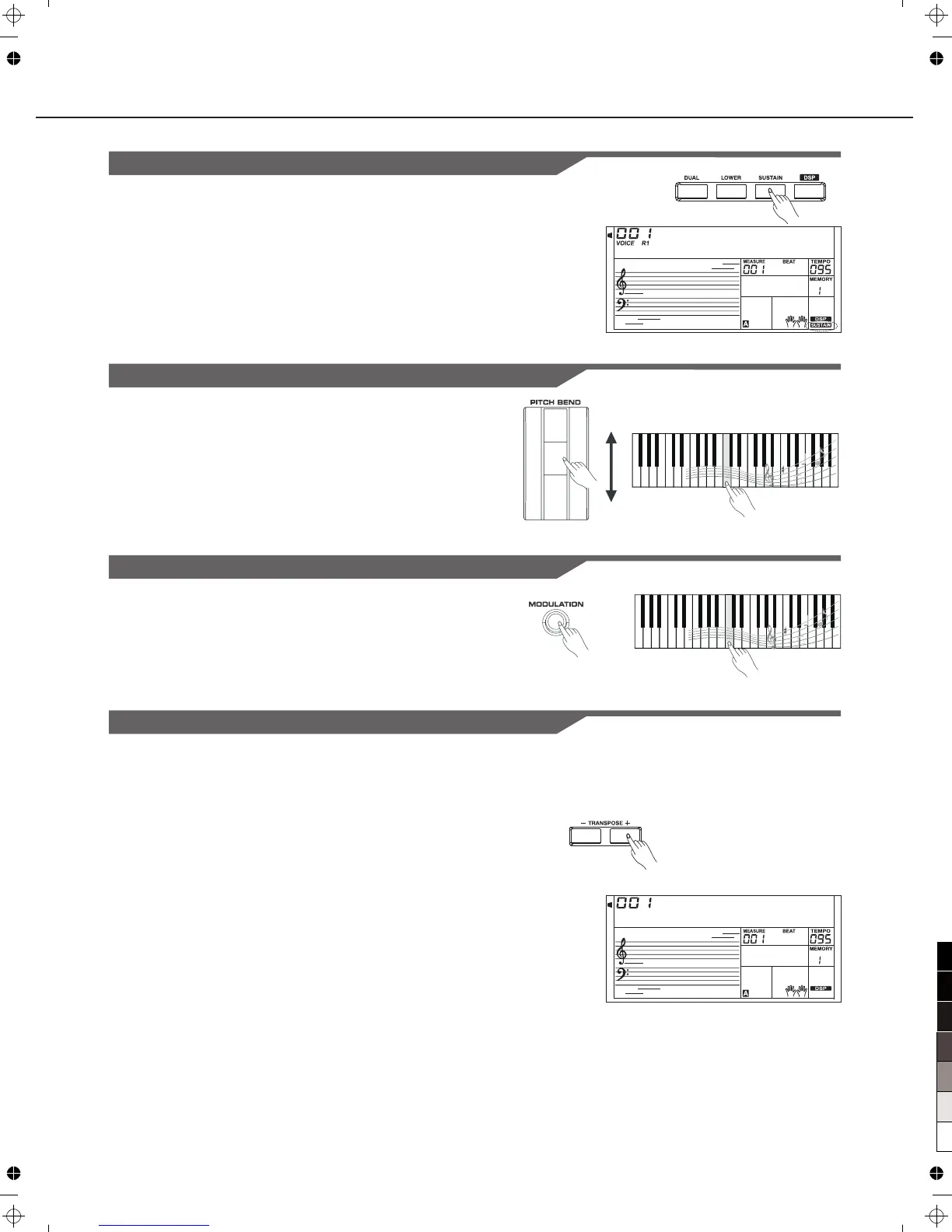
Transpose function allows the overall pitch of the instrument to be
transposed up or down by a maximum of one octave in semitone steps.
S t G r d P n o
T r a n s p o s
12
Playing the Voices
Sus tain
1.When the sustain is turned on, all notes will play with a longer
sustain.
2.Press the [SUSTAIN] button to turn the SUSTAIN effect ON or
OFF.
Note:
When you step on the sustain pedal , the sustain effect is stronger
than the effect by pressing the [SUSTAIN] button.
" "
Pitch Bend Wheel
Modulation
Use the pitch bend wheel to bend notes up (roll the wheel away you)
or down(roll the wheel toward you ) while playing the keyboard.The
pitch bend wheel is self-centering and will automatically return
to normal pitch when released.
The Modulation function applies a vibrato effect to notes played on the
keyboard. Press the [MODULATION] button while playing the keyboard
then you will hear the vibrato effect.
Press [TRANSPOSE +] or [TRANSPOSE -] to adjust the value
from-12 to +12 semitones.
Press [TRANSPOSE +] and [TRANSPOSE -] or press [+/YES]
and [-/NO] simultaneously will set the value to default: 0.
1.
2.
Higher(+2)
Semitone
Lower(-2)
Semitone



 To Next Page