O f f
D u e t
19
Harmony
You can add a variety of harmony notes to the keys you played in the right-hand section.
Turning on the Harmony effect
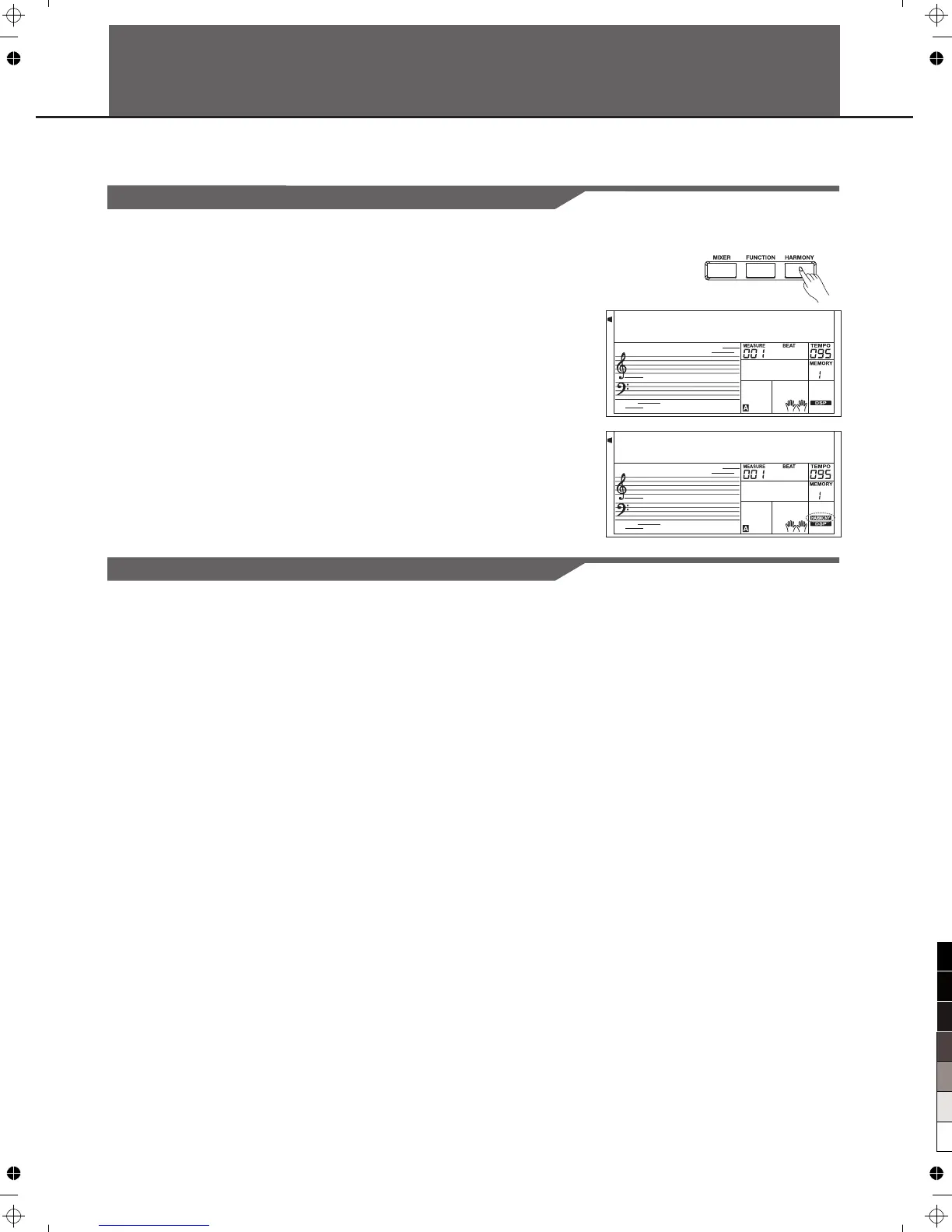
Press the [HARMONY]button to turn on or off the harmony effect.
In the main mode and harmony is off, press the [HARMONY] button,
the LCD will display "off". Press the [HARMONY] button again to turn
on the harmony and the LCD will display the current harmony type and
the harmony flag.
Applying the Harmony effect
1.Press the [A.B.C.] button to turn atuo accompaniment on.
2.Play a chord with your left hand.
3.Play some notes in the right-hand range of the keyboard.
When a harmony type is selected, this type automatically add
one or more harmony notes to a single-note melody played in
the right-hand.
Note:
While"1+5"or "octave" is selected to a harmony type, you can use
the harmony effect without playing the chord.
You can select the harmony effect type in the function menu.



 To Next Page