EasyManua.ls Logo

Fargo C50 - Page 41

Fargo C50
68 pages
Print Icon
To Next Page IconTo Next Page
To Previous Page IconTo Previous Page
Loading...
C50 Card Printer Service Manual PLT-01278 rev 1.1
August 2013
Page 41
HID GLOBAL CONFIDENTIAL AND/OR PROPRIETARY INFORMATION. This document contains confidential and/or proprietary information,
which may not be duplicated, published, disseminated or disclosed, or used for any purpose, without the written consent of HID Global
Corporation. If you are an unintended recipient of this information or are unwilling to accept the above restrictions, please immediately return
this document to HID Global Corporation, 15370 Barranca Pkwy, Irvine, CA 92618-3106..

Step
Procedure
5
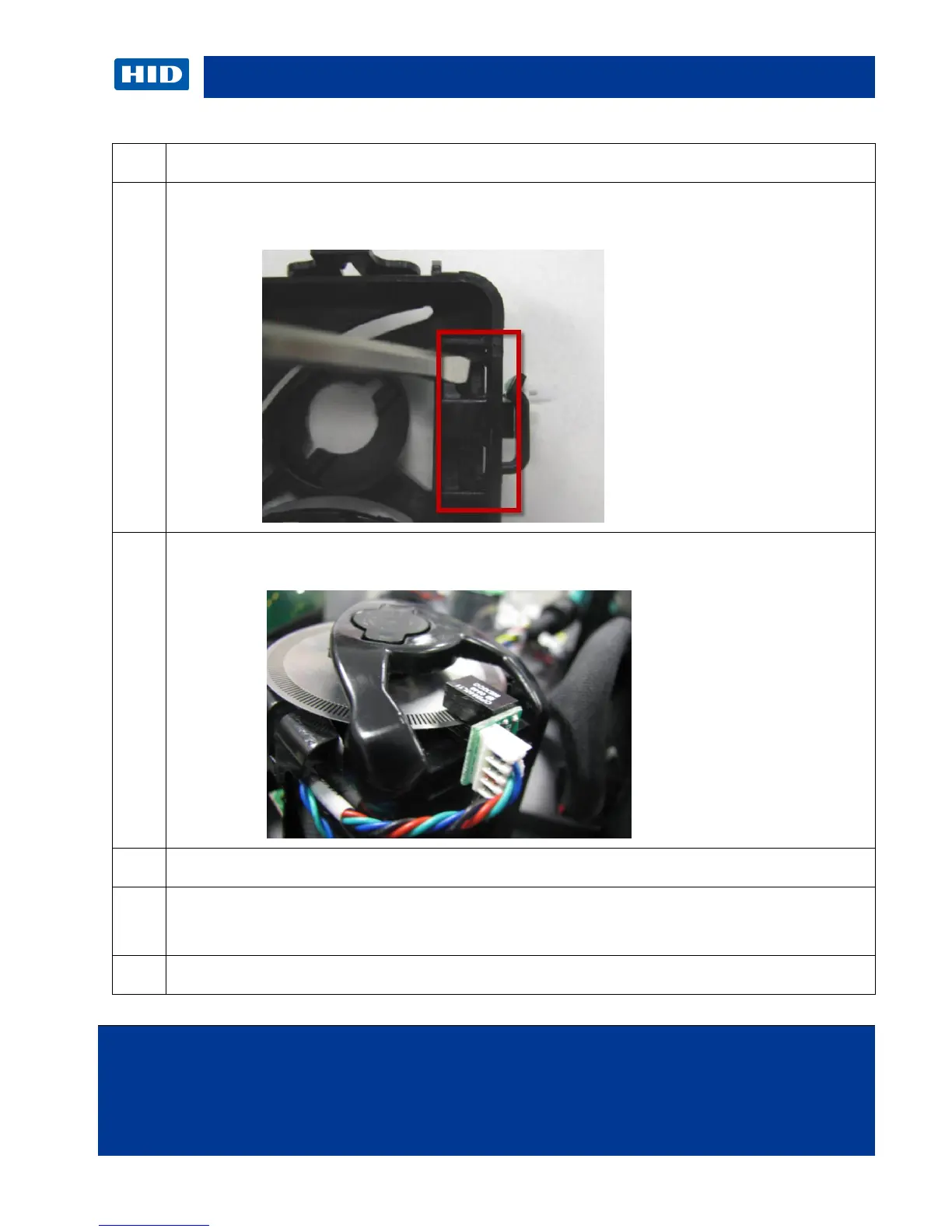
Remove the sensor.
Use a thin flat blade screwdriver to unlatch the tabs holding the sensor to the frame.
6
Press the new sensor into the assembly. Make sure the encoder wheel is in between the
sensor.
7
Replace with new Sensor (A930514) and/ or Cable (D930605)
8
Line up the sensor with the slot and snap back in.
Reconnect cable to J18
9
Procedure is complete.

Other manuals for Fargo C50

Related product manuals