C50 Card Printer Service Manual PLT-01278 rev 1.1
HID GLOBAL CONFIDENTIAL AND/OR PROPRIETARY INFORMATION. This document contains confidential and/or proprietary information,
which may not be duplicated, published, disseminated or disclosed, or used for any purpose, without the written consent of HID Global
Corporation. If you are an unintended recipient of this information or are unwilling to accept the above restrictions, please immediately return
this document to HID Global Corporation, 15370 Barranca Pkwy, Irvine, CA 92618-3106..
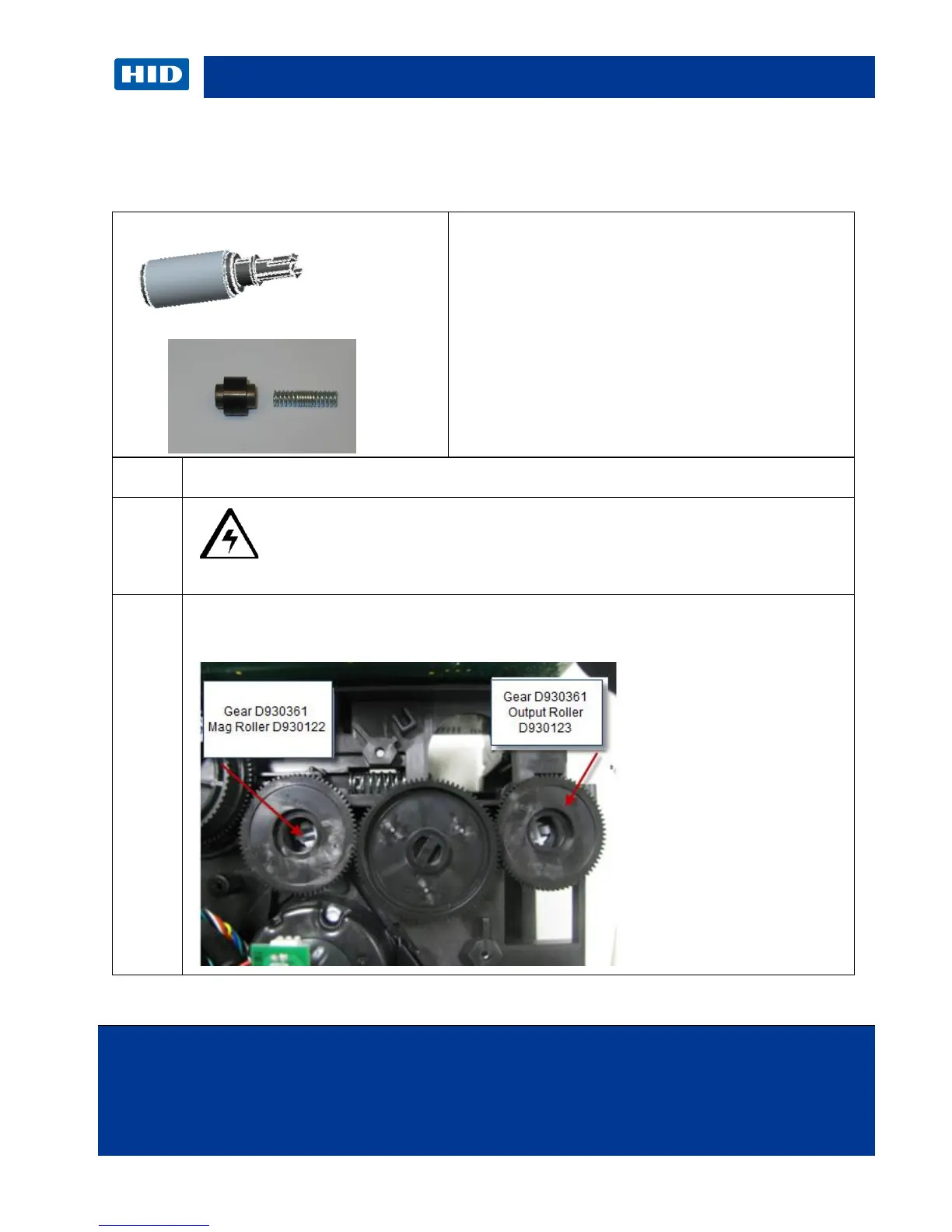
3.4 Remove/Replace the Output Roller (D930123)
Remove/Replace Pinch Roller-spring (D920013-F000338)
Caution: Turn OFF the Printer and unplug the power cord from the
Printer.
Remove the Output Roller Gear (D930361) by pulling straight out.
No need to remove the Stepper Motor Assembly.
Tools needed: T10 Torx screwdriver
Estimated Repair Time: 20 min
Preparation: Remove the Covers
Important: This procedure can only be performed
by authorized service personnel.



 To Next Page