Mobile PC
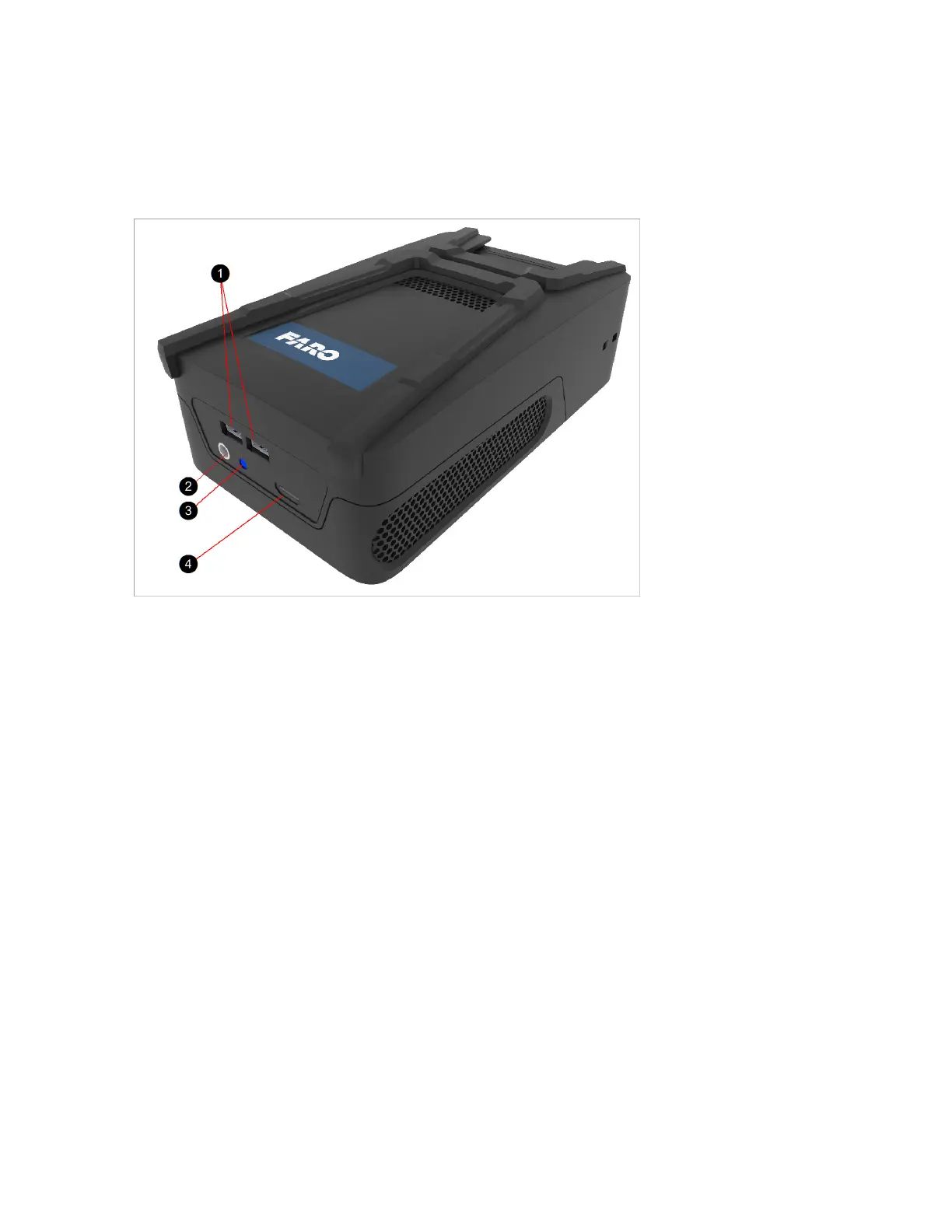
The device has multiple interfaces as shown in the figure below.
Figure 3-1 Parts of the Mobile PC
! USB Ports: Use these ports with a USB flash drive to transfer data from the Mobile PC, or to attach a
mouse and keyboard.
" Power: Use only the included charger. When powered from an external power source your Mobile PC
can run without a Power Block or charge an empty Power Block. For charging the Power Block the
device need not be turned on.
# LED Indicator: LED at power socket. For more information, see Mobile PC LEDs on page 64.
$ HDMI Port: Connect an external monitor here to get full access to the Windows operating system and
installed software.
FARO Freestyle 2 User Manual
Chapter 3: Freestyle2 PartsandtheirFunctions
FARO Freestyle 2 (August 2020) Page 16 of 58



 To Next Page