Chapter 9: Freestyle2 App Settings
This chapter provides a brief description of app settings not previously documented.
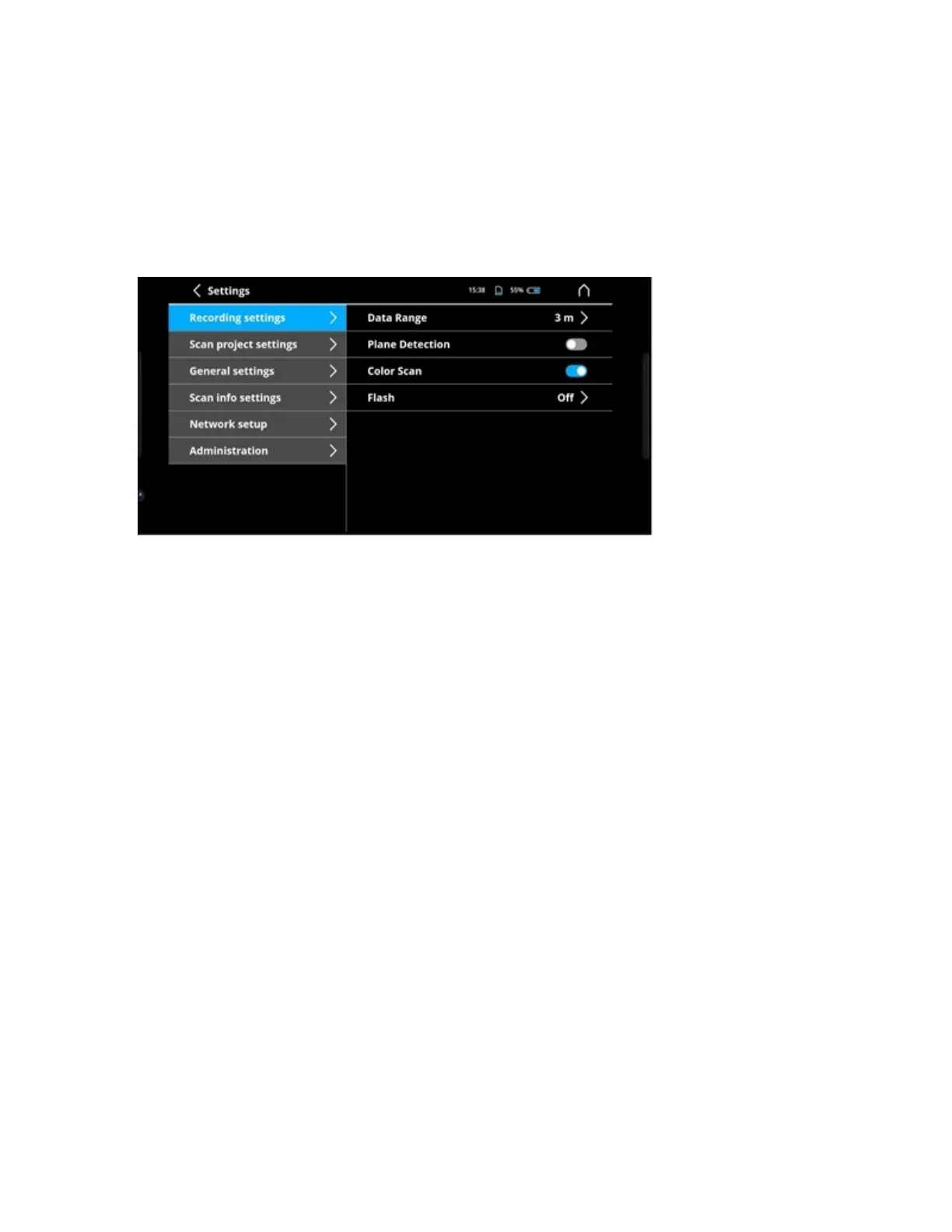
Figure 9-1 Default Scan Settings dialog
Recording Settings
For more information, see “Adjust the Recording Settings” on page 28.
Scan Project Settings
• Project base name: Sets the default project base name. You can override this manually when
creating a project.
• Scan base name: Sets the default scan base name. You can override this manually when creating a
scan.
• Delete Exported Projects: Deletes all scan projects that have already been exported.
General Settings
• Length unit: Set the default units to meters or feet.
• Theme: Set the app theme to bright or dark.
• Unmount External USB Storage: Unmounts the USB flash drive so you can remove it safely.
Scan Info Settings
• Histogram: Show a histogram of the depth data captured.
• Show detected markers: Markers will be displayed in the 3D view after processing.
• Scan time: Show the time since the scan was started.
FARO Freestyle 2 User Manual
Chapter 9: Freestyle2 App Settings
FARO Freestyle 2 (August 2020) Page 40 of 58



 To Next Page