Chapter 6: Scanning with Freestyle 2
Typical Workflow for a Freestyle 2 Scan Project
1. Attach Mobile PC to your belt or shoulder strap.
2. Attach the Phone to the Handset below.
3. Place the Phone on the Handset on the next page.
4. Adjust the Recording Settings on page28
5. (Optional) Adjust White Balance on page28.
6. Start Scanning on page31.
7. Process the Scan Project on page36.
8. Use a Scan Project in SCENE on page38.
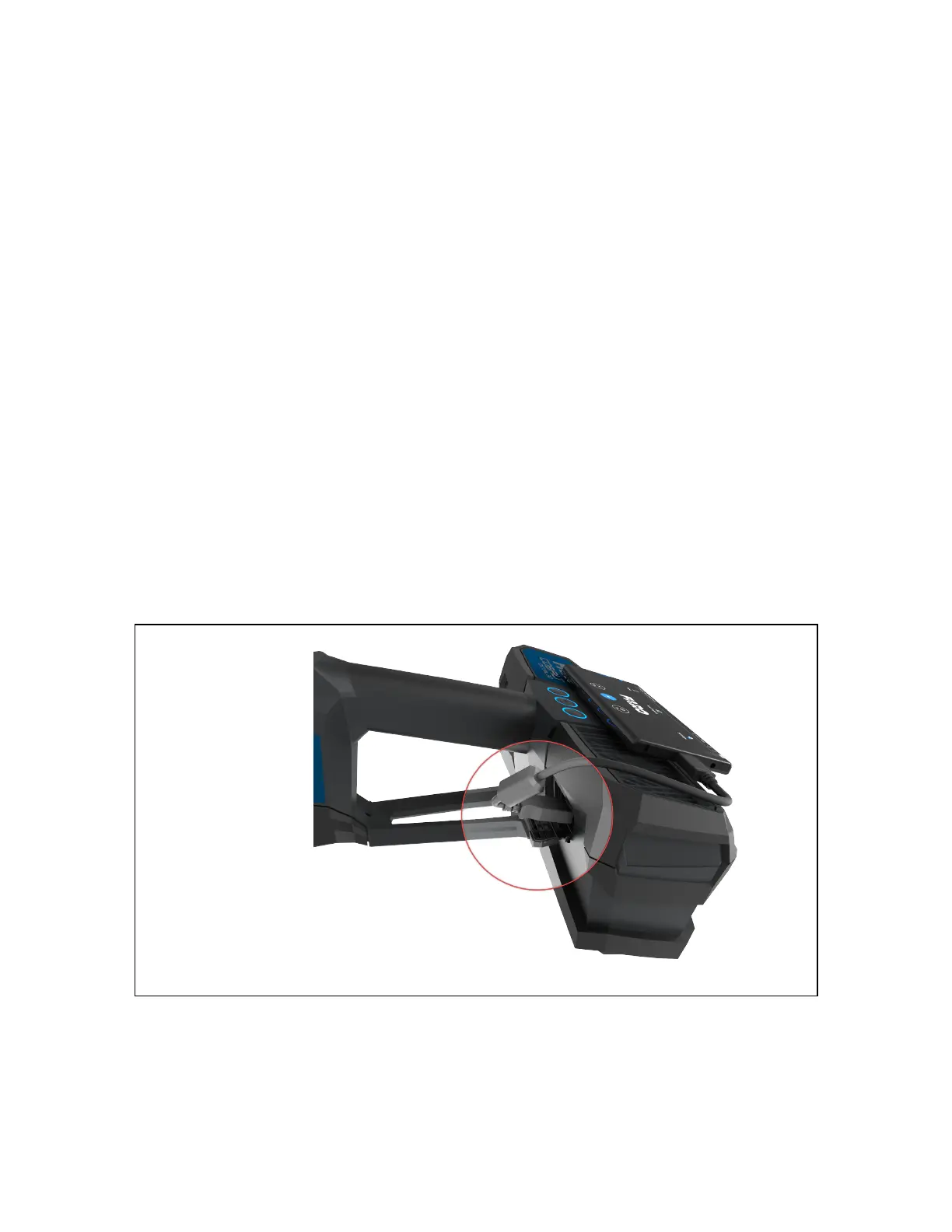
Attach the Phone to the Handset
Use the included USB
cable to connect the
phone to the handset.
Figure 6-1 USB connection
FARO Freestyle 2 User Manual
Chapter 6: Scanning with Freestyle 2
FARO Freestyle 2 (August 2020) Page 25 of 58



 To Next Page