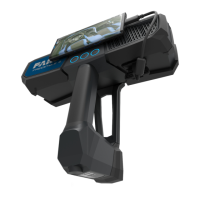
• If the number of features is low or badly distributed, try to move the handset's field of view to areas
with more structures.
• Scanning areas with few features or without texture can be difficult. Add markers or other artificial
targets for better results.
• If the lighting conditions are bad, use the flashlight to get better results.
• If you are not able to scan dark areas, treat these with developer spray.
• If you are not able to scan shiny areas, treat these with anti-glare spray.
Scanning Tutorials
The app provides an assortment of scanning tutorials. The tutorials put the Freestyle 2 into a special
mode that does not save the scan, but instead provides real--time feedback about what parameters it is
recording. Parameters that are not good enough for the Freestyle 2 to create good scans are shown in red.
This lets you see how adjustments to your scanning technique affect the information that the Freestyle 2
is able to collect.
Start Scanning
WARNING: Eye injuries caused by laser beams
Although the handset is classified as a laser class 1 device, it might be dangerous if the
laser beams point to someone’s eyes.Be careful when scanning people or animals. Do not
aim at eyes from a close distance.
NOTICE: Damage to electric or electronic components
In certain situations, you may be statically charged. As soon as you touch the metal parts of
Freestyle2, high voltage will discharge to the device and may cause serious damage.
Always hold Freestyle2 by its handle. Do not touch the metal rings around the glass covers
on the front side of Freestyle2.
NOTE: Always hold Freestyle2 by its handle; never by one of its arms. Because the Freestyle2 is a
high-precision measuring device, even the slightest bending of the device will result in
inaccuracies or even errors.
FARO Freestyle 2 User Manual
Chapter 6: Scanning with Freestyle 2
FARO Freestyle 2 (August 2020) Page 31 of 58


 To Next Page