Place the Phone on the Handset
Place the phone on the handset as shown. The
metallic sticker on the phone must hold the phone
securely in place.
NOTE: The phone mount (that is, the part of the
handset that contains the magnets) is
removable.
Figure 6-1 Phone position on handset
Connect the Handset to the Mobile PC
Insert a charged PowerBlock into the Mobile PC. Slide the PowerBlock into the slot and press gently
until the PowerBlock latches click into place.
NOTICE: Do not force the PowerBlock into the slot. If the PowerBlock does not easily click into
place, check to ensure it is inserted in the correct orientation and try again.
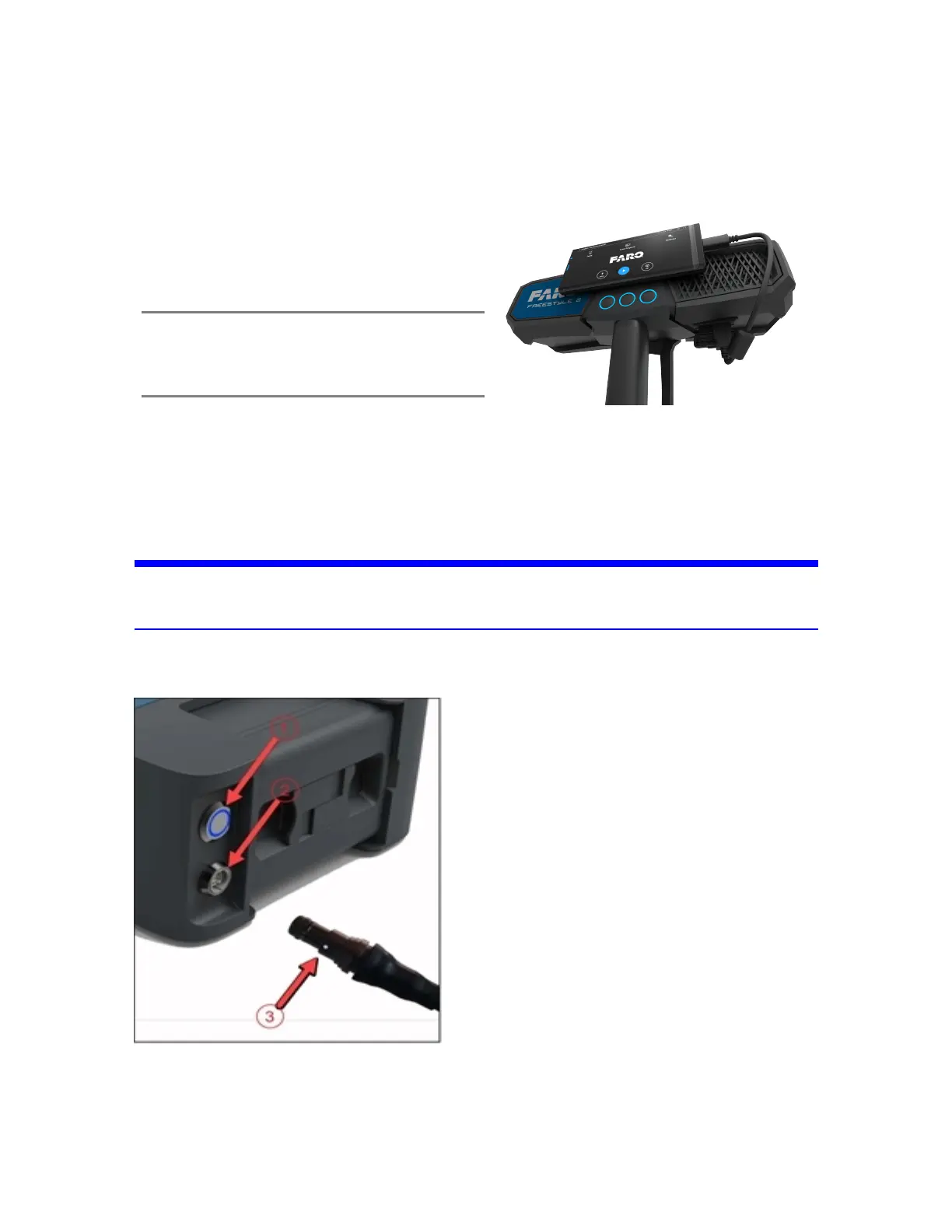
Plug the handset’s connector
#
into the Mobile PC data and power socket
"
. The plug will slide into
the socket with gentle pressure when it is correctly aligned
Figure 6-2 Mobile PC Connection
FARO Freestyle 2 User Manual
Chapter 6: Scanning with Freestyle 2
FARO Freestyle 2 (August 2020) Page 26 of 58



 To Next Page