‣
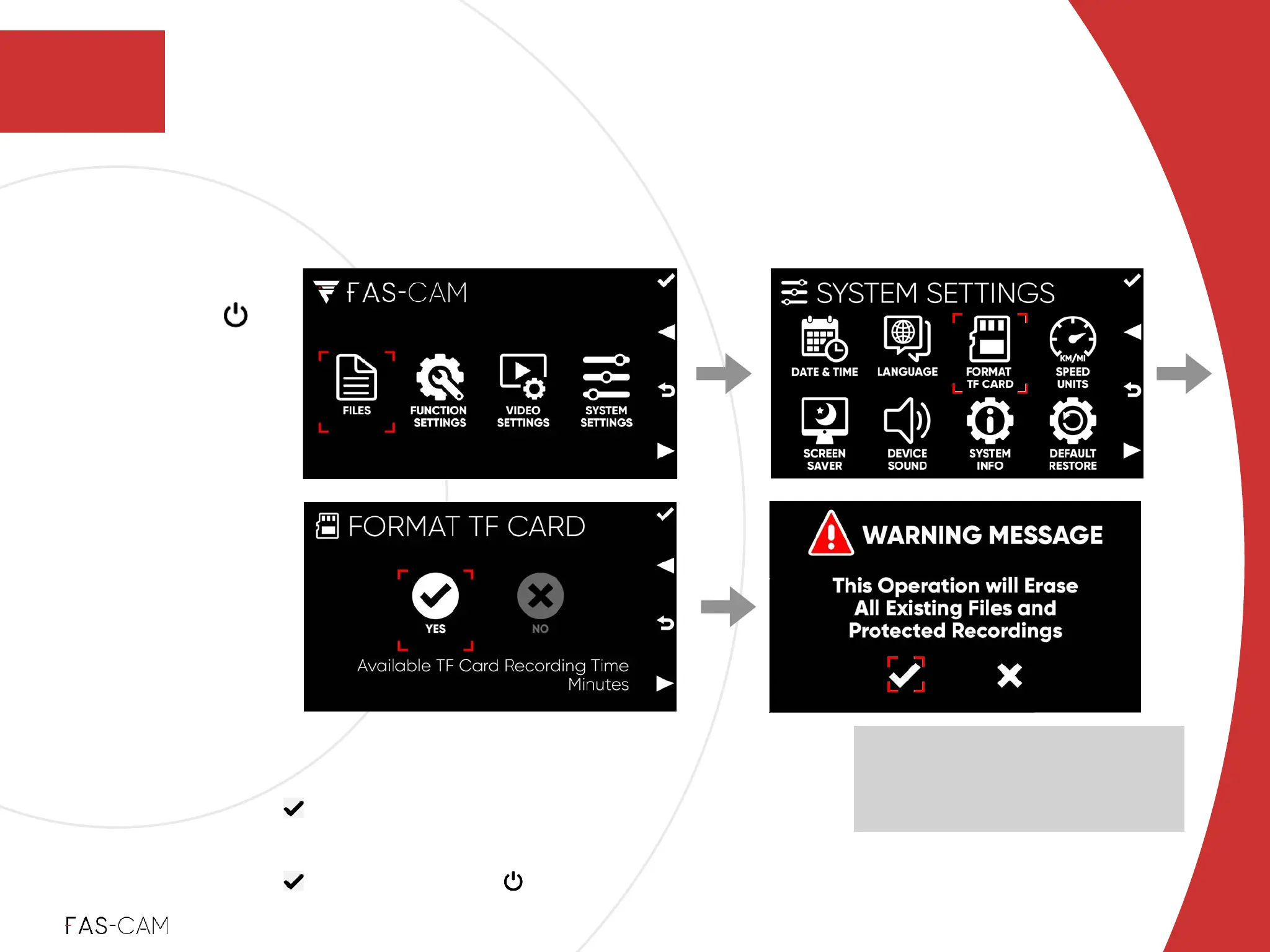
Enter MENU
‣
Navigate to SYSTEM SETTINGS FORMAT TF CARD!
‣
Select YES
‣
A “WARNING MESSAGE” will pop-up!
‣
Select option and press key to confirm
NOTE: The estimated “Available TF
Card (SD Card) Recording Time
(Minutes)” info will be displayed at
the bottom of the page
Press the Power
Button Once
"▶
‣
We recommend formatting the TF Card (SD Card) using the camera’s internal format
application before initial recording.
4. Installation
Installation
4.1 F701-DR Front Camera Installation
4
‣
4.1.2 Unit Test
1st
2nd 3rd
Enter Menu



 To Next Page