PERLA HP - ISSUE 02
57
FAS International S.p.A. - Via Lago di Vico, 60 - 36015 SCHIO (VI) Italy - tel. +39 0445 502011 – fax +39 0445 502010 - e-mail: info@fas.it
14 ALARMS
This section is for qualified assistance staff only
Vending machine can point out some possible bad functionings.
The “TEST VEND” function is also used to display any alarms existing in the machine. Press the "ENTER”
key to scroll the list (if one exists) and at the end a message appears asking : “CLEAR DATA?”. Press
"ENTER” to confirm and to eliminate all the alarm conditions, otherwise press “ESC”.
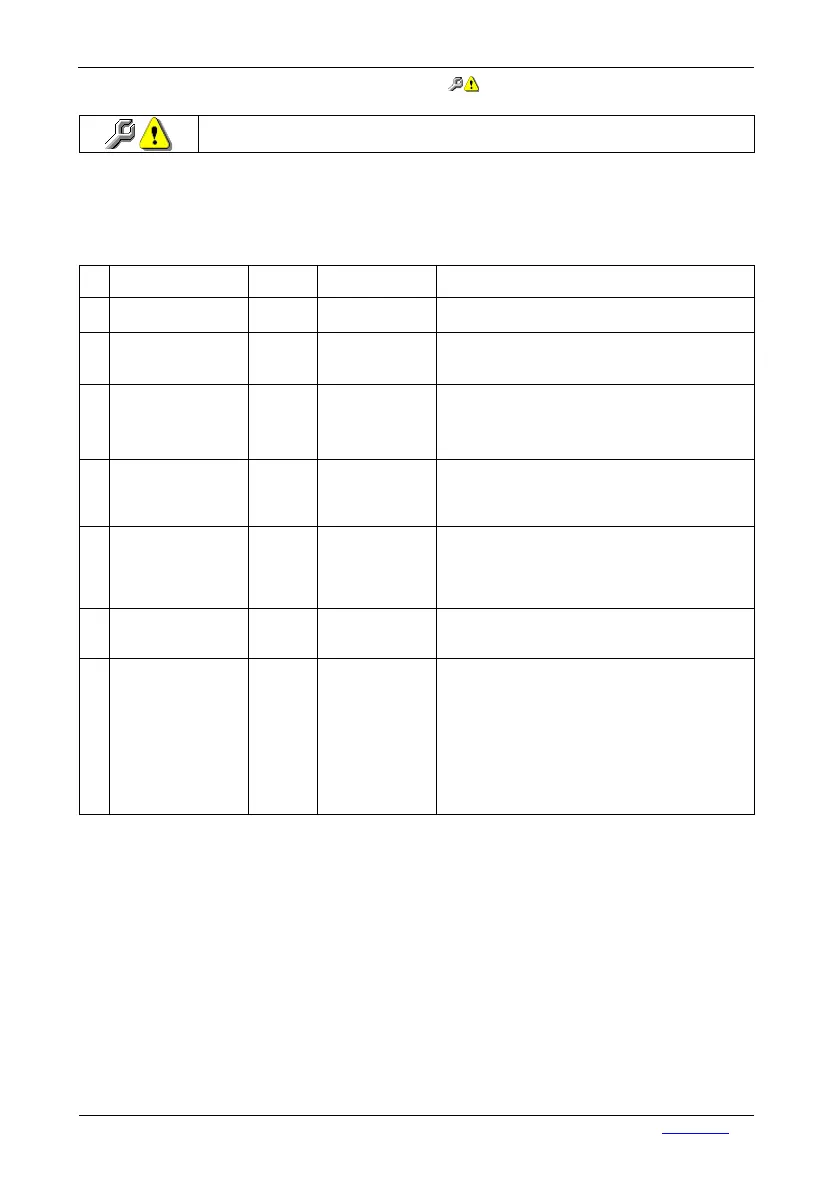
N° ALARM
TIMEOUT
(sec.)
FAILURE SOLUTION
A02 Waste leve 5 max.waste level
reached
• drain waste bin
• check correct functioning of microswitch (CLR)
A03 Water missing 30 water supply
missing
• check correct opening of outer tap
• check that there is no contraction in the inlet hose
• check correct functioning of the inlet valve
A04
Cup Holder Empty
120 cups are missing
(still 3 deliveries
are available
during turret
change
• load cups
• check correct functioning of microswitch (CPB)
• check correct functioning of the turret gear motor
A05
Cup movement error
8 The cup movement
does not reach the
load/dispensing/sta
ndby position.
• Check that the cup movement ratiomotor is
functioning
correctly
• Check that the cup device control (CDB)
microswitch switches over correctly.
A06 Sugar/stirrer dispenser 3 Sugar dispenser
microswitch does
not commute at the
starting.
• Check correct functioning of sugar dispenser
microswitch
• Check that the sugar dispenser microswitch
commutates correctly
• Sugar hose is not introduced
correctly
A06 Sugar/stirrer dispenser 10 Sugar dispenser
has not finished
the rotation.
• Check that the sugar dispenser microswitch
commutates correctly
• Sugar hose is not introduced
correctly
A07 Coffee unit 2 The unit control
micro does not
switch over when it
passes from the
open unit position
to the closed unit
position.
• Remove the coffee unit and Check that the motor
idle correctly. If there are any inconveniences,
Check that the coffee unit is not clogged or broken.
Otherwise, if there are some inconveniences, you
have to:
• Check the correct calibration of the cam of coffee
unit microswitch
• Check that the coffee unit microswitch commutes
correctly
• Check the correct functioning of gear motor


 To Next Page