16 / 92 0259-1060 - FA-15 User Manual - Rev03 - FAVERO ELECTRONICS
ENGLISH
WIRELESS connection
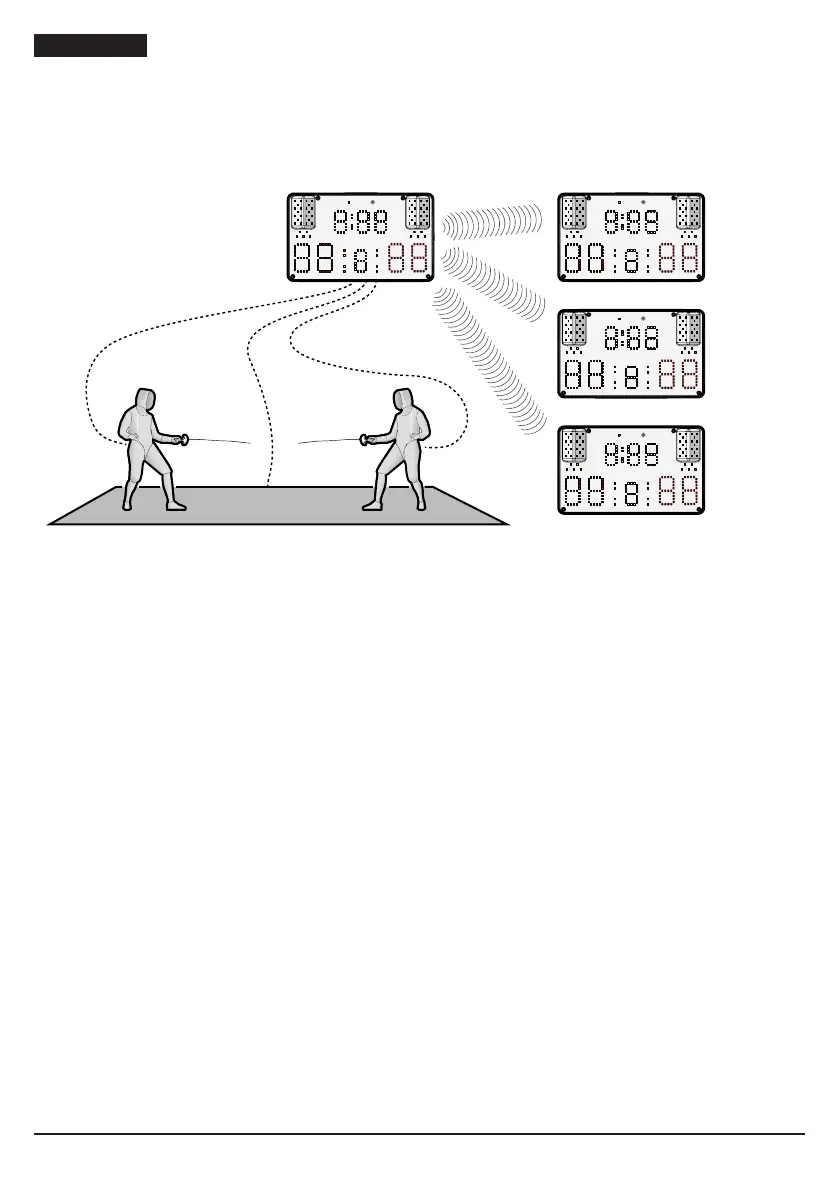
Each FA-15 device, congured as MASTER, may be connected in WIRELESS mode with a maximum of
three FA-15 devices congured as SLAVE devices. If more than three SLAVE devices are paired, only the
most recently paired three devices will remain in the memory.
WIRELESS
MASTER
WIRELESS
SLAVE 1
REMOTE REMOTE
FA-15
WIRELESS
SLAVE 2
REMOTE
FA-15
WIRELESS
SLAVE 3
REMOTE
Fig. 7
Devices in MASTER - SLAVE mode with WIRELESS connection
To congure two FA-15 devices as MASTER/SLAVE and connect them to each other:
1. press the [WIRELESS MASTER] key on the remote control paired with the main device (MASTER)
2. within 10 seconds, press the [WIRELESS SLAVE] key on the remote control paired with the
repeater (SLAVE).
3. the message "MA“ will appear on the display of the MASTER device and the number of SLAVE
devices (repeaters) connected (e.g. "MA 1")
4. the message “SL” will appear on the display of the SLAVE device
5. to pair another device, repeat the procedure.
Each time the SLAVE (repeater) devices are switched on, they will attempt to connect to the MASTER
device they have been paired with.
To interrupt WIRELESS connection between two MASTER/SLAVE FA-15 devices:
1. press the [ALT] + [WIRELESS RESET] keys on the remote control paired with the device in question
2. the message “AL” will appear on the device display (normal stand-alone operation).
Connection status LEDs
To check wireless or cable connection between two FA-15 devices, the status LED (“Fig. 1” on page 6) is
provided on the display. The various statuses are indicated by different colours produced by the LED:
• off: device operating in stand-alone mode
• red: stand-by
• blue: device congured as MASTER with wireless connection
• purple: device congured as SLAVE with wireless connection
• yellow: device congured as SLAVE with cable connection.


 To Next Page